MCHOSE K99 vs RX Storm RX87096% Layout vs TKL Wireless
Choose the MCHOSE K99 for its full-featured 96% layout and aluminum build, or the RX Storm RX870 for a more compact TKL form factor.
KeebFinder may earn a commission when you buy through these links, at no extra cost to you.


Which one should you get?
Get the
MCHOSE K99
96% Layout
Build quality in the bottom 15% of 98% boards under $100.
- Aluminum case construction for a premium feel.
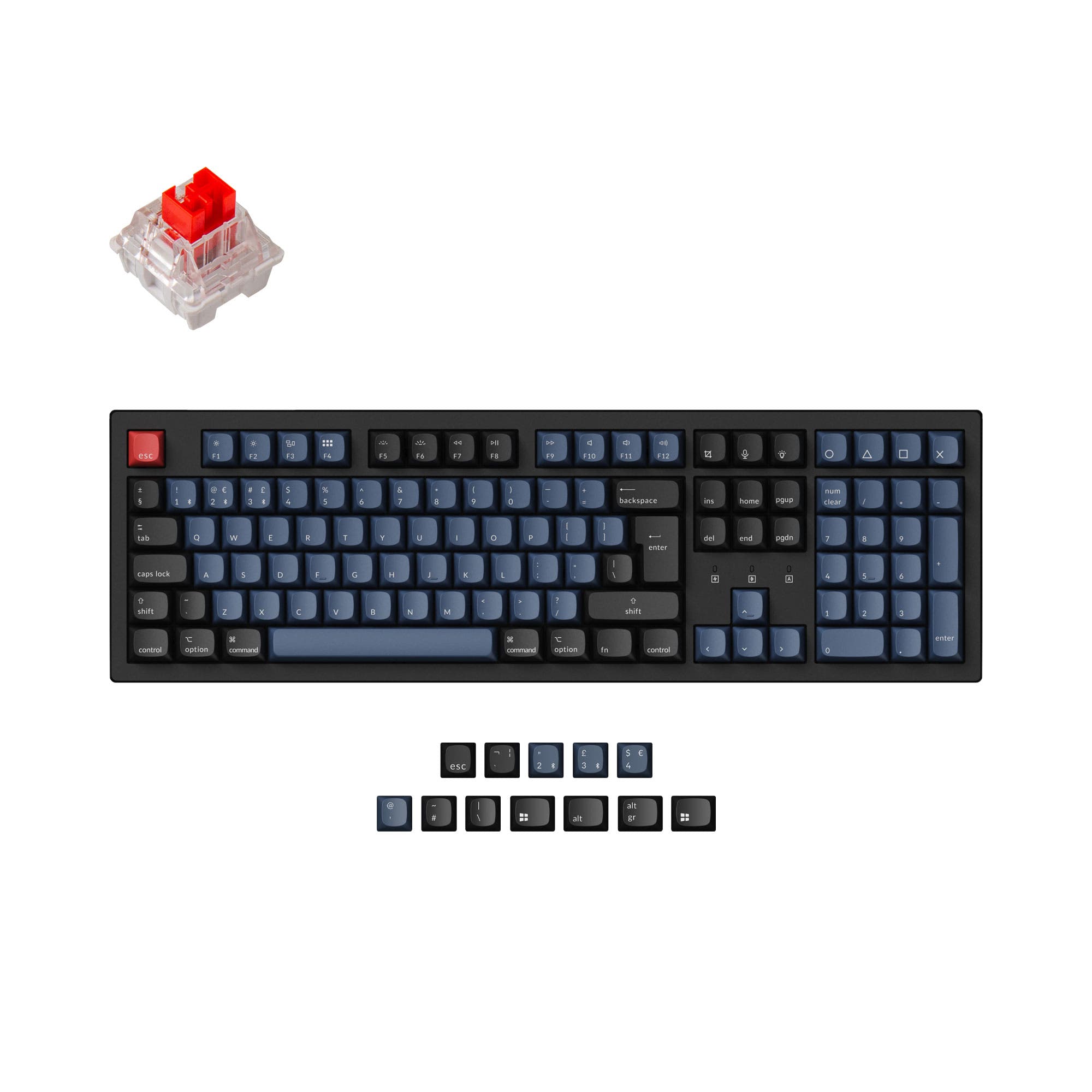
- 96% layout includes a numpad in a space-saving design.
- Hot-swappable PCB for easy switch customization.
- South-facing LEDs. Shine-through legends stay dark, and some sculpted keycaps can clip the LED.
- Compact full-size layout. The numpad is present, the gaps of a full-size board are not.
Get the
RX Storm RX870
TKL Wireless
Build quality in the bottom 35% of 80% boards under $100.
- Compact 80% TKL layout frees up desk space.
- Explicitly lists a 1000Hz polling rate for wired and 2.4GHz modes.
- Vendor description notes five layers of internal padding for sound.
- Switches are soldered. Swapping them means soldering.
- No numpad.
The MCHOSE K99 is the recommended choice for most users due to its superior feature set, including a numpad, hot-swap sockets, and aluminum build. It is better for productivity, gaming, and customization. Only choose the RX Storm RX870 if you specifically require a TKL layout for a smaller desk footprint and do not need RGB lighting or easy switch swapping.
The differences that matter
Skip the 40-row spec sheet. These are the specs that change how each board feels, sounds, and fits your desk.
MCHOSE K99
RX Storm RX870
Layout size
98%
80%
Rapid trigger
Yes
No
Faster resets help in games and not in normal typing
Hot-swappable
Yes
No
Switch changes without soldering
Battery
6,000 mAh
4,000 mAh
A larger battery means fewer cables during the day
Sound dampening
Yes
No
- MCHOSE K99
- RX Storm RX870
- Performance
- 7856
- Build quality
- 4753
- Productivity
- 7347
- Customizability
- 5840
- Portability
- 5962
- Connection: Bluetooth, 2.4 GHz, Wired
- Mount style: Gasket Mount
- Keycaps: PBT
What will you mostly use it for?
The MCHOSE K99 is the more versatile choice, winning in gaming, office use, modding, and content creation due to its numpad, hot-swap capability, and extensive feature set. The RX Storm RX870 is better suited for travel thanks to its more compact TKL form factor. For programming, the decision is a tie and comes down purely to personal layout preference between a compact full-size and a tenkeyless board.
Pick the MCHOSE K99
- The MCHOSE K99 lists Rapid Trigger as a feature, which is absent from the RX870's description.
- Its south-facing RGB LEDs can reduce interference with certain keycap legends.
- The vendor page mentions a 1000Hz polling rate for its 2.4GHz and wired modes, matching the RX870's stated rate.
MCHOSE K99 vs RX Storm RX870 specs
Every tracked spec, side by side. Rows marked with a dot differ between the boards.
8 of 21 specs differ
MCHOSE K99
RX Storm RX870
Switch options
Rapid trigger
Hot-swappable
Mount style
Sound dampening
Layout size
Layout standard
Ergonomics
Display
Connection
Max polling rate
Battery
Case material
Plate material
Keycaps
Weight
Dimensions
Backlight
N-key rollover
Mac & Windows
Released
Compare prices
Live prices from the stores we track, cheapest in-stock offer first.
Prices in USD are converted to your currency and can change at any time. KeebFinder may earn a commission when you buy through these links, at no extra cost to you.
Lowest price across stores, Amazon excluded.




MCHOSE K99 vs RX Storm RX870: your questions
The MCHOSE K99 features a 96% layout, which includes a numpad integrated into a compact design. The RX Storm RX870 is an 80% TKL keyboard and does not have a numpad.
Only the MCHOSE K99 is listed as hot-swappable, supporting both 3-pin and 5-pin switches. The RX Storm RX870's specifications and vendor description do not mention hot-swap capability.
The MCHOSE K99 has a 6000mAh battery, while the RX Storm RX870 has a 4000mAh battery. Based on capacity alone, the K99 should offer longer usage between charges.
No. The MCHOSE K99 has south-facing RGB backlighting and a surround RGB light strip. The RX Storm RX870's specifications list no RGB lighting.
The MCHOSE K99 has an aluminum case. The RX Storm RX870 has a plastic case, which the vendor describes as made from a thick, skin-friendly material.
Both aim for a good typing sound. The MCHOSE K99 vendor details a six-layer sound dampening system with Poron foam, IXPE foam, and PET film. The RX870 vendor mentions five layers of internal padding. The K99 also offers a choice between Hyacinth and Icy Creamsicle switches for sound preference.
The RX Storm RX870 explicitly lists a 1000Hz polling rate for its wired and 2.4GHz modes. The MCHOSE K99 vendor page also mentions a 1000Hz polling rate for its 2.4GHz and wired connections.
The MCHOSE K99 lists Mac/Win support as a feature. The RX Storm RX870 vendor description states its software is only for Windows, but basic Bluetooth functionality may still work with Mac.
The RX Storm RX870 is more portable due to its smaller 80% TKL footprint (370mm wide) compared to the K99's 96% layout (420mm wide). The RX870 is also slightly heavier (1380g vs 1200g), but the size difference is the key factor.
The MCHOSE K99 offers keycaps in MDA or Cherry profile options according to its vendor page. The RX Storm RX870 uses DSA profile keycaps, as stated in its specifications.
The MCHOSE K99 vendor mentions support for MCHOSE HUB software. The RX Storm RX870 has downloadable software, but its vendor notes it only works in wired or 2.4G mode and is for Windows only.
Not sold on either?




Still torn?
Answer a few quick questions and the keyboard finder ranks 2,000+ boards by how you will actually use yours.