Qwertykeys Neo75 vs Tex ShuraAluminum Gasket vs Plastic Trackpoint
Choose the Neo75 for premium build and sound, or the Shura for its unique integrated trackpoint in a more compact form.


Which one should you get?
Get the
Qwertykeys Neo75
Aluminum Gasket
- Premium aluminum case construction with optional brass or copper weights.
- Advanced gasket mount system with Poron, silicone, and top mount options for customizable typing feel.
- Comprehensive sound-dampening package includes plate foam, Poron case foam, IXPE sheet, and a segmented acoustic chamber.
- Heavy at 2200g, reducing portability.
- No RGB lighting.
- Is a barebones kit requiring separate purchase of switches and keycaps.
Get the
Tex Shura
Plastic Trackpoint
- Includes a unique signature Tex trackpoint (mouse nub) for integrated cursor control.
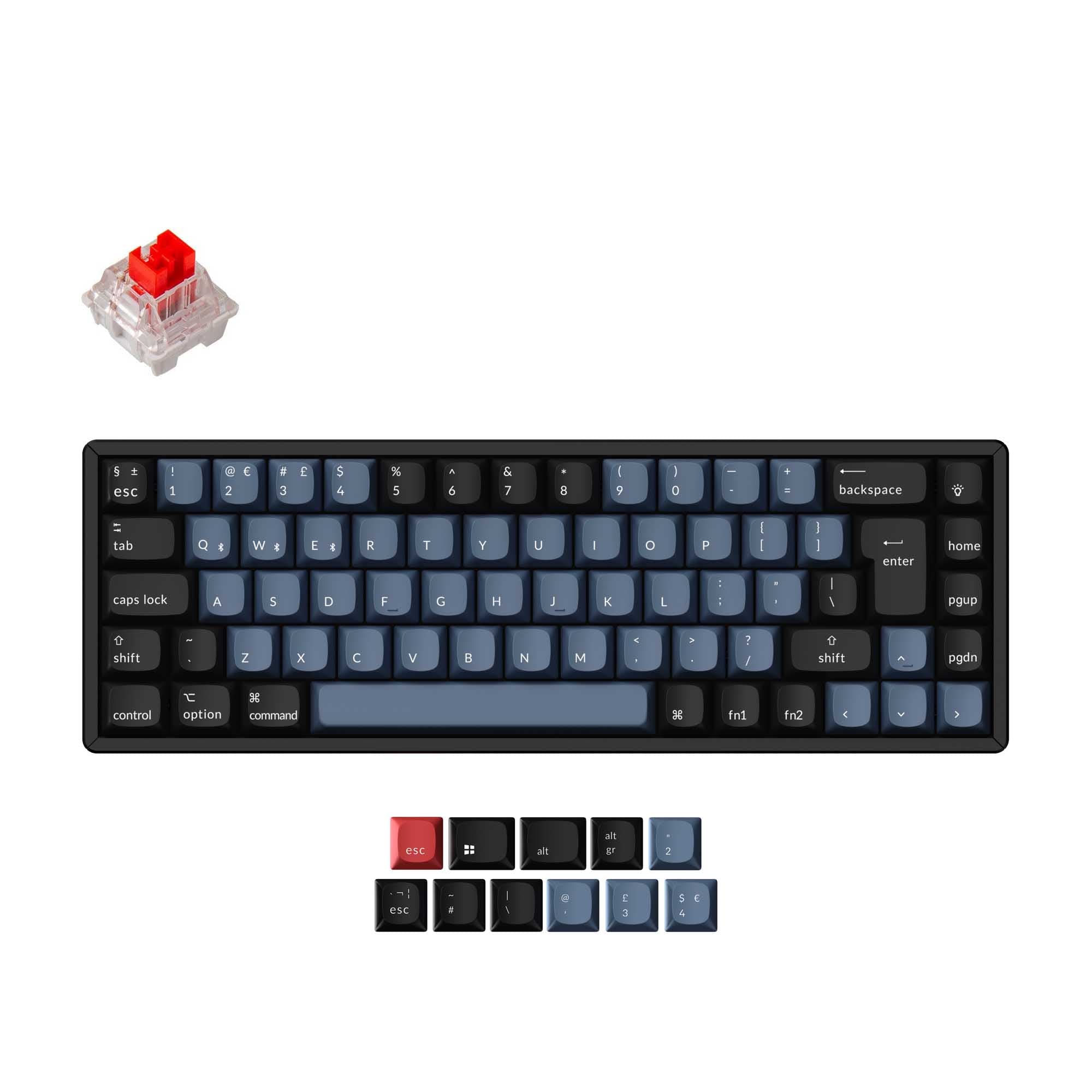
- Compact 65% form factor saves desk space while retaining arrow keys.
- Vendor confirms compatibility with Windows, Mac, and Linux systems.
- Plastic case and plate construction.
- Smaller 65% layout lacks dedicated function and navigation keys.
- No wireless connectivity options, wired only.
Your primary need dictates the choice. For a premium typing and sound experience with extensive modding potential, the Qwertykeys Neo75 is the clear winner. If your workflow benefits from an integrated pointing device and maximum desk space savings, the Tex Shura's unique trackpoint is the compelling feature. Consider the Neo75 for a flagship custom build and the Shura for a specialized, space-efficient tool.
The differences that matter
Skip the 40-row spec sheet. These are the specs that change how each board feels, sounds, and fits your desk.
Qwertykeys Neo75
Tex Shura
Layout size
75%
65%
Case material
Aluminum, Brass, Copper, Steel
ABS, Plastic
Mount style
Gasket Mount
Plate Mount
QMK
Yes
No
VIA
Yes
No
- Qwertykeys Neo75
- Tex Shura
- Performance
- 6849
- Build quality
- 9457
- Productivity
- 8845
- Customizability
- 8661
- Portability
- 9270
- Hot-swappable
What will you mostly use it for?
The Neo75 is the stronger choice for gaming, programming, and modding due to its larger layout, wireless options, and extensive customization. The Shura wins for office use and travel, leveraging its trackpoint and compact size. For content creation, the choice is split between the Neo75's layout and the Shura's integrated pointing device.
Pick the Qwertykeys Neo75
- The Neo75 offers tri-mode connectivity with 2.4 GHz wireless for reduced latency.
- Its 75% layout retains function keys for gaming shortcuts without a full-size footprint.
- The aluminum case and gasket mount provide a stable, premium typing platform.
What owners say
Ratings and quotes collected from verified store reviews, including the critical ones.
Qwertykeys Neo75
17 owner reviews
“The design is sleek, switches feel great, and I really appreciate how easy it is to switch the wireless connection from mac to PC”
“it was fine at first. then 4 days later my left shift button stopped working. this is poorly made clearly or i just hit the key too hard idk question mark anyways will be returning this unless i find a fix”
Tex Shura
No owner reviews collected yet.
Qwertykeys Neo75 vs Tex Shura specs
Every tracked spec, side by side. Rows marked with a dot differ between the boards.
11 of 23 specs differ
Qwertykeys Neo75
Tex Shura
Switch options
Hot-swappable
Mount style
Sound dampening
Layout size
Layout standard
Ergonomics
Display
Connection
Battery
USB-C
Case material
Plate material
Keycaps
Weight
Dimensions
Typing angle
Backlight
QMK
VIA
N-key rollover
Mac & Windows
Released
Compare prices
Live prices from the stores we track, cheapest in-stock offer first.
Lowest price across stores, Amazon excluded.




Prices in USD are converted to your currency and can change at any time. KeebFinder may earn a commission when you buy through these links, at no extra cost to you.
Qwertykeys Neo75 vs Tex Shura: your questions
The Tex Shura may be slightly more approachable as its vendor description lists it as a DIY kit with included keycaps, stabilizers, O-rings, and a puller. The Qwertykeys Neo75 is also a kit but is a more complex, multi-mount system aimed at enthusiasts seeking specific acoustic results.
Yes, if you choose the tri-mode PCB version. The vendor description states it comes with two pre-installed 2200mAh batteries. The wired version replaces these with stainless steel filler weights.
Yes. The vendor's product characteristics list confirms the Tex Shura is compatible with Mac, Windows, and Linux operating systems.
According to the vendor, the Neo75 supports three mounting styles: a Poron gasket mount, a silicone gasket mount, and a top mount. The kit includes the necessary gaskets and screws for all options.
Both are sold as barebones DIY kits. The Tex Shura includes its signature keycaps and a trackpoint cap, but switches are not included. The Qwertykeys Neo75 does not include keycaps or switches.
The Tex Shura is more portable. It has a smaller 65% footprint and a plastic construction, whereas the Neo75 is a heavier 75% aluminum keyboard weighing 2200g.
The vendor description mentions build guides and firmware for Neo series keyboards, suggesting programmability, but the specific software (e.g., VIA, QMK) is not detailed in the provided information. The Tex Shura is explicitly listed as programmable via a web tool.
The Qwertykeys Neo75 has a 7-degree typing angle, as listed in its specifications.
The provided vendor description for the Tex Shura does not mention any integrated sound-dampening foams or materials. One user review mentions adding their own foam.
Yes. The specifications show the Qwertykeys Neo75 supports both ANSI and ISO layouts.
The vendor description mentions PP and Aluminum plates. The metadata also lists Plastic, Carbon Fiber, FR4, and POM as available plate materials for the Neo75.
Not sold on either?




Still torn?
Answer a few quick questions and the keyboard finder ranks 2,000+ boards by how you will actually use yours.