Qwertykeys QK80 Mk2 vs WOBKEY Crush 80 Reboot ProDIY Kit vs Prebuilt TKL
Choose the QK80 Mk2 for a deep DIY project and unique screen, or the Crush 80 Reboot Pro for a ready-to-use keyboard with superior battery life.


Which one should you get?
Get the
Qwertykeys QK80 Mk2
DIY Kit
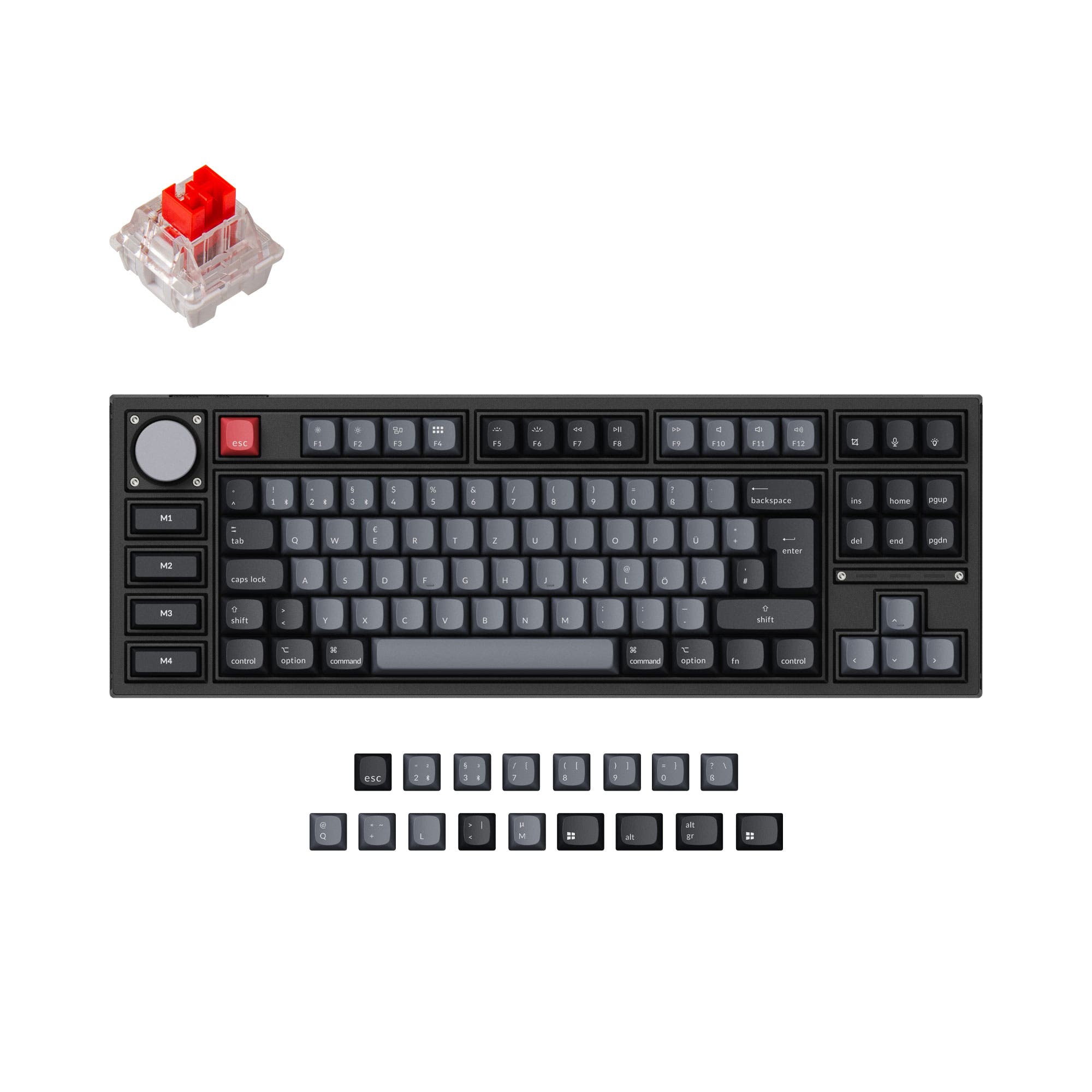
- Offers a TFT LCD screen with customizable themes and system info display.
- Highly customizable DIY kit with multiple plate and PCB options (FR4, Aluminum, POM, PC, Carbon Fiber).
- Uses a leaf-spring gasket mount for a bouncy typing feel and acoustic tuning.
- Sold as a kit, requiring the user to source and install switches and keycaps.
- Smaller 4400mAh battery capacity compared to the competition.
- Has a long estimated production and ship time of 12 weeks.
Get the
WOBKEY Crush 80 Reboot Pro
Prebuilt TKL
- Comes fully prebuilt with dye-sub double-shot PBT keycaps and Kailh Cocoa switches.
- Large 7500mAh battery for extended wireless usage.
- Includes a custom carrying case and has dedicated magnetic receiver storage.
- Uses a plate mount design, which typically offers less flex than gasket mounts.
- Lacks a screen, which some competing keyboards offer for system information.
- No reviews are available in the provided metadata for performance verification.
Your decision hinges on whether you value a project or a product. Choose the Qwertykeys QK80 Mk2 if you enjoy the building process, want to fine-tune every aspect of sound and feel, and value the novelty of a programmable screen. Opt for the WOBKEY Crush 80 Reboot Pro if you want a premium, ready-to-type experience out of the box, need exceptional battery life, and appreciate practical travel features like a carrying case and dongle storage.
The differences that matter
Skip the 40-row spec sheet. These are the specs that change how each board feels, sounds, and fits your desk.
Qwertykeys QK80 Mk2
WOBKEY Crush 80 Reboot Pro
Battery
8,000 mAh
7,500 mAh
Ergonomics
Standard
Split Spacebar
Case material
Aluminum, Copper, Steel
Aluminum
Mount style
Gasket Mount, Plate Mount
Plate Mount
Display
TFT
None
- Qwertykeys QK80 Mk2
- WOBKEY Crush 80 Reboot Pro
- Performance
- 6878
- Build quality
- 8977
- Productivity
- 8491
- Customizability
- 8579
- Portability
- 8787
- Layout size: 80%
- Connection: Bluetooth, 2.4 GHz, Wired
- Hot-swappable
- VIA
- Sound dampening
- Keycaps: PBT
What will you mostly use it for?
The WOBKEY Crush 80 Reboot Pro is the stronger choice for office work, travel, and out-of-the-box gaming due to its prebuilt nature, massive battery, and included travel case. The Qwertykeys QK80 Mk2 is the definitive pick for modding enthusiasts and has unique advantages for content creators thanks to its customizable screen. For programming, both are capable, with the decision leaning on preference for layout flexibility versus visual feedback.
Pick the WOBKEY Crush 80 Reboot Pro
- The Crush 80 Reboot Pro is listed as having N-Key Rollover for simultaneous key presses.
- Its plate mount design may offer a more consistent, less flexible typing feel preferred by some gamers.
- It is a prebuilt unit, ensuring consistent switch performance out of the box.
What owners say
Ratings and quotes collected from verified store reviews, including the critical ones.
Qwertykeys QK80 Mk2
4 owner reviews
“I ordered a keyboard set and keycaps from divinikey the 2 sets go out of stock almost everytime so I decided to go with Divinikey and they game me a time frame of up to12 weeks which was perfectly fine and the package came in after 6-7 weeks I was super happy…”
“I'm not sure why the QK80 is getting the reviews it's getting. Let's go down the list of the brand new QK80 I have and what I'm regretting getting it: 1) The screen worked for all of five seconds before going blank. Nothing I do brings it back 2) You can't…”
WOBKEY Crush 80 Reboot Pro
No owner reviews collected yet.
Qwertykeys QK80 Mk2 vs WOBKEY Crush 80 Reboot Pro specs
Every tracked spec, side by side. Rows marked with a dot differ between the boards.
12 of 22 specs differ
Qwertykeys QK80 Mk2
WOBKEY Crush 80 Reboot Pro
Hot-swappable
Mount style
Sound dampening
Screw-in stabilizers
Layout size
Layout standard
Ergonomics
Display
Connection
Battery
USB-C
Case material
Plate material
Keycaps
Weight
Dimensions
Typing angle
Backlight
VIA
N-key rollover
Mac & Windows
Released
Compare prices
Live prices from the stores we track, cheapest in-stock offer first.
Lowest price across stores, Amazon excluded.




Prices in USD are converted to your currency and can change at any time. KeebFinder may earn a commission when you buy through these links, at no extra cost to you.
Qwertykeys QK80 Mk2 vs WOBKEY Crush 80 Reboot Pro: your questions
The WOBKEY Crush 80 Reboot Pro has a significantly larger 7500mAh battery. The Qwertykeys QK80 Mk2 uses two 4400mAh batteries, but the vendor description does not specify if they are used in series or parallel, so total capacity is not directly stated. For extended wireless use, the Crush 80 is the safer bet.
No, the Qwertykeys QK80 Mk2 is sold as a DIY kit or barebones unit. The vendor listing includes the case, PCB, plates, foam, and accessories like stabilizers, but you must purchase switches and keycaps separately. The Crush 80 Reboot Pro comes fully assembled.
Yes, both keyboards support VIA software for key remapping and macro programming. The QK80 Mk2 uses QK's customized VIA, while the Crush 80 Reboot Pro provides a downloadable JSON file for VIA compatibility.
The mounting style is a key differentiator. The QK80 Mk2 uses a leaf-spring gasket mount, which its vendor says aims for a bouncier feel and better acoustics. The Crush 80 Reboot Pro uses a traditional plate mount, which typically provides a more rigid and consistent typing feel.
The WOBKEY Crush 80 Reboot Pro is better suited for travel. It explicitly includes a custom carrying case, has dedicated magnetic storage for its 2.4GHz dongle, and its larger battery means less frequent charging while away from a desk.
The Qwertykeys QK80 Mk2 features a TFT LCD display alongside a dot-matrix LED panel. According to the vendor, it can show time, date, connectivity status, has built-in themes, and even includes a simple Flappy Bird game.
Yes, both keyboards include stabilizers. The QK80 Mk2 kit includes a set of stabilizers as a free gift. The Crush 80 Reboot Pro comes with WOB custom stabilizers pre-installed on its prebuilt assembly.
Both keyboards include sound dampening features. The QK80 Mk2 kit includes a foam set with PET sheet, IXPE sheet, PCB foam, and case foam. The Crush 80 Reboot Pro uses Poron case foam layers, Poron plate foam, a PET switch film, and IXPE switch pads. Both are well-equipped for acoustic tuning.
Yes, the WOBKEY Crush 80 Reboot Pro's vendor description specifically states its PCB layout supports split spacebar. The QK80 Mk2's vendor description does not mention split spacebar support in its listed features.
The WOBKEY Crush 80 Reboot Pro features a ball-catch quick release design for fast and tool-less disassembly, as noted in its product description. This makes opening the case for cleaning or basic maintenance very straightforward.
The provided vendor descriptions do not detail specific warranty or return policies. The QK80 Mk2 listing notes that orders cannot be canceled once the batch period ends and that complementary free gifts are not replaced if missing. Always check the retailer's policy at the time of purchase.
Not sold on either?




Still torn?
Answer a few quick questions and the keyboard finder ranks 2,000+ boards by how you will actually use yours.