Yunzii C68 vs C75Compact 65% vs Feature-Rich 75% Keyboard
Choose the Yunzii C68 for a compact, uniquely soft build, or the C75 for a more traditional, feature-rich layout with premium construction.
KeebFinder may earn a commission when you buy through these links, at no extra cost to you.


Which one should you get?
Get the
Yunzii C68
Compact 65%
Build quality in the bottom 10% of 65% boards under $100.
- Unique silicone case material with a detachable cat-themed design.
- More compact 65% layout for maximum desk space savings.
- Explicitly listed with sound dampening features and pre-lubed switches.
- South-facing LEDs. Shine-through legends stay dark, and some sculpted keycaps can clip the LED.
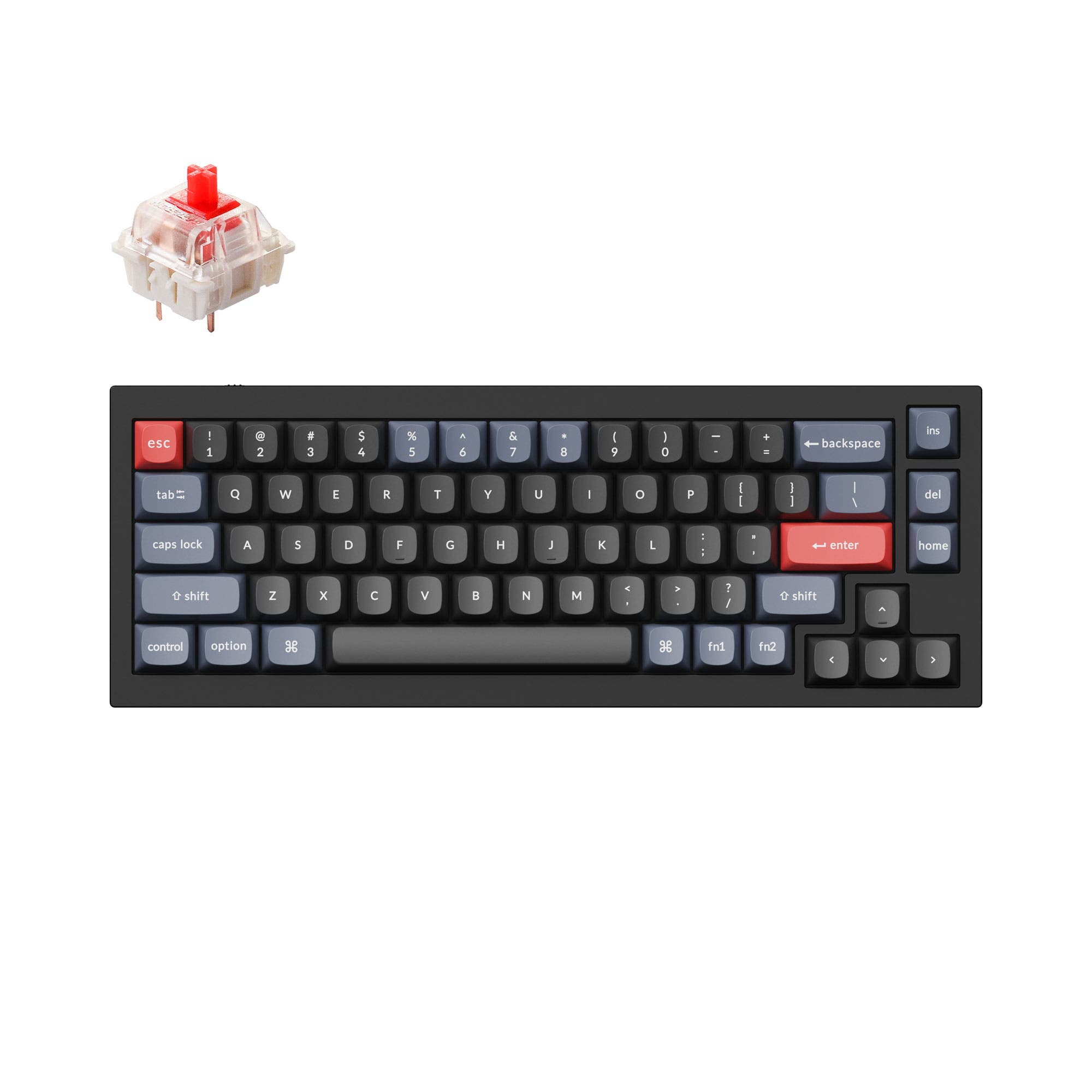
- 65% layout. No function row and no numpad.
Get the
Yunzii C75
Feature-Rich 75% Keyboard
Build quality in the bottom 30% of 75% boards under $100.
- Aluminum case construction with a gasket mount for a premium feel and sound.
- 75% layout includes function row and navigation keys for better productivity.
- Larger 5500mAh battery for extended wireless use.
- South-facing LEDs. Shine-through legends stay dark, and some sculpted keycaps can clip the LED.
- No numpad.
Your primary need dictates the choice. If you want a highly portable, unique keyboard with a soft touch and maximal desk space, the Yunzii C68 is compelling. If you require a full function row, prefer a solid metal build with a gasket mount, and value a more traditional premium typing experience, the Yunzii C75 is the better investment. Both offer excellent wireless flexibility and hot-swap customization.
The differences that matter
Skip the 40-row spec sheet. These are the specs that change how each board feels, sounds, and fits your desk.
Yunzii C68
Yunzii C75
Layout size
65%
75%
Battery
4,000 mAh
5,500 mAh
A larger battery means fewer cables during the day
Case material
Silicone
Aluminum
Switch options
Linear
Clicky, Linear
Sound dampening
Yes
No
- Yunzii C68
- Yunzii C75
- Performance
- 5459
- Build quality
- 4355
- Productivity
- 7066
- Customizability
- 7460
- Portability
- 8892
- Connection: Bluetooth, 2.4 GHz, Wired
- Hot-swappable
- Keycaps: PBT
What will you mostly use it for?
The Yunzii C75 is the more versatile choice for productivity-focused tasks like office work, programming, and gaming, thanks to its larger layout and sturdier build. The C68 excels in portability and offers a unique, playful foundation for modders. For content creation, the decision is balanced, depending on whether you value desk space or dedicated shortcut keys more.
Pick the Yunzii C75
- The C75 has a specified 1000 Hz polling rate, which the C68's listing does not mention.
- Its aluminum case and gasket mount may provide a more stable, consistent typing platform.
- The 75% layout retains dedicated arrow keys, which are useful for many games.
Yunzii C68 vs C75 specs
Every tracked spec, side by side. Rows marked with a dot differ between the boards.
6 of 20 specs differ
Yunzii C68
Yunzii C75
Switch options
Hot-swappable
Mount style
Sound dampening
Layout size
Layout standard
Ergonomics
Display
Connection
Max polling rate
Battery
USB-C
Case material
Keycaps
Weight
Dimensions
Backlight
N-key rollover
Mac & Windows
Released
Compare prices
Live prices from the stores we track, cheapest in-stock offer first.
Prices in USD are converted to your currency and can change at any time. KeebFinder may earn a commission when you buy through these links, at no extra cost to you.
Lowest price across stores, Amazon excluded.



Yunzii C68 vs C75: your questions
The core differences are layout and construction. The C68 is a 65% keyboard with a silicone case, prioritizing compactness and a unique aesthetic. The C75 is a 75% keyboard with an aluminum case and gasket mount, offering more keys and a traditional premium build.
The C75 may offer a more consistent typing feel due to its aluminum case and gasket mount structure, which is designed to reduce noise and provide a creamy sound. The C68 uses a silicone case with sound-absorbing fillings for a muted, soft experience. Preference depends on whether you like a solid, resonant feel or a quieter, dampened one.
Yes, both keyboards feature hot-swappable PCBs that support 3-pin and 5-pin mechanical switches. This allows you to change switches easily without soldering.
The Yunzii C75 has a larger 5500mAh battery, while the C68 has a 4000mAh battery. Based on the specifications, the C75 should theoretically offer longer battery life, though actual runtime depends on usage patterns like RGB brightness and connectivity mode.
Yes, both the Yunzii C68 and C75 are listed as supporting Mac and Windows systems. Their vendor descriptions also mention compatibility with Android and iOS devices via Bluetooth.
The Yunzii C75 product listing specifies a 1000 Hz polling rate. The C68's listing does not mention a polling rate, so a direct comparison cannot be made from the provided information.
The C68's vendor description explicitly highlights multiple layers of sound-absorbing fillings and pre-lubed switches to eliminate typing noise. The C75's description mentions sound-absorbing fillings and a creamy sound, but does not emphasize quietness to the same degree. The C68 may be marketed more towards a silent typing experience.
The Yunzii C68 is more portable. It has a smaller 65% layout and a lighter silicone case. The C75 is a larger 75% layout with a heavy aluminum case weighing 1008g, making it less ideal for frequent travel.
Yes, according to their vendor descriptions, both keyboards support customization software. The C68 mentions Windows software for RGB, macros, and key remapping. The C75 mentions programmable software for Windows and Mac, and an online website for customization.
Both keyboards use PBT keycaps. The C68 uses PBT MOA profile keycaps, and the C75 uses dye-sublimation PBT MOA profile keycaps, which are resistant to shine and wear.
Yes, both the Yunzii C68 and C75 are listed as having south-facing RGB LEDs. This positioning provides better illumination for shine-through keycaps and is generally more compatible with Cherry-profile keycaps.
Not sold on either?




Still torn?
Answer a few quick questions and the keyboard finder ranks 2,000+ boards by how you will actually use yours.