Epomaker Galaxy100 Lite vs Split70Compact Layout vs Split Ergonomics
Choose the Galaxy100 Lite for a traditional compact layout with a premium aluminum build, or the Split70 for ergonomic split typing with greater portability.


Which one should you get?
Get the
Epomaker Galaxy100 Lite
Compact Layout
- Aluminum alloy case construction for premium feel and durability.
- Large 8000mAh battery for extended wireless use.
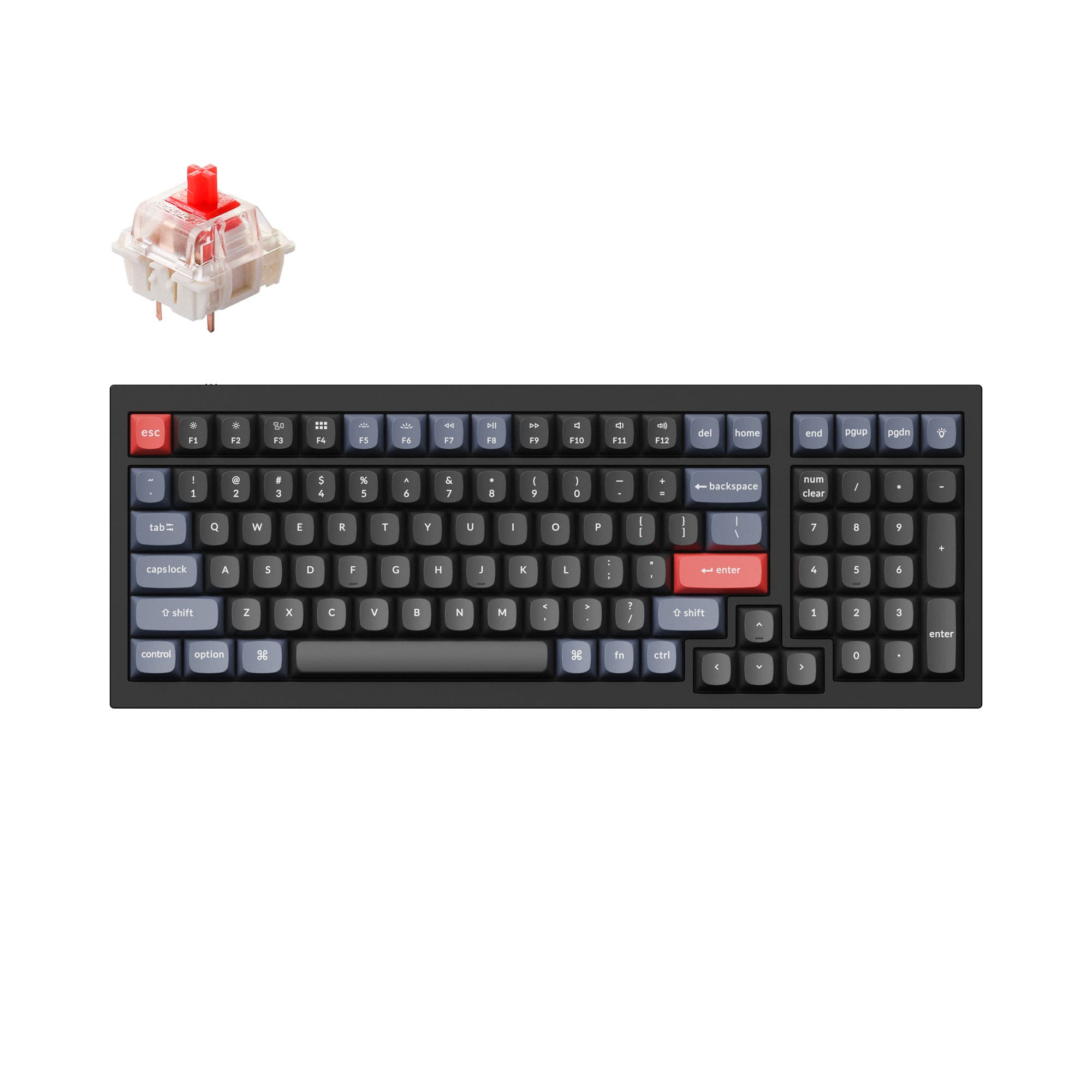
- 96% layout includes a numpad and arrow keys in a compact form.
- Very heavy at 1660g, reducing portability.
- The compact 96% layout places arrow keys directly under the Enter key, which may require adjustment.
- Plate-mount stabilizers are not compatible with screw-in stabilizers.
Get the
Epomaker Split70
Split Ergonomics
- Split ergonomic design helps reduce arm and shoulder tension.
- Lighter weight of 890g and more compact dimensions when split.
- Polycarbonate plate may offer a different typing sound and flex compared to plastic.
- ABS plastic case lacks the premium feel of aluminum.
- Smaller 3000mAh battery.
- 70% split layout lacks a numpad and dedicated navigation cluster.
Your primary need dictates the choice. If you want a traditional, solid-feeling keyboard with all the keys for work and play, the Epomaker Galaxy100 Lite is the clear option. If your priority is ergonomic comfort for long typing sessions or you need a more portable setup, the Epomaker Split70's unique design is worth the trade-offs in material and battery size. Both are capable, customizable boards at a similar price.
The differences that matter
Skip the 40-row spec sheet. These are the specs that change how each board feels, sounds, and fits your desk.
Epomaker Galaxy100 Lite
Epomaker Split70
Battery
8,000 mAh
3,000 mAh
Ergonomics
Standard
Split
Case material
Aluminum
ABS
Switch options
Clicky, Linear
Linear
Weight
1,660 g
890 g
- Epomaker Galaxy100 Lite
- Epomaker Split70
- Performance
- 8278
- Build quality
- 8377
- Productivity
- 9393
- Customizability
- 8991
- Portability
- 6589
- Connection: Bluetooth, 2.4 GHz, Wired
- Hot-swappable
- Max polling rate: 1,000 Hz
- Mount style: Gasket Mount
- Knob
- QMK
What will you mostly use it for?
The Galaxy100 Lite is the more versatile choice for traditional tasks like gaming, programming, and content creation due to its inclusive layout and sturdy build. The Split70 excels specifically in portability and offers a clear ergonomic advantage for reducing typing strain. For office use and modding, the keyboards are closely matched, with the decision boiling down to whether you value a numpad or a split design more for your daily workflow.
Pick the Epomaker Galaxy100 Lite
- The Galaxy100 Lite's 96% layout retains the numpad and arrow keys, which are useful for certain games and macros.
- Its aluminum case provides a more stable, heavier base during intense use.
- It offers a slightly lower wired latency of 2.81ms compared to the Split70's 3ms.
What owners say
Ratings and quotes collected from verified store reviews, including the critical ones.
Epomaker Galaxy100 Lite
33 owner reviews
“I like the feel and the sounds the keyboard has. However, one of the foot is missing, and there's no feature to disable the backlight from numlock.”
“Had it for maybe a month or two and it no longer works, the lighting is gone and it won’t even turn on now”
Epomaker Split70
15 owner reviews
“Check out my full review - https://dezdoes.com/epomaker-split-70-the-learning-curve-and-triumph-of-split-ergonomics/”
“i bet its a great product but i never got it because there was an issue with the destination info.. im kinda down eighty bucks and a keyboard.. im working my butt off so i can try to get a new one”
Epomaker Galaxy100 Lite vs Split70 specs
Every tracked spec, side by side. Rows marked with a dot differ between the boards.
8 of 26 specs differ
Epomaker Galaxy100 Lite
Epomaker Split70
Switch options
Hot-swappable
Mount style
Sound dampening
Layout size
Layout standard
Ergonomics
Knob
Display
Media keys
Connection
Max polling rate
Battery
USB-C
Case material
Plate material
Keycaps
Weight
Dimensions
Typing angle
Backlight
QMK
VIA
N-key rollover
Mac & Windows
Released
Compare prices
Live prices from the stores we track, cheapest in-stock offer first.
Lowest price across stores, Amazon excluded.


Prices in USD are converted to your currency and can change at any time. KeebFinder may earn a commission when you buy through these links, at no extra cost to you.
Epomaker Galaxy100 Lite vs Split70: your questions
The Galaxy100 Lite has a larger 8000mAh battery, which should provide longer usage between charges. The Split70 has a 3000mAh battery, but the manufacturer claims it can last up to 260 hours with the RGB backlight turned off.
Yes. The Split70 halves can be connected together using the included USB C-to-C cable to form a unified keyboard. The product description states you can 'detach in halves or link them together with a cable' for flexibility.
Yes. Both the Galaxy100 Lite and Split70 list Mac compatibility in their specifications. Both keyboards also include supplementary Mac modifier keycaps (Command and Option) in the box.
Both keyboards offer a high degree of customization. They both support QMK and VIA software, allowing for key remapping, macro creation, and lighting control in real-time without flashing firmware.
Yes. Both the Epomaker Galaxy100 Lite and Split70 feature hot-swappable PCBs that support 3-pin and 5-pin mechanical switches. Each comes with a 2-in-1 switch puller for easy swapping.
The Galaxy100 Lite uses a powder-coated CNC aluminum alloy for its case, while the Split70 uses an ABS plastic case. The Galaxy100 Lite also uses a plastic (PP) plate, whereas the Split70 uses a polycarbonate plate.
The Epomaker Split70 is designed specifically for ergonomic comfort. Its split layout allows you to position each half to align with your shoulders, promoting a more natural typing posture that can help alleviate tension in the arms and wrists during extended use.
Yes, both keyboards feature per-key RGB backlighting with south-facing LEDs. South-facing LEDs are often preferred as they provide better compatibility with Cherry-profile keycaps and reduce glare for the typist.
Both are designed for a quieter, thocky sound. The Galaxy100 Lite uses five layers of dampening including Poron, IXPE, and PET pads. The Split70 also uses five layers, including sandwiched latex, IXPE, PET, and silicone. Both come with pre-lubed linear switches.
The Galaxy100 Lite includes the keyboard, a USB A-to-C cable, a 2-in-1 puller, two extra switches, three Mac keycaps, a 2.4GHz dongle, and a manual. The Split70 includes the keyboard, a USB A-to-C cable, a USB C-to-C cable for connecting halves, a 2-in-1 puller, three extra switches, three Mac keycaps, and a manual.
Both have a 1000Hz polling rate in wired and 2.4GHz modes. According to manufacturer specs, the Galaxy100 Lite has a slightly lower wired latency at 2.81ms versus the Split70's 3ms. For competitive gaming, the difference is negligible, and the wired connection on either is recommended.
The Galaxy100 Lite uses plate-mount stabilizers and its product listing specifically states it is not compatible with screw-in stabilizers. The Split70 also uses plate-mounted stabilizers, but no compatibility restrictions are mentioned in the provided specifications.
Not sold on either?



Still torn?
Answer a few quick questions and the keyboard finder ranks 2,000+ boards by how you will actually use yours.