Apos Gizmo Engineering GK6 vs Kono 67°Ortholinear Kit vs Wireless 65%
Choose the GK6 for a premium, fully customizable ortholinear typing project, or the Kono 67° for a versatile, ready-to-use wireless keyboard.
KeebFinder may earn a commission when you buy through these links, at no extra cost to you.


Which one should you get?
Get the
Apos Gizmo Engineering GK6
Ortholinear Kit
Build quality in the top 40% of Numpad boards under $300.
- Premium unibody machined aluminum case with Cerakote finish.
- Fully programmable via open-source QMK firmware.
- Ortholinear layout designed to reduce finger stretching.
- Numpad only. This is not a full keyboard.
Get the
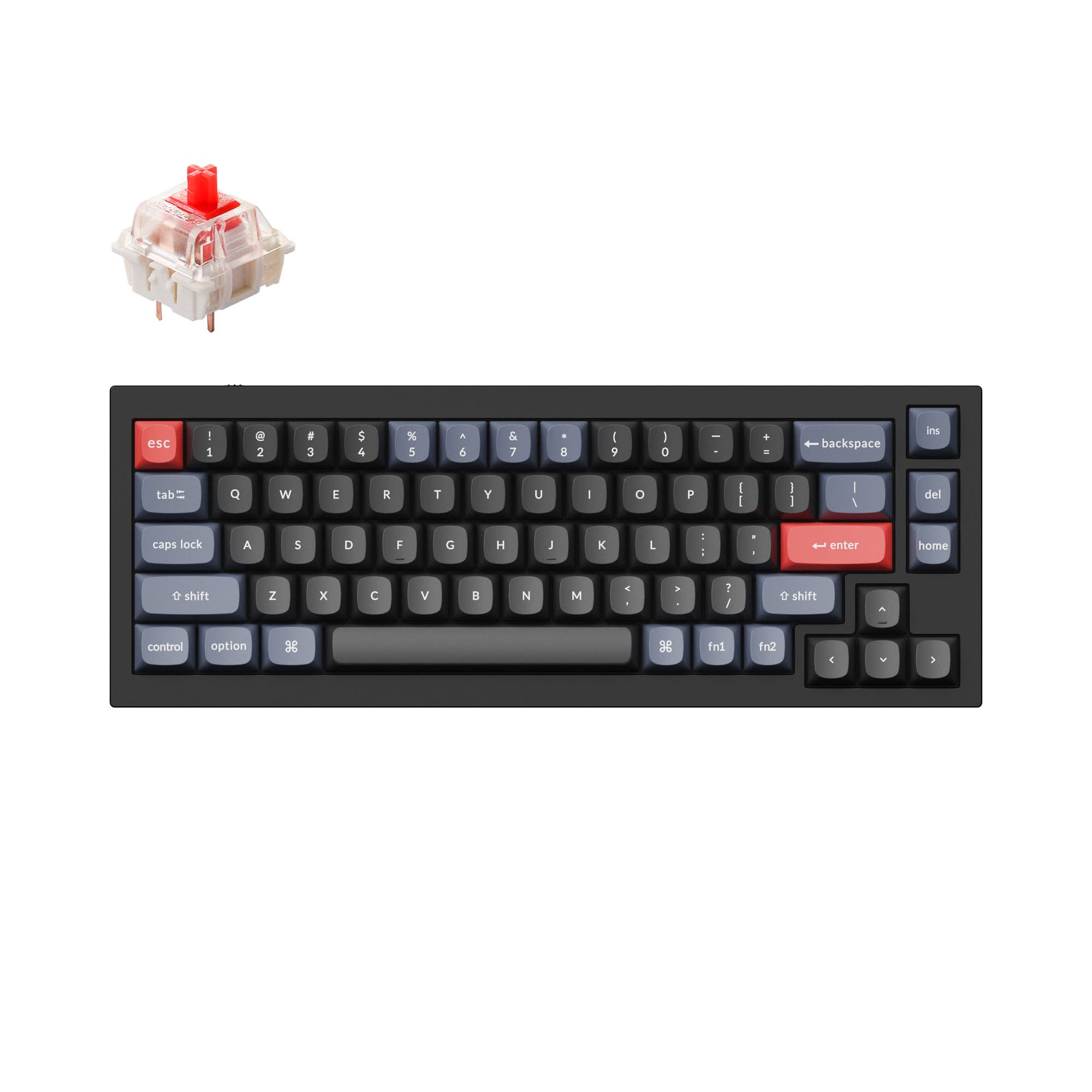
Apos Kono 67°
Wireless 65%
Build quality in the bottom 50% of 65% boards under $100.
- Tri-mode connectivity: Bluetooth 5.0, 2.4GHz with dongle, and wired USB-C.
- Pre-built and ready to use with Kailh switches and PBT keycaps.
- Includes a dedicated volume knob for media control.
- North-facing LEDs. Cherry-profile keycaps can hit the switch housing.
- 65% layout. No function row and no numpad.
Your primary need dictates the choice. If you want a unique, high-quality typing project and are willing to learn an ortholinear layout, the Apos GK6 kit offers superior materials and unmatched QMK customization. If you need a versatile, plug-and-play keyboard with wireless freedom for daily tasks and gaming, the Apos Kono 67° provides excellent value and convenience.
The differences that matter
Skip the 40-row spec sheet. These are the specs that change how each board feels, sounds, and fits your desk.
Apos Gizmo Engineering GK6
Apos Kono 67°
Layout size
Numpad
65%
Connection
Wired
Bluetooth, 2.4 GHz, Wired
Wireless for several devices and wired for lower latency
Ergonomics
Ortholinear
Standard
Case material
Aluminum, Steel
Plastic, Steel
Knob
No
Yes
- Apos Gizmo Engineering GK6
- Apos Kono 67°
- Performance
- 6672
- Build quality
- 7264
- Productivity
- 8563
- Customizability
- 8062
- Portability
- 7784
- Hot-swappable
- Sound dampening
- Keycaps: PBT
What will you mostly use it for?
The Kono 67° wins for general office use, gaming, and travel due to its wireless connectivity, familiar layout, and pre-built convenience. The GK6 is the clear choice for programming enthusiasts and modders who value deep firmware customization and a unique ortholinear typing experience. For content creation, both offer useful tools, making it a tie based on whether you prefer hardware media controls or software-driven macros.
Pick the Apos Kono 67°
- The Kono 67° includes N-key rollover, a standard for gaming.
- Its standard 65% layout is more familiar for gaming keybinds than the GK6's ortholinear layout.
- It offers a lower price point for a pre-built gaming-ready board.
Apos Gizmo Engineering GK6 vs Kono 67° specs
Every tracked spec, side by side. Rows marked with a dot differ between the boards.
10 of 22 specs differ
Apos Gizmo Engineering GK6
Apos Kono 67°
Switch options
Hot-swappable
Mount style
Sound dampening
Layout size
Layout standard
Ergonomics
Knob
Display
Connection
Battery
USB-C
Case material
Plate material
Keycaps
Weight
Dimensions
Backlight
QMK
N-key rollover
Mac & Windows
Released
Compare prices
Live prices from the stores we track, cheapest in-stock offer first.
Prices in USD are converted to your currency and can change at any time. KeebFinder may earn a commission when you buy through these links, at no extra cost to you.
Lowest price across stores, Amazon excluded.
- Check on Amazon
Amazon
Check price


Apos Gizmo Engineering GK6 vs Kono 67°: your questions
No, the Apos Gizmo Engineering GK6 is a wired-only keyboard. It connects via a USB-C to USB-A cable. The manufacturer lists no Bluetooth or 2.4GHz wireless capabilities.
The product listing for the Kono 67° does not explicitly state operating system compatibility. However, its connectivity via standard USB-C, Bluetooth, and a 2.4GHz dongle suggests it should be broadly compatible. For specific key mapping, you would use the included Kono67 software.
An ortholinear layout arranges keys in a straight grid, with no staggered columns like a traditional keyboard. The GK6 uses this design, which the manufacturer claims reduces awkward finger stretches. It requires a significant adjustment period for most typists.
Yes. The Apos Kono 67° features hot-swappable sockets that support both 3-pin and 5-pin MX-compatible switches. This allows you to change switches without any soldering required.
This is subjective and depends on layout preference. The GK6's ortholinear layout may improve ergonomics for some after a learning curve. The Kono 67° uses a familiar, standard 65% layout which most people can use immediately. Both come with PBT keycaps.
The GK6 is sold as a kit. According to the listing, it includes a PBT XDA profile keycap set, but it does not include mechanical switches. You must purchase switches separately to complete the build.
The Apos Kono 67° includes a 2400mAh rechargeable battery. The manufacturer does not provide an estimated battery life in hours, as this depends heavily on usage patterns and RGB lighting settings.
Yes, extensively. The Apos GK6 runs on QMK firmware, which allows for deep customization. You can create complex macro layers, remap every key, and adjust lighting behaviors directly in the firmware.
The Apos Kono 67° comes with PBT doubleshot shine-through keycaps. These are designed to be durable and allow the per-key RGB backlighting to shine through the legends.
The product description states the knob is for volume control and play/pause. It does not mention the ability to reprogram its function through the Kono67 software, suggesting its media control function is fixed.
The Apos GK6 is significantly heavier, weighing 810g due to its unibody aluminum construction. The Kono 67° uses a plastic outer frame and steel plate, and while its exact weight isn't listed, it will be considerably lighter.
Not sold on either?




Still torn?
Answer a few quick questions and the keyboard finder ranks 2,000+ boards by how you will actually use yours.