Jamesdonkey R2 vs R4Full-Size vs 75% Layout Keyboard Comparison
Choose the Jamesdonkey R2 for a full-size layout and DIY kit, or the R4 for a more portable 75% form factor and QMK support.
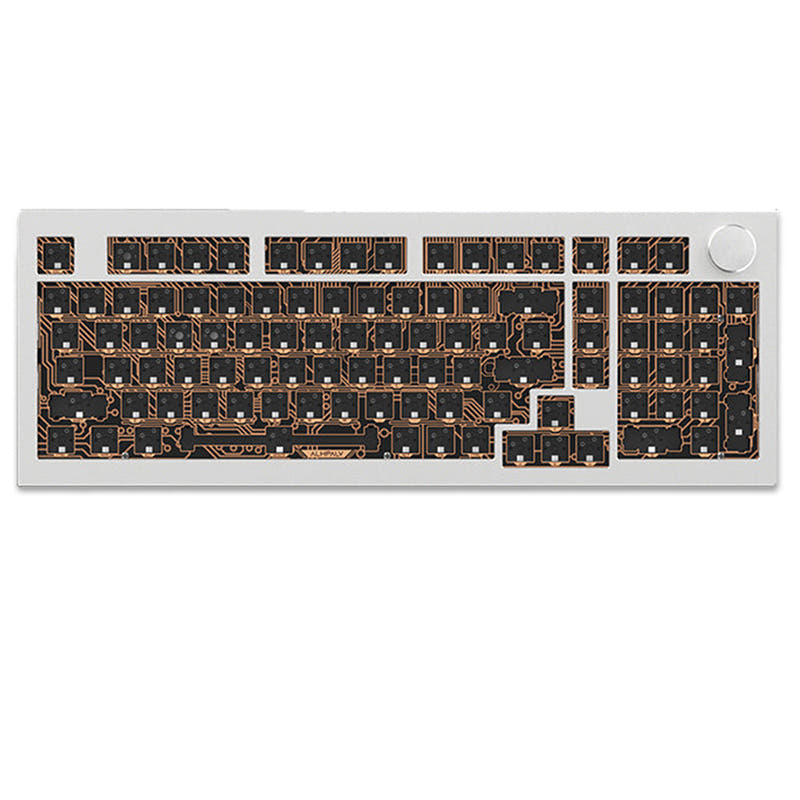

Which one should you get?
Get the
Jamesdonkey R2
Full-Size
- Full 100% layout with numpad for data entry and spreadsheets.
- Larger 6000mAh battery capacity for extended wireless use.
- Sold as a DIY kit, ideal for custom builders.
- Larger and heavier (2205g), making it less portable.
- Sold as a kit, requiring the user to source switches and keycaps separately.
- Lacks the advanced QMK firmware support found on the R4.
Get the
Jamesdonkey R4
75% Layout Keyboard Comparison
- Compact 75% layout saves considerable desk space.
- Offers QMK compatibility for deep customization and reprogramming.
- Includes south-facing RGB LEDs for better keycap compatibility.
- Smaller 4000mAh battery compared to the R2.
- No dedicated numpad, which some users may require.
- Slightly more expensive than the R2 based on listed prices.
Your decision should be guided by your need for a specific layout and your willingness to build. Opt for the Jamesdonkey R2 if you require a full-size keyboard with a numpad, prioritize maximum battery life, and enjoy assembling a DIY kit. Choose the Jamesdonkey R4 if you prefer a space-saving 75% layout, value the advanced key reprogramming of QMK, and want a pre-built keyboard ready to use immediately.
The differences that matter
Skip the 40-row spec sheet. These are the specs that change how each board feels, sounds, and fits your desk.
Jamesdonkey R2
Jamesdonkey R4
Layout size
100%
75%
Battery
6,000 mAh
4,000 mAh
Weight
2,205 g
1,900 g
QMK
No
Yes
Sound dampening
Yes
No
- Jamesdonkey R2
- Jamesdonkey R4
- Performance
- 5755
- Build quality
- 6567
- Productivity
- 8863
- Customizability
- 8279
- Portability
- 6577
- Connection: Bluetooth, 2.4 GHz, Wired
- Hot-swappable
- Case material: Aluminum
- Mount style: Gasket Mount
- Knob
- Keycaps: PBT
What will you mostly use it for?
The R2 is the clear choice for office work, content creation, and modding due to its full layout, larger battery, and DIY kit nature. The R4 wins for programming and travel, thanks to its compact 75% form factor and QMK support. For gaming, both keyboards are evenly matched on core wireless performance and customizability features, making it a tie.
It's a tie
- Both offer tri-mode connectivity with low-latency 2.4GHz wireless, according to their vendor pages.
- Both feature hot-swappable sockets for customizing switch feel.
- Both have gasket mount designs for a softer typing experience.
Jamesdonkey R2 vs R4 specs
Every tracked spec, side by side. Rows marked with a dot differ between the boards.
10 of 22 specs differ
Jamesdonkey R2
Jamesdonkey R4
Switch options
Hot-swappable
Mount style
Sound dampening
Layout size
Layout standard
Ergonomics
Knob
Display
Media keys
Connection
Battery
USB-C
Case material
Plate material
Keycaps
Weight
Dimensions
Backlight
QMK
Mac & Windows
Released
Compare prices
Live prices from the stores we track, cheapest in-stock offer first.
Lowest price across stores, Amazon excluded.



Prices in USD are converted to your currency and can change at any time. KeebFinder may earn a commission when you buy through these links, at no extra cost to you.
Jamesdonkey R2 vs R4: your questions
The Jamesdonkey R2 is a full-size 100% keyboard, measuring 401mm in width and including a numpad. The R4 is a 75% keyboard, measuring 329mm in width, which omits the numpad but retains arrow and navigation keys for a more compact footprint.
The Jamesdonkey R2 has a larger 6000mAh battery, while the R4 has a 4000mAh battery. The vendor for the R2 claims this provides an extended battery life of up to 5 weeks, though actual usage will vary with settings like RGB brightness.
Yes, both the Jamesdonkey R2 and R4 feature full-key hot-swappable sockets. The R2's listing specifies support for both 3-pin and 5-pin switches.
The Jamesdonkey R4 is better for deep customization as it is listed as QMK compatible. QMK is open-source firmware that allows for extensive key remapping and macro programming. The R2 uses a proprietary driver software for its knob customization.
The Jamesdonkey R2 is sold as a DIY kit, which typically means it does not include switches or keycaps. The Jamesdonkey R4 is listed as a pre-built keyboard, which includes its customized Latte switches and dual-tone PBT keycaps.
Both keyboards feature cases made from CNC-machined 6063 aluminum alloy, as stated in their respective vendor descriptions. This provides a solid and premium build quality for both models.
Yes, both keyboards feature dynamic RGB backlighting. The R4 specifically mentions it has south-facing RGB LEDs and a light strip on the chassis, which is beneficial for compatibility with Cherry-profile keycaps.
Both use a gasket mount design for a softer typing feel. The R2's vendor description details a 'Gasket Pro' structure with silicone sleeves and Poron gaskets. The R4's listing mentions it is compatible with switching between gasket and top-mounted structures using included silicone components.
Yes, both the Jamesdonkey R2 and R4 support tri-mode connectivity. This includes wireless 2.4GHz, Bluetooth, and a wired USB-C connection, allowing you to pair with multiple devices and switch between them.
The Jamesdonkey R2 is heavier, weighing 2205g (approximately 2.2kg). The Jamesdonkey R4 weighs 1900g (1.9kg). The R2's full-size aluminum construction and larger battery contribute to its increased weight.
Yes, both the Jamesdonkey R2 and R4 include a multimedia knob. The vendor for the R2 states its default function is volume control and it can be customized via software.
Warranty information is not provided in the specifications. For the R4, the vendor page mentions a 7-day return policy and references a separate warranty section, but specific terms for the keyboard are not detailed in the provided text.
Not sold on either?


![[In Stock] Dolphins75 75% Mechanical Keyboard](https://cdn.shopify.com/s/files/1/0549/0262/0278/products/7ce4f9b819d9d19cecd21e99770e30b1.jpg?v=1702526832&width=3840&quality=75)


Still torn?
Answer a few quick questions and the keyboard finder ranks 2,000+ boards by how you will actually use yours.