Keychron K11 Max vs K11 Pro2.4GHz Wireless vs Lower Price
Choose the K11 Max for its 2.4GHz wireless connection for gaming, or the K11 Pro if you only need Bluetooth and want a lower starting price.


Which one should you get?
Get the
Keychron K11 Max
2.4GHz Wireless
- Includes a 2.4GHz wireless dongle connection alongside Bluetooth and wired modes.
- Product description states the 2.4GHz mode has a 1000 Hz polling rate for low-latency use.
- Features interior IXPE and latex foam for sound dampening, according to its vendor page.
- The product weight is not specified in the provided metadata, making portability harder to assess.
- May carry a price premium over the K11 Pro for the added 2.4GHz functionality.
- One user review mentioned issues with wireless connectivity causing chatter, though this may be unit-specific.
Get the
Keychron K11 Pro
Lower Price
- Often available at a lower starting price point than the K11 Max.
- Has a documented weight of 510g and dimensions for assessing portability.
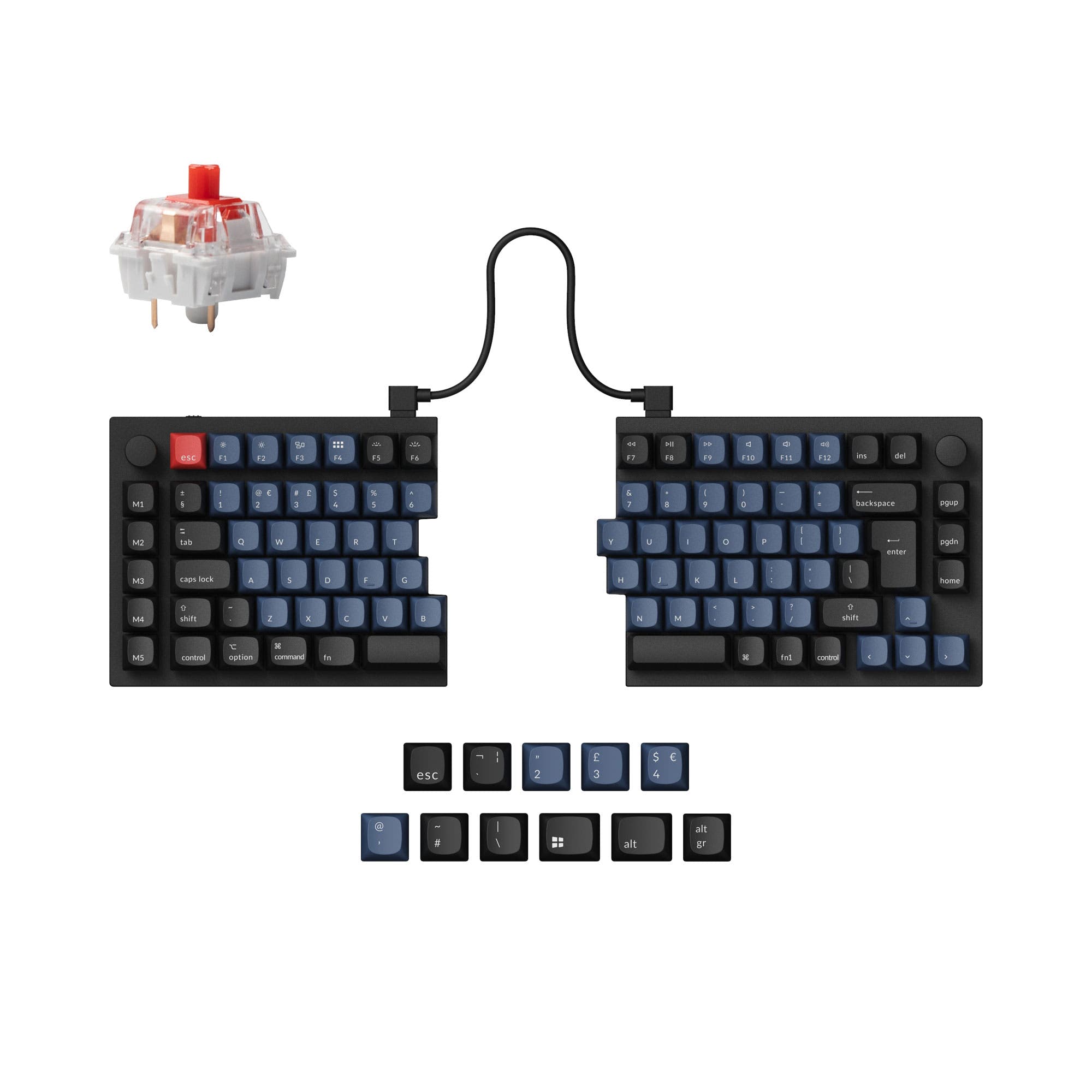
- Shares the same core features as the Max: QMK/VIA, hot-swap, knob, and low-profile design.
- Lacks a dedicated 2.4GHz wireless mode, relying on Bluetooth and wired connections.
- The vendor description only confirms a 1000 Hz polling rate for the wired mode, not wireless.
- Uses a tray mount style, which can offer a different typing feel compared to PCB mount.
Your choice between the Keychron K11 Max and K11 Pro Alice boils down to connectivity needs versus budget. If you plan to use the keyboard wirelessly for gaming or any application where latency is critical, the K11 Max's 2.4GHz dongle is the essential differentiator. If your wireless use is confined to general typing and browsing over Bluetooth, and you want to save money, the K11 Pro delivers an almost identical experience for a lower cost. For all other purposes, they are functionally the same excellent low-profile Alice keyboard.
The differences that matter
Skip the 40-row spec sheet. These are the specs that change how each board feels, sounds, and fits your desk.
Keychron K11 Max
Keychron K11 Pro
Connection
Bluetooth, 2.4 GHz, Wired
Bluetooth, Wired
Case material
ABS, Aluminum
Aluminum, Plastic
Mount style
PCB Mount
Tray Mount
Weight
520 g
510 g
Sound dampening
Yes
No
- Keychron K11 Max
- Keychron K11 Pro
- Performance
- 7980
- Build quality
- 8282
- Productivity
- 9387
- Customizability
- 9292
- Portability
- 8989
- Layout size: 65%
- Hot-swappable
- Battery: 2,000 mAh
- Low profile
- Ergonomics: Alice
- Max polling rate: 1,000 Hz
What will you mostly use it for?
The K11 Max takes a clear lead for gaming due to its 2.4GHz wireless mode with a high polling rate. For travel, the K11 Pro has a slight edge because its specific weight is documented. In all other categories—office work, programming, modding, and content creation—the keyboards are effectively tied, sharing the same core programmable features, ergonomic layout, and build quality. Your primary decision factor should be the need for that specific wireless connection type.
Pick the Keychron K11 Max
- The K11 Max explicitly supports a 1000 Hz polling rate over its 2.4GHz wireless connection, according to its product description.
- The K11 Pro's product description only specifies a 1000 Hz polling rate for its wired mode.
- The K11 Max's vendor page states its 2.4GHz mode is engineered for competitive gaming.
What owners say
Ratings and quotes collected from verified store reviews, including the critical ones.
Keychron K11 Max
4 owner reviews
“A really well-made keyboard, compact and very comfortable to use. Despite its small size, it still offers good ergonomics and allows for a more natural typing position compared to many traditional keyboards. The keys are quiet, pleasant to press, and suitable…”
Keychron K11 Pro
2 owner reviews
“What's perfect: This is just what I wanted and I'm super happy with it. I really feel like I made the right choice buying this particular deck. The low profile keys are super comfortable for typing and I now see that all I ever wanted was a shorter travel…”
Keychron K11 Max vs K11 Pro specs
Every tracked spec, side by side. Rows marked with a dot differ between the boards.
6 of 26 specs differ
Keychron K11 Max
Keychron K11 Pro
Switch options
Hot-swappable
Mount style
Low profile
Sound dampening
Layout size
Layout standard
Ergonomics
Knob
Display
Media keys
Connection
Max polling rate
Battery
USB-C
Case material
Keycaps
Weight
Dimensions
Typing angle
Backlight
QMK
VIA
N-key rollover
Mac & Windows
Released
Compare prices
Live prices from the stores we track, cheapest in-stock offer first.
Lowest price across stores, Amazon excluded.


Prices in USD are converted to your currency and can change at any time. KeebFinder may earn a commission when you buy through these links, at no extra cost to you.
Keychron K11 Max vs K11 Pro: your questions
The primary difference is wireless connectivity. The K11 Max supports 2.4GHz via a dongle, Bluetooth, and wired connections. The K11 Pro supports Bluetooth and wired connections but lacks the dedicated 2.4GHz mode. The K11 Max also mentions internal sound-dampening foam in its description.
The K11 Max is the better choice for competitive gaming. Its product description explicitly states it offers a 1000 Hz polling rate over its 2.4GHz wireless connection, which is designed for low-latency performance. The K11 Pro's description only specifies the 1000 Hz rate for its wired mode.
Both the K11 Max and K11 Pro offer hot-swappable versions as an option. You must select the 'Hot-Swappable' variant at purchase. According to their descriptions, both are only compatible with Gateron and Keychron brand low-profile mechanical switches.
Yes, both keyboards are fully compatible with macOS and Windows. They include extra keycaps for both operating systems, and the Keychron Launcher web app allows you to configure different keymaps for each OS.
Yes, both the Keychron K11 Max and K11 Pro feature a programmable aluminum rotary encoder knob. You can customize its function through the Keychron Launcher or QMK/VIA software for volume control, scrolling, or macros.
Both keyboards come with low-profile, double-shot PBT keycaps. The keycaps use an LSA (Low Profile Spherical-Angled) profile and are designed for durability and oil resistance.
Both keyboards are listed with a 2000mAh battery. Specific battery life in hours is not provided by the manufacturer, but the capacity is identical, suggesting similar wireless endurance between the two models.
Based on available specs, the K11 Pro has a documented advantage for portability assessment. Its weight is listed as 510g, while the K11 Max's weight is not specified. Both share the same 65% Alice layout and ultra-slim, low-profile design.
Yes, both keyboards support full reprogramming via the open-source QMK firmware and the VIA/Keychron Launcher graphical interface. This allows for extensive key remapping, layer creation, and macro programming.
According to the manufacturer's descriptions, the hot-swap sockets on both the K11 Max and K11 Pro are currently compatible only with Gateron low-profile mechanical switches and Keychron's own low-profile mechanical switches. They do not support optical switches.
Yes, both the K11 Max and K11 Pro are available in two versions: a White Backlight version and an RGB Backlight version. You select your preferred version at the time of purchase.
Not sold on either?



Still torn?
Answer a few quick questions and the keyboard finder ranks 2,000+ boards by how you will actually use yours.