74
Overall/ Value
74.1Build Quality
62.6Customizability
71.9Performance
65.6Productivity
82.1Portability
78.9$89

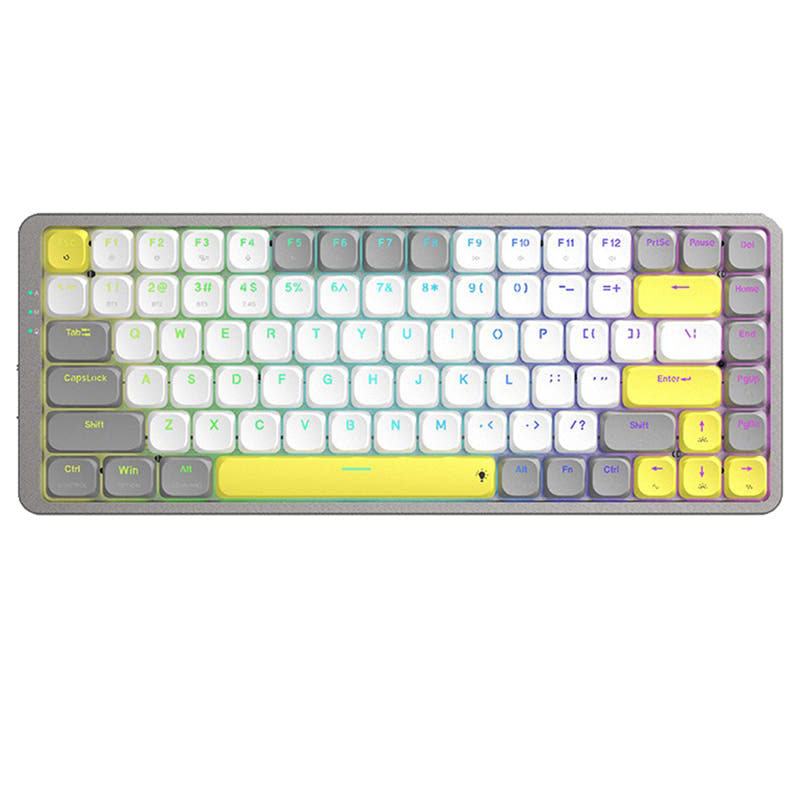
Royal Kludge N80
75%,
Hotswap,
Wireless,
Screen,
RGB,
Knob,
Top Mount
This comparison is for buyers seeking a low-profile wireless mechanical keyboard and deciding between the K13 Pro and the K3 Max. Both boards share QMK/VIA support, hot-swappable low-profile Gateron switches, and a slim aluminum-frame design. The decision comes down to layout and connectivity: the K13 Pro provides an 80% layout with a dedicated numpad, ideal for data entry, while the K3 Max offers a more compact 75% layout plus a 2.4 GHz wireless mode and interior acoustic foam for a quieter typing experience. Both keyboards support Bluetooth 5.1 for up to three devices and wired mode at 1000 Hz polling.
86 Overall/ Value 86.2Build Quality 81.4Customizability 88.1Performance 81.2Productivity 79.7Portability 72.8 | 93 Overall/ Value 93.4Build Quality 86.4Customizability 91.0Performance 80.9Productivity 94.3Portability 77.0 | Select a keyboard to compare |
3.8 stars (10 reviews) | 4.5 stars (17 reviews) | |
|
| |
Scores
| Scores
| |
Name Keychron K13 Pro | Name Keychron K3 Max | |
Release year 2023 | Release year 2023 | |
Switch Options Linear, Tactile, Clicky | Switch Options Linear, Tactile, Clicky | |
Profile Low Profile | Profile Low Profile | |
Hot Swappable | Hot Swappable | |
Layout Size 80% | Layout Size 75% | |
Layout Standard ISO, JIS, ANSI, ISO-DE, ISO-Nordic, ISO-UK | Layout Standard ISO, ISO-UK, ISO-DE, ISO-Nordic, ISO-SW, ANSI | |
Layout Ergonomics Normal | Layout Ergonomics Normal | |
Knob Support | Knob Support | |
Display Support | Display Support | |
Mac/Win Support | Mac/Win Support | |
Multi-Media Keys | Multi-Media Keys | |
USB-C | USB-C | |
USB passthrough | USB passthrough | |
Connection Bluetooth, Wired, Wireless | Connection Bluetooth, 2.4 GHz, Wired, Wireless | |
Polling Rate 1000 Hz | Polling Rate 1000 Hz | |
Battery capacity 2000 mAh | Battery capacity 1550 mAh | |
Hall Effect Support | Hall Effect Support | |
QMK Support | QMK Support | |
VIA Support | VIA Support | |
VIAL Support | VIAL Support | |
N-Key Rollover | N-Key Rollover | |
Rapid Trigger | Rapid Trigger | |
Mount Style Tray Mount | Mount Style Plate Mount | |
Screw in Stabilizers | Screw in Stabilizers | |
Sound Dampening | Sound Dampening | |
Backlight Rgb, White, North-face | Backlight Rgb, White, North-face | |
Case Colors | Case Colors | |
Case Material ABS, Aluminum, Plastic | Case Material ABS, Aluminum, Wood, Plastic | |
Keycaps Material ABS, PBT | Keycaps Material PBT, ABS | |
Dimensions 8 x 346 x 119 mm | Dimensions 22 x 306 x 116 mm | |
Weight 580g | Weight 580g |
If your workflow depends on a dedicated numpad for accounting, spreadsheets, or timeline editing, the K13 Pro is the clear choice. If you prioritize a compact layout, lower latency wireless gaming, and a quieter typing experience with acoustic foam, the K3 Max is the better fit. Both keyboards deliver excellent low-profile typing with QMK/VIA customization, so your decision should hinge on layout preference and connectivity needs.
For gaming and office work, the K3 Max takes the lead thanks to its 2.4 GHz connection and acoustic foam dampening. Programming is a tie since both boards offer full QMK/VIA programmability and durable PBT keycaps. The K3 Max wins for travel and modding due to its compact 75% size and mod-friendly features like screw-in stabilizers and foam. The K13 Pro wins for content creation because its numpad is valuable for numeric entry and timeline editing.
You might also like similar products in that price range: