Keychron Q0 Max vs Q1 V2Numpad or Full 75% Keyboard?
Choose the Q0 Max if you need a wireless numpad companion, or the Q1 V2 if you want a complete wired 75% keyboard with more keys.
KeebFinder may earn a commission when you buy through these links, at no extra cost to you.

5.0 (4)5.0 · 4 reviews
from$119at Keychron
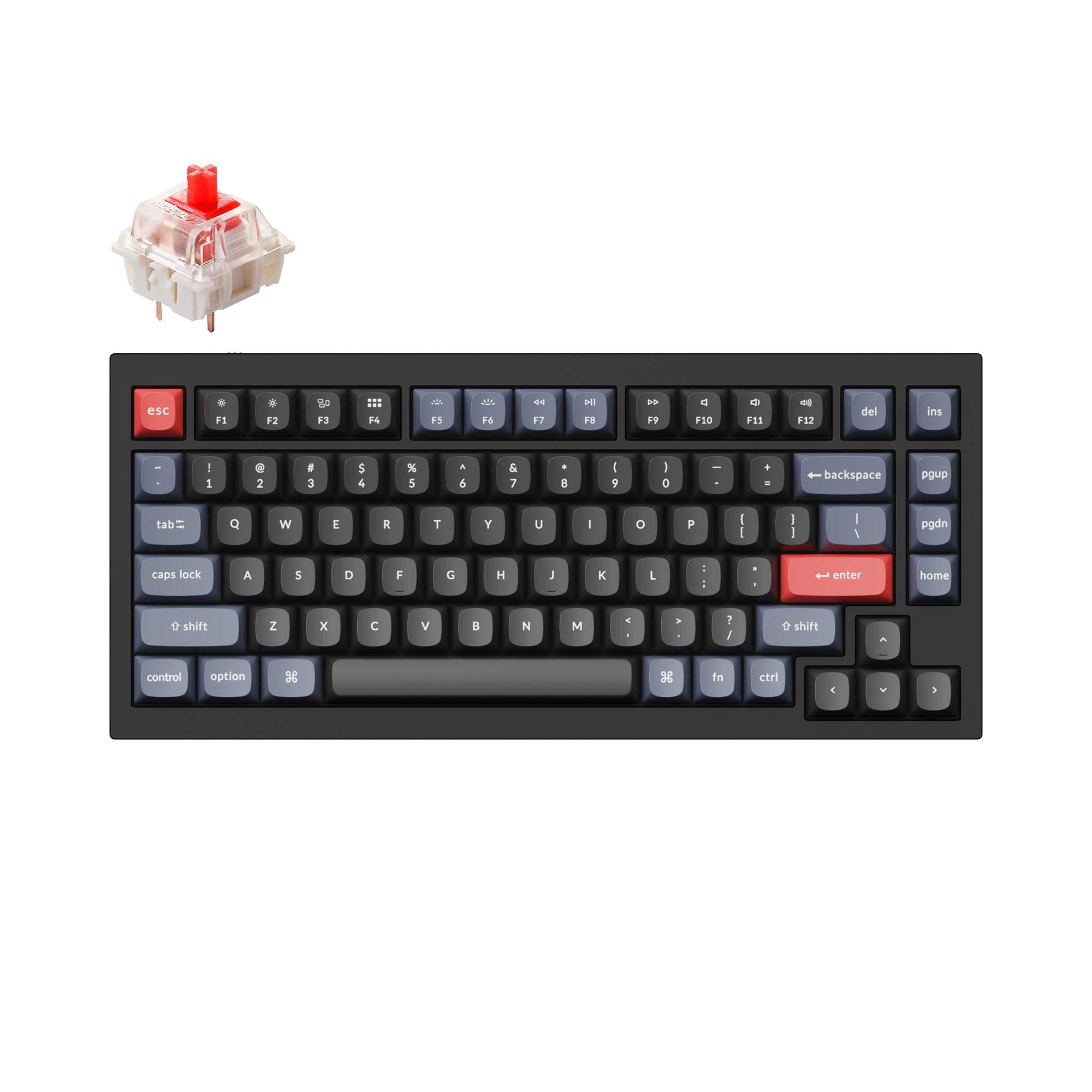
4.9 (318)4.9 · 318 reviews
from$59at Keychron
Which one should you get?
Get the
Keychron Q0 Max
Build quality in the top 5% of Numpad boards under $150.
- Wireless connectivity with both 2.4 GHz and Bluetooth 5.1.
- Significantly lighter at 684g, easy to move or travel with.
- Macro column and rotary encoder knob on the left side.
- South-facing LEDs. Shine-through legends stay dark, and some sculpted keycaps can clip the LED.
- Numpad only. This is not a full keyboard.
Get the
Keychron Q1 V2
Build quality in the top 5% of 75% boards under $100.
- Full 75% layout with function row and navigation cluster.
- Wider variety of switch options including Gateron G Pro, Phantom, and Keychron K Pro.
- Larger user community with over 616 reviews on vendor site.
- South-facing LEDs. Shine-through legends stay dark, and some sculpted keycaps can clip the LED.
- No numpad.
Choose the Keychron Q0 Max if you want a wireless numpad with a macro column and knob to complement your existing keyboard. Choose the Keychron Q1 V2 if you need a full wired 75% keyboard with more keys for productivity and coding. The primary differentiator is whether you need wireless flexibility and a numpad or a complete keyboard layout.
The differences that matter
Skip the 40-row spec sheet. These are the specs that change how each board feels, sounds, and fits your desk.
Keychron Q0 Max
Keychron Q1 V2
Layout size
Numpad
75%
Connection
Bluetooth, 2.4 GHz, Wired
Wired
Wireless for several devices and wired for lower latency
Mount style
Gasket Mount
Gasket Mount, Plate Mount
Weight
684 g
1,825 g
Heavier boards stay planted and lighter ones travel
Keycaps
PBT
ABS, PBT
- Keychron Q0 Max
- Keychron Q1 V2
- Performance
- 7872
- Build quality
- 8889
- Productivity
- 9598
- Customizability
- 9698
- Portability
- 8862
- Hot-swappable
- Max polling rate: 1,000 Hz
- Case material: Aluminum
- Switch options: Clicky, Linear, Tactile
- Knob
- QMK
What will you mostly use it for?
The Q0 Max wins for gaming, travel, and content creation due to its wireless capability, lighter weight, and macro column. The Q1 V2 is better for office and programming because its full 75% layout includes more keys for productivity. Both keyboards tie for modding, as they share the same high-end customizable features like hot-swap sockets, QMK/VIA, and double-gasket construction.
Pick the Keychron Q0 Max
- Offers 2.4 GHz wireless with 1000 Hz polling rate for low latency gaming.
- Compact numpad frees up desk space for mouse movement.
- Programmable macro column and knob for in-game commands.
What owners say
Ratings and quotes collected from verified store reviews, including the critical ones.
Keychron Q0 Max
4 owner reviews
“Feels very solid, and doesnt slide around on my desk pad. Keys are very satisfying.”
Keychron Q1 V2
318 owner reviews
“Exactly what I wanted. Swapped out the switches for some Gateron Zero degree fully silent switches. Mechanical but almost completely silent, works a dream!”
Keychron Q0 Max vs Q1 V2 specs
Every tracked spec, side by side. Rows marked with a dot differ between the boards.
9 of 27 specs differ
Keychron Q0 Max
Keychron Q1 V2
Switch options
Hot-swappable
Mount style
Sound dampening
Screw-in stabilizers
Layout size
Layout standard
Ergonomics
Knob
Display
Media keys
Connection
Max polling rate
Battery
USB-C
Case material
Plate material
Keycaps
Weight
Dimensions
Typing angle
Backlight
QMK
VIA
N-key rollover
Mac & Windows
Released
Compare prices
Live prices from the stores we track, cheapest in-stock offer first.
Prices in USD are converted to your currency and can change at any time. KeebFinder may earn a commission when you buy through these links, at no extra cost to you.
Lowest price across stores, Amazon excluded.



Keychron Q0 Max vs Q1 V2: your questions
Yes, the Keychron Q0 Max supports both 2.4 GHz and Bluetooth 5.1 wireless connections. It can be used wirelessly with Windows, macOS, and Linux systems. The 2.4 GHz mode offers a 1000 Hz polling rate for low latency.
No, the Keychron Q1 V2 is a wired-only keyboard. It connects via a Type-C cable and includes a Type-A to Type-C adapter. There is no Bluetooth or 2.4 GHz wireless option on this model.
Yes, both the Keychron Q0 Max and Q1 V2 feature hot-swappable PCBs that accept 3-pin and 5-pin MX switches. Both also support QMK and VIA firmware for custom keymaps and macros. You can use the Keychron Launcher web app to customize them.
The Keychron Q1 V2 is better for programming because its 75% layout includes function keys, navigation cluster, and a dedicated knob. This provides more keys without requiring layer switching. The Q0 Max is a numpad and lacks most of these keys.
Both keyboards use a full CNC machined 6063 aluminum case and a steel plate. The Q0 Max has a KSA double-shot PBT keycap set, while the Q1 V2 comes with OSA profile double-shot PBT keycaps. Both feature a double-gasket design for improved acoustics.
Yes, the Q0 Max is designed as a standalone numpad that can be used alongside any keyboard, including the Q1 V2. It connects wirelessly or via USB-C and can be programmed independently. Users have reported pairing it with the Q3, and it should work similarly with the Q1.
The Q0 Max offers Gateron Jupiter switches (Red, Brown, Banana) in the fully assembled version. The Q1 V2 offers Gateron G Pro (Red, Blue, Brown), Gateron Phantom (Yellow, Silver), and Keychron K Pro (Banana, Red, Brown) switches. Both are available as barebones kits.
The Keychron Q0 Max weighs only 684g, making it much more portable than the Q1 V2 at 1825g. The Q0 Max also supports wireless, while the Q1 V2 requires a wired connection. For travel, the Q0 Max is clearly the better option.
Yes, the Q0 Max supports a 1000 Hz polling rate in 2.4 GHz and wired modes for low latency gaming. Its programmable macro column and knob can be assigned to game commands. However, as a numpad, it is best used as a companion to a main gaming keyboard.
Yes, both the Keychron Q0 Max and Q1 V2 feature south-facing RGB LEDs. This design provides better illumination with non-shine-through PBT keycaps and prevents interference with Cherry-profile and other alternative keycap sets.
Both keyboards use screw-in PCB stabilizers. The Q0 Max uses them for larger keys like 0, +, and Enter, while the Q1 V2 uses them for space bar, shift, enter, and delete. Both support third-party stabilizers like Cherry or Durock.
The Keychron Q0 Max is a dedicated numpad, not a full keyboard. It features a 22-key layout with a macro column and a rotary encoder knob on the left side. It is designed to be used alongside a separate main keyboard, not as a standalone typing device.
Not sold on either?


Still torn?
Answer a few quick questions and the keyboard finder ranks 2,000+ boards by how you will actually use yours.