Not sure which keyboard to choose? Try the Keyboard Finder now!

Compare Keychron Q1 Pro vs Q3 Ultra Differences Side by Side

This comparison is for buyers choosing between two Keychron aluminum wireless boards with gasket mounts, hot-swap sockets, knobs, and multi-device Bluetooth. The decision is hard because the Q1 Pro uses QMK and VIA, while the Q3 Ultra 8K uses ZMK but adds 8000 Hz polling and a longer battery rating. Layout also differs, with a 75% versus an 80% TKL frame. The Q3 Ultra 8K sits in a higher price band, so the trade-offs involve firmware ecosystem and build tuning as much as raw gaming specs.

95
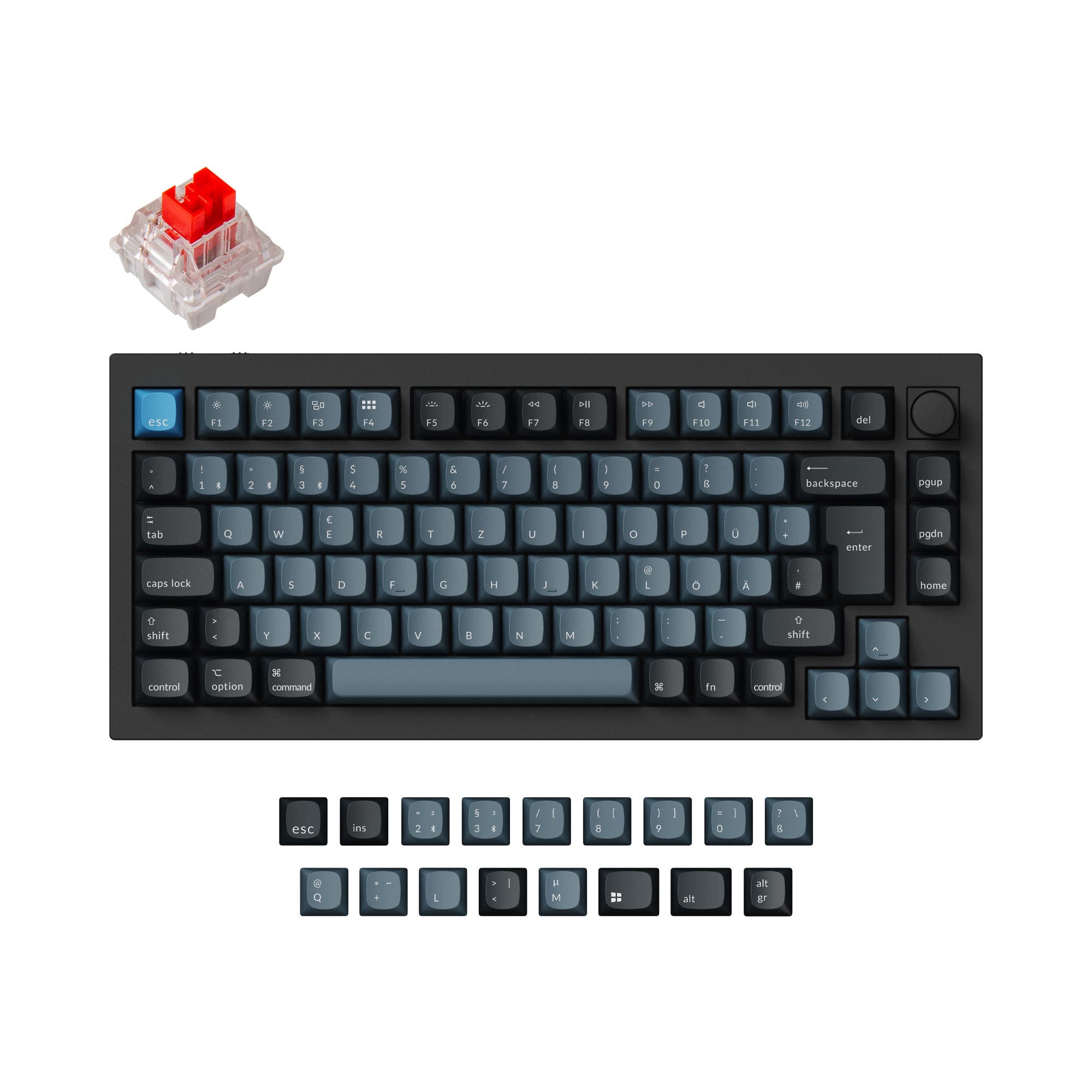
Keychron Q1 Pro QMK/VIA Wireless Custom Mechanical Keyboard ISO Layout Collection
81
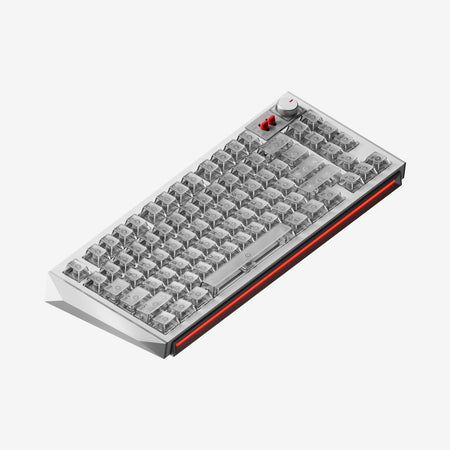
Keychron Q3 Ultra 8K Wireless Custom Mechanical Keyboard ISO Layout Collection

Select a keyboard to compare

5.0 (41)
4.0 (5)
  • Released in 2023
  • Has Linear, Tactile, Clicky switch options
  • Available in a 75% layout
  • Built with the ISO, ISO-DE, ISO-UK, ISO-FR, ISO-ES, ISO-SW, ANSI layout standard
  • Supports QMK firmware
  • Supports VIA configuration
  • Supports Bluetooth, Wired, Wireless, 2.4 GHz connectivity
  • Runs at a 1000 Hz polling rate
  • Weighs about 1825 g
  • Sized at 23 x 145 x 328 mm
  • Features ABS, PBT keycaps
  • Offers Yes, Rgb, South-face, Rgb South-face RGB lighting
  • Released in 2026
  • Has Tactile, Linear, Clicky switch options
  • Available in a 80% layout
  • Built with the ISO, ISO-DE, ISO-ES, ISO-FR, ISO-UK, ISO-CH, ANSI layout standard
  • Supports Wired, Wired only, Bluetooth, 2.4 GHz, Wireless connectivity
  • Runs at a 8000 Hz polling rate
  • Weighs about 1787 g
  • Sized at 31 x 365 x 137 mm
  • Features PBT keycaps
  • Offers Yes, Rgb, White, South-face, Rgb South-face, White South-face RGB lighting
Scores
  • Performance: 81.9
  • Build Quality: 89.4
  • Productivity: 97.5
  • Customizability: 98.4
  • Portability: 81.6
Scores
  • Performance: 88.5
  • Build Quality: 73.8
  • Productivity: 89.9
  • Customizability: 76.5
  • Portability: 78.3
Name
Keychron Q1 Pro
Name
Keychron Q3 Ultra
Release year
2023
Release year
2026
Switch Options
Linear, Tactile, Clicky
Switch Options
Tactile, Linear, Clicky
Profile
Normal Profile
Profile
Normal Profile
Hot Swappable
 
Hot Swappable
 
Layout Size
75%
Layout Size
80%
Layout Standard
ISO, ISO-DE, ISO-UK, ISO-FR, ISO-ES, ISO-SW, ANSI
Layout Standard
ISO, ISO-DE, ISO-ES, ISO-FR, ISO-UK, ISO-CH, ANSI
Layout Ergonomics
Normal
Layout Ergonomics
Normal
Knob Support
 
Knob Support
 
Display Support
 
Display Support
 
Mac/Win Support
 
Mac/Win Support
 
Multi-Media Keys
 
Multi-Media Keys
 
USB-C
 
USB-C
 
USB passthrough
 
USB passthrough
 
Connection
Bluetooth, Wired, Wireless, 2.4 GHz
Connection
Wired, Wired only, Bluetooth, 2.4 GHz, Wireless
Polling Rate
1000 Hz
Polling Rate
8000 Hz
Battery capacity
4000 mAh
Battery capacity
4000 mAh
Hall Effect Support
 
Hall Effect Support
 
QMK Support
 
QMK Support
 
VIA Support
 
VIA Support
 
VIAL Support
 
VIAL Support
 
N-Key Rollover
 
N-Key Rollover
 
Rapid Trigger
 
Rapid Trigger
 
Mount Style
Gasket Mount
Mount Style
Gasket Mount
Screw in Stabilizers
 
Screw in Stabilizers
 
Sound Dampening
 
Sound Dampening
 
Backlight
 
Rgb, South-face
Backlight
 
Rgb, White, South-face, White South-face
Case Colors
Case Colors
Case Material
Aluminum
Case Material
Aluminum
Keycaps Material
ABS, PBT
Keycaps Material
PBT
Dimensions
23 x 145 x 328 mm
Dimensions
31 x 365 x 137 mm
Weight
1825g
Weight
1787g
*Something incorrect or missing? Please
let me know
!

Pros and Trade-offs

Choose the Q3 Ultra 8K if gaming latency, 2.4 GHz wireless, and the longer 660-hour battery rating are the priorities. Choose the Q1 Pro if you want QMK and VIA support, a barebone kit option, and a 75% footprint at a lower price. Buyers who mostly type rather than play competitively will likely find the Q1 Pro easier to justify. Competitive players should accept the Q3 Ultra 8K's higher price for its 8000 Hz polling.

Keychron Q1 Pro

  • +QMK firmware with VIA and Keychron Launcher support gives broad remapping and macro options.
  • +Barebone knob option lets buyers supply their own switches and keycaps.
  • +Double-gasket design with silicone pads between top and bottom cases, plus a PC plate.
  • +Up to 300 hours of battery life with backlight off from a 4000 mAh battery.
  • +KSA double-shot PBT keycaps and screw-in PCB stabilizers on the fully assembled version.

  • −Wireless polling is listed at 90 Hz, well below the wired 1000 Hz figure.
  • −Fully assembled weight of 1736 g plus or minus 10 g makes it a desk-bound board.
  • −Vendor notes the board sits high, and a reviewer recommends a palm rest.
  • −No 2.4 GHz connection is listed in the Q1 Pro description, which centers on Bluetooth and USB-C wired.

Keychron Q3 Ultra

  • +8000 Hz polling rate in both wired and 2.4 GHz wireless modes per the manufacturer.
  • +Up to 660 hours of battery life with backlight off from a 4000 mAh battery.
  • +ZMK firmware with Keychron Launcher support for remapping and macros.
  • +Multiple acoustic layers, including IXPE foam, PET film, latex bottom pad, and bottom case acoustic foam.
  • +Per-key RGB and Mix RGB zones with a static white option.

  • −Bluetooth polling is rated at 125 Hz, so wireless gaming should use 2.4 GHz.
  • −A reviewer reports USB dropouts and notes a firmware update did not resolve them.
  • −A reviewer flags no dedicated Caps Lock indicator and an awkwardly placed volume knob.
  • −Priced in a higher band than the Q1 Pro, which matters for budget-focused buyers.

Which Keyboard Is Better for Your Needs?

Gaming favors the Q3 Ultra 8K because its 8000 Hz polling and Silk POM switches are positioned for low-latency use. Office and content creation come out close to even, since both boards share aluminum cases, knobs, gasket mounts, and multi-device wireless. Programming and modding lean to the Q1 Pro because of QMK and VIA support plus a barebone purchase option. Travel is also a narrow Q1 Pro edge, though both boards are heavy desktop units rather than portable keyboards.

GamingKeychron Q3 Ultra
  • •The Q3 Ultra 8K delivers an 8000 Hz polling rate in both wired and 2.4 GHz wireless modes, while the Q1 Pro lists 1000 Hz wired and 90 Hz wireless.
  • •The Q3 Ultra 8K uses pre-lubed Keychron Silk POM switches with POM housing and stem, aimed at consistent keystrokes.
  • •Bluetooth on the Q3 Ultra 8K is rated at 125 Hz, so competitive play should still rely on 2.4 GHz or wired.
OfficeTie
  • •Both boards use a full CNC machined aluminum case, gasket mount, PC plate, and screw-in PCB stabilizers.
  • •The Q1 Pro offers up to 300 hours with backlight off, and the Q3 Ultra 8K offers up to 660 hours with backlight off.
  • •Both include a programmable knob, multi-media keys, N-key rollover, and Mac and Windows keycaps.
ProgrammingKeychron Q1 Pro
  • •The Q1 Pro runs QMK firmware with Keychron Launcher support for key remapping and macros, and the listing mentions VIA support.
  • •Both boards support macOS, Windows, and Linux, and both can save separate Mac and Windows layouts via a system toggle.
  • •The Q1 Pro is offered as a barebone knob option, which suits programmers who prefer to choose their own switches and keycaps.
TravelKeychron Q1 Pro
  • •The Q1 Pro is a 75% layout measuring 145 x 328 mm, while the Q3 Ultra 8K is an 80% TKL at 137 x 365 mm.
  • •The Q1 Pro lists a fully assembled weight of 1736 g plus or minus 10 g, slightly lighter than the 1787 g plus or minus 10 g of the Q3 Ultra 8K.
  • •Both are heavy aluminum boards with 4000 mAh batteries, so neither is a true travel keyboard.
ModdingKeychron Q1 Pro
  • •The Q1 Pro is sold in fully assembled, special edition, and barebone knob versions, giving modders a kit option.
  • •The Q1 Pro uses QMK and VIA, which the manufacturer lists alongside hot-swap support for 3-pin and 5-pin MX switches.
  • •The Q3 Ultra 8K includes multiple acoustic layers such as IXPE foam, PET film, latex bottom pad, and bottom case acoustic foam, and the bottom acoustic pad can be removed for more flexibility.
Content CreationTie
  • •Both boards include a programmable aluminum rotary encoder that can be mapped to zoom, brush size, brightness, or volume commands.
  • •The Q1 Pro offers south-facing RGB with 22 backlight settings, and the Q3 Ultra 8K adds per-key RGB and Mix RGB zones.
  • •The Q3 Ultra 8K uses ZMK firmware with the Keychron Launcher web app, and the Q1 Pro uses QMK with the same Launcher.

Frequently Asked Questions (FAQ)


Discover similar products

You might also like similar products in that price range:

93
$139
Rainy 75 WOBKey Keyboard Kit - Image: 2
WOBKEY Rainy75
75%,
Hotswap,
Wireless,
Wired,
RGB,
VIA,
QMK,
Alu case,
Gasket Mount

74
$230
ZOOM TKL DYNA GT Silver
Meletrix ZOOM DYNA GT
80%,
Hotswap,
Wireless,
Screen,
RGB,
Knob,
HE,
Alu case,
Top Mount

62
$129
CIDOO V75 Plus VIA Keyboard Kit - Image: 2
Cidoo V75 Plus
75%,
Wireless,
Screen,
VIA,
Gasket Mount

91
$135
Qwertykeys Neo75 Keyboard
Qwertykeys Neo75
75%,
Hotswap,
Wireless,
Wired,
VIA,
QMK,
Alu case,
Gasket Mount

60
$232
Holy80 8K MX Version Keyboard with keycaps
KBDFans Holy80
80%,
Hotswap,
Wired,
Alu case

-25% off
81
$199$149
LUMINKEY Lumino75 Mechanical Keyboard
LUMINKEY Lumino75
75%,
Hotswap,
Wireless,
Screen,
RGB,
VIA,
Alu case,
Gasket Mount

78
$250
NuPhy WH80 Gaming Keyboard Nova White
Nuphy WH80 Gaming Keyboard
80%,
Hotswap,
Wireless,
Wired,
RGB,
Knob,
HE,
Rapid trigger,
Gasket Mount

74
$139
EPOMAKER Glyph
Epomaker Glyph
75%,
Hotswap,
Wireless,
Screen,
RGB,
Knob,
Top Mount