Keychron Q1 V2 vs Q1 ProWired vs Wireless Custom Keyboard
Choose the Q1 Pro for wireless flexibility and a polycarbonate plate, or the Q1 V2 for a lower-cost entry into the same premium aluminum build.
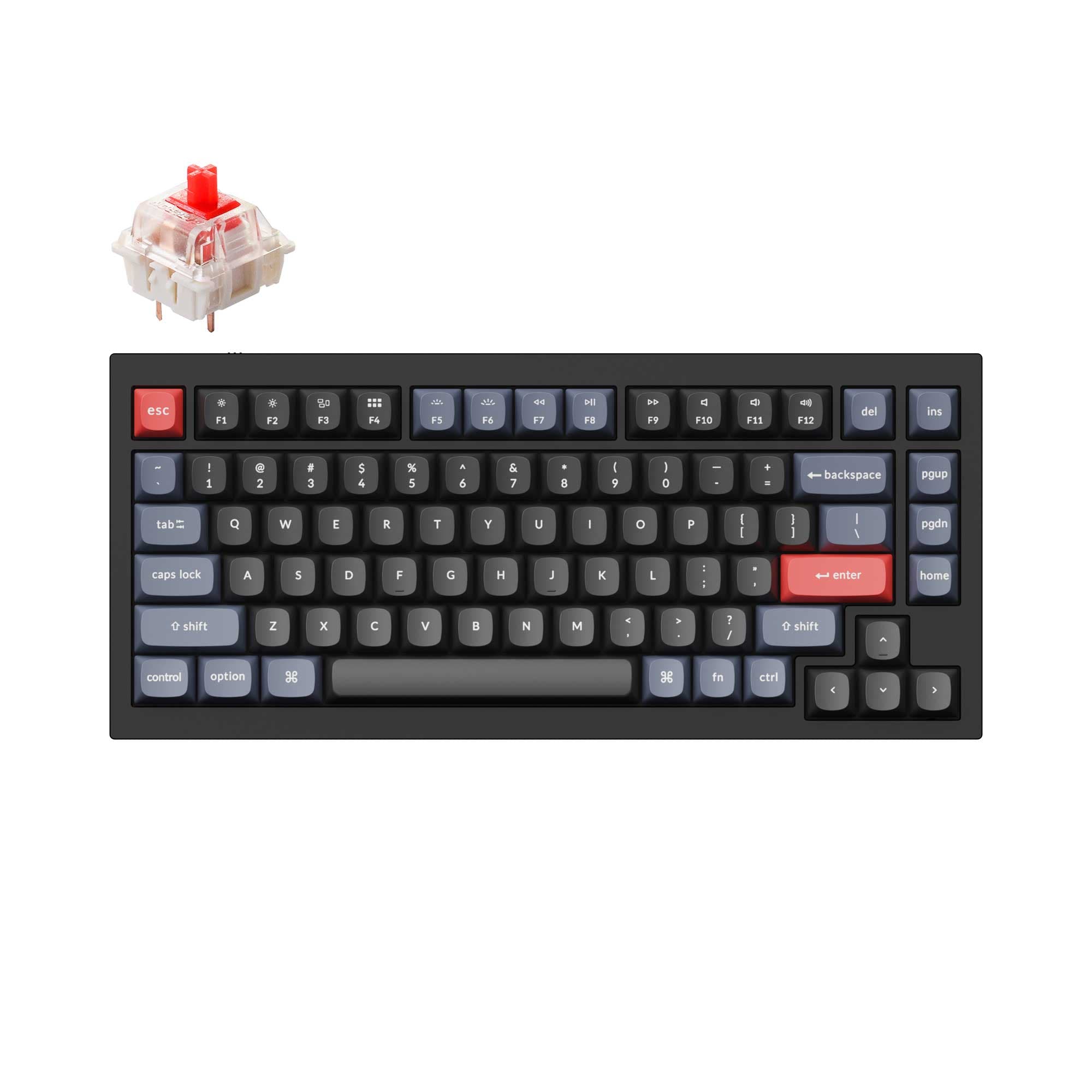
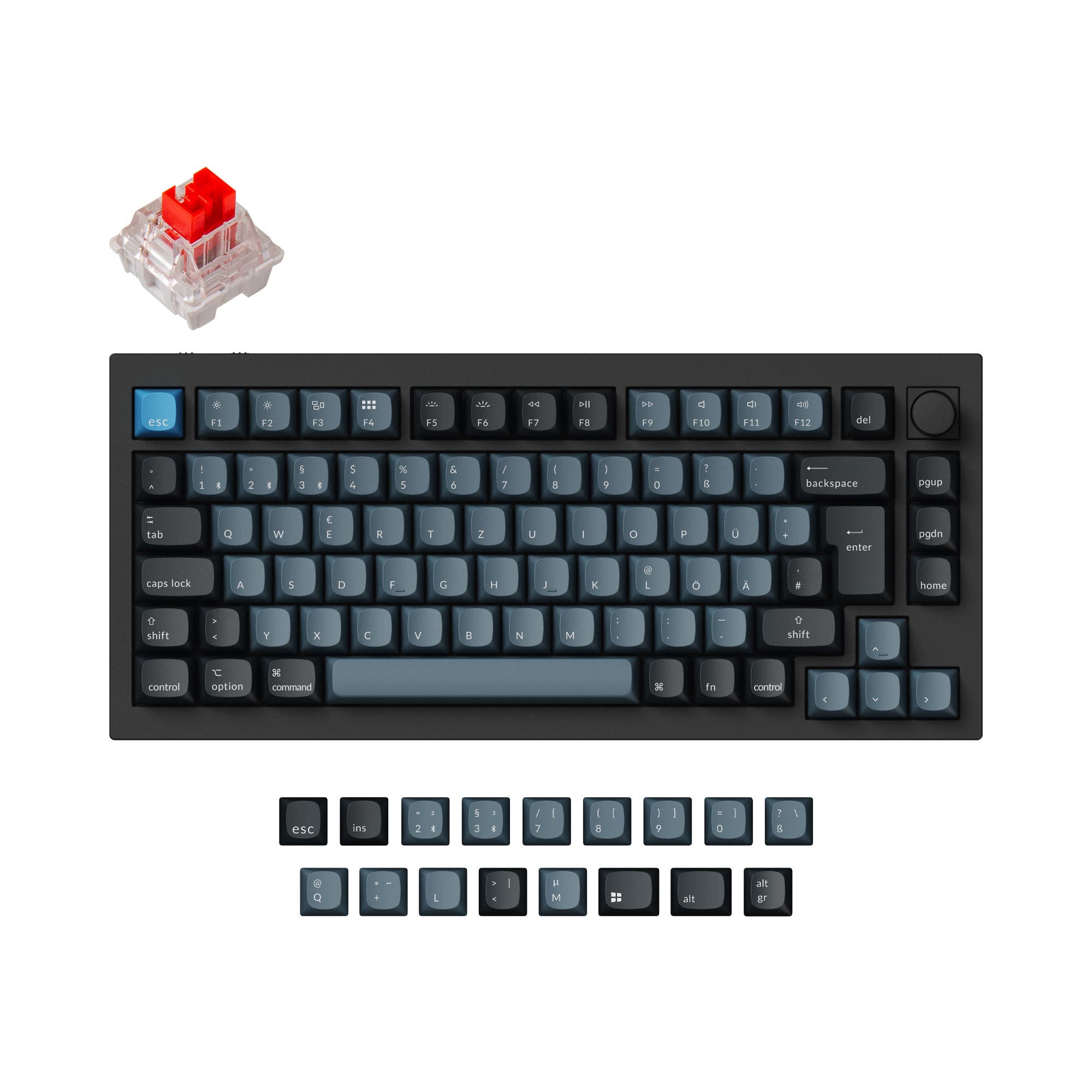
Which one should you get?
Get the
Keychron Q1 V2
Wired
- Lower starting price point for the core aluminum build.
- Includes a steel plate for a firmer, more resonant typing feel.
- Wide variety of color and switch options are listed in its vendor page.
- Wired-only connectivity limits placement and device switching.
- Lacks a battery, eliminating cord-free use.
- Fewer default layout options, primarily ANSI according to the metadata.
Get the
Keychron Q1 Pro
Wireless Custom Keyboard
- Tri-mode connectivity with Bluetooth 5.1, 2.4 GHz, and wired USB-C.
- Includes a 4000mAh rechargeable battery for wireless operation.
- Comes with a polycarbonate plate for a more flexible typing feel.
- Commands a higher price than the Q1 V2.
- Wireless mode operates at a lower 90 Hz polling rate compared to 1000 Hz wired.
- Listed color and pre-built switch options are more limited than the Q1 V2.
Your budget and need for wireless operation are the deciding factors. If you require seamless switching between multiple devices or work in a cable-averse setup, the Q1 Pro's premium is justified. If your keyboard stays at a single desk and you prioritize spending on keycaps, switches, or other mods, the Q1 V2 delivers the same premium aluminum and modding platform for less.
The differences that matter
Skip the 40-row spec sheet. These are the specs that change how each board feels, sounds, and fits your desk.
Keychron Q1 V2
Keychron Q1 Pro
Connection
Wired
Bluetooth, Wired, 2.4 GHz
Layout standard
ANSI
ANSI, ISO, ISO-DE, ISO-ES, ISO-FR, ISO-SW, ISO-UK
Plate material
Steel
Polycarbonate
N-key rollover
No
Yes
Released
2022
2023
- Keychron Q1 V2
- Keychron Q1 Pro
- Performance
- 7282
- Build quality
- 8989
- Productivity
- 9898
- Customizability
- 9898
- Portability
- 6282
- Layout size: 75%
- Hot-swappable
- Max polling rate: 1,000 Hz
- Case material: Aluminum
- Switch options: Clicky, Linear, Tactile
- Mount style: Gasket Mount, Plate Mount
What will you mostly use it for?
The Q1 Pro is the more versatile choice, winning for office use, travel, and content creation due to its wireless multi-device connectivity. It also holds a slight edge for gaming with its dual wired/wireless polling rates. The Q1 V2 is the value pick for modders, offering the same high-quality aluminum foundation at a lower cost. For programming, both are equally capable due to their shared programmability and layout.
Pick the Keychron Q1 Pro
- The Q1 Pro offers a 1000 Hz polling rate in wired mode with the added convenience of wireless connectivity.
- Its vendor description states the wireless mode has a 90 Hz polling rate for lag-free use when not tethered.
- Both support N-key rollover, but the Q1 Pro explicitly lists it for both wireless and wired modes.
What owners say
Ratings and quotes collected from verified store reviews, including the critical ones.
Keychron Q1 V2
318 owner reviews
“Exactly what I wanted. Swapped out the switches for some Gateron Zero degree fully silent switches. Mechanical but almost completely silent, works a dream!”
Keychron Q1 Pro
15 owner reviews
“The Q1 Pro is the second keyboard I bought from Keychron. The basic materials are very good and she looks amazing. The only thing that is not perfect is the sound. I think she will be perfect with a simple adaption of foam and lubed switches. But the Q1 is…”
Keychron Q1 V2 vs Q1 Pro specs
Every tracked spec, side by side. Rows marked with a dot differ between the boards.
5 of 27 specs differ
Keychron Q1 V2
Keychron Q1 Pro
Switch options
Hot-swappable
Mount style
Sound dampening
Screw-in stabilizers
Layout size
Layout standard
Ergonomics
Knob
Display
Media keys
Connection
Max polling rate
Battery
USB-C
Case material
Plate material
Keycaps
Weight
Dimensions
Typing angle
Backlight
QMK
VIA
N-key rollover
Mac & Windows
Released
Compare prices
Live prices from the stores we track, cheapest in-stock offer first.
Lowest price across stores, Amazon excluded.



Prices in USD are converted to your currency and can change at any time. KeebFinder may earn a commission when you buy through these links, at no extra cost to you.
Keychron Q1 V2 vs Q1 Pro: your questions
The primary difference is connectivity. The Q1 V2 is a wired-only keyboard, while the Q1 Pro adds wireless functionality via Bluetooth 5.1 and 2.4 GHz, powered by a 4000mAh battery. The Q1 Pro also uses a polycarbonate plate, whereas the Q1 V2 uses a steel plate.
Yes. Both the Keychron Q1 V2 and Q1 Pro feature hot-swappable PCBs that support both 3-pin and 5-pin MX-style mechanical switches. This allows you to change switches without any soldering required.
Yes. Both keyboards are fully programmable using the open-source QMK firmware and the VIA/Keychron Launcher software. This includes remapping any key and assigning functions or macros to the aluminum rotary knob.
They offer different experiences due to their plate materials. The Q1 V2's steel plate typically produces a firmer, more resonant sound. The Q1 Pro's polycarbonate plate is more flexible, often leading to a softer, deeper typing sound, as highlighted in its vendor description.
Yes. In its wired mode, the Q1 Pro has a 1000 Hz polling rate, which is standard for gaming. Its vendor page also notes a 90 Hz polling rate in wireless mode and N-key rollover in both modes, making it capable for gaming even without a cable.
Yes, both are compatible with macOS and Windows. The Q1 Pro's vendor description specifically mentions it includes keycaps for both systems and can save two different layouts, one for each operating system.
They use different stock keycap profiles. The Q1 V2 comes with OSA (OEM Spherical Angled) profile double-shot PBT keycaps. The Q1 Pro comes with KSA (Keychron Spherical Angled) profile double-shot PBT keycaps. Both are PBT and not shine-through.
According to both vendor pages, the double-gasket design includes silicone gaskets on the plate and additional silicone pads between the top and bottom aluminum cases. This structure aims to reduce metal resonance and improve typing sound and feel.
Yes. Both keyboards feature south-facing RGB LEDs, which prevent interference with Cherry-profile and other sculpted keycap profiles. The Q1 V2 vendor page explicitly states its top case is designed for better compatibility with third-party keycaps like MT3 and SA.
They are very similar in weight. The metadata lists both at 1825g, though the Q1 Pro's detailed specs note a weight of 1736g ±10g for the fully assembled version. Both are substantial, heavy keyboards due to their full aluminum construction.
Yes. The Q1 Pro has south-facing RGB backlighting with 22 different effect settings, which can be customized via software. The Q1 V2 also has south-facing RGB lighting.
Yes, but availability differs. The Q1 Pro metadata shows explicit support for many ISO layouts (UK, DE, FR, ES, etc.). The Q1 V2 vendor description mentions an ISO layout collection exists, but its core metadata only lists ANSI, suggesting ISO may be a separate variant.
Not sold on either?


Still torn?
Answer a few quick questions and the keyboard finder ranks 2,000+ boards by how you will actually use yours.