Keychron Q1 V2 vs Q275% vs 65% Layout Comparison
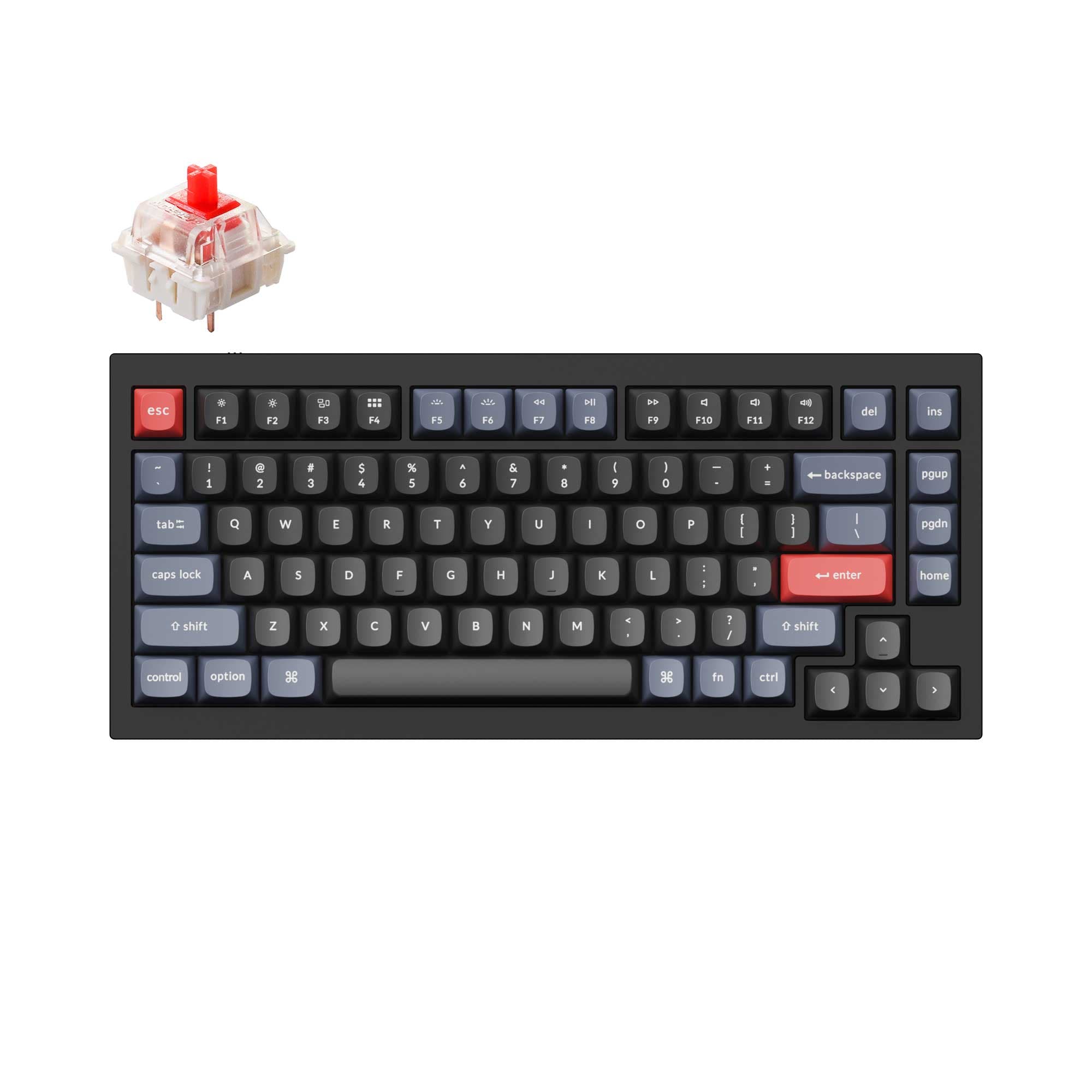
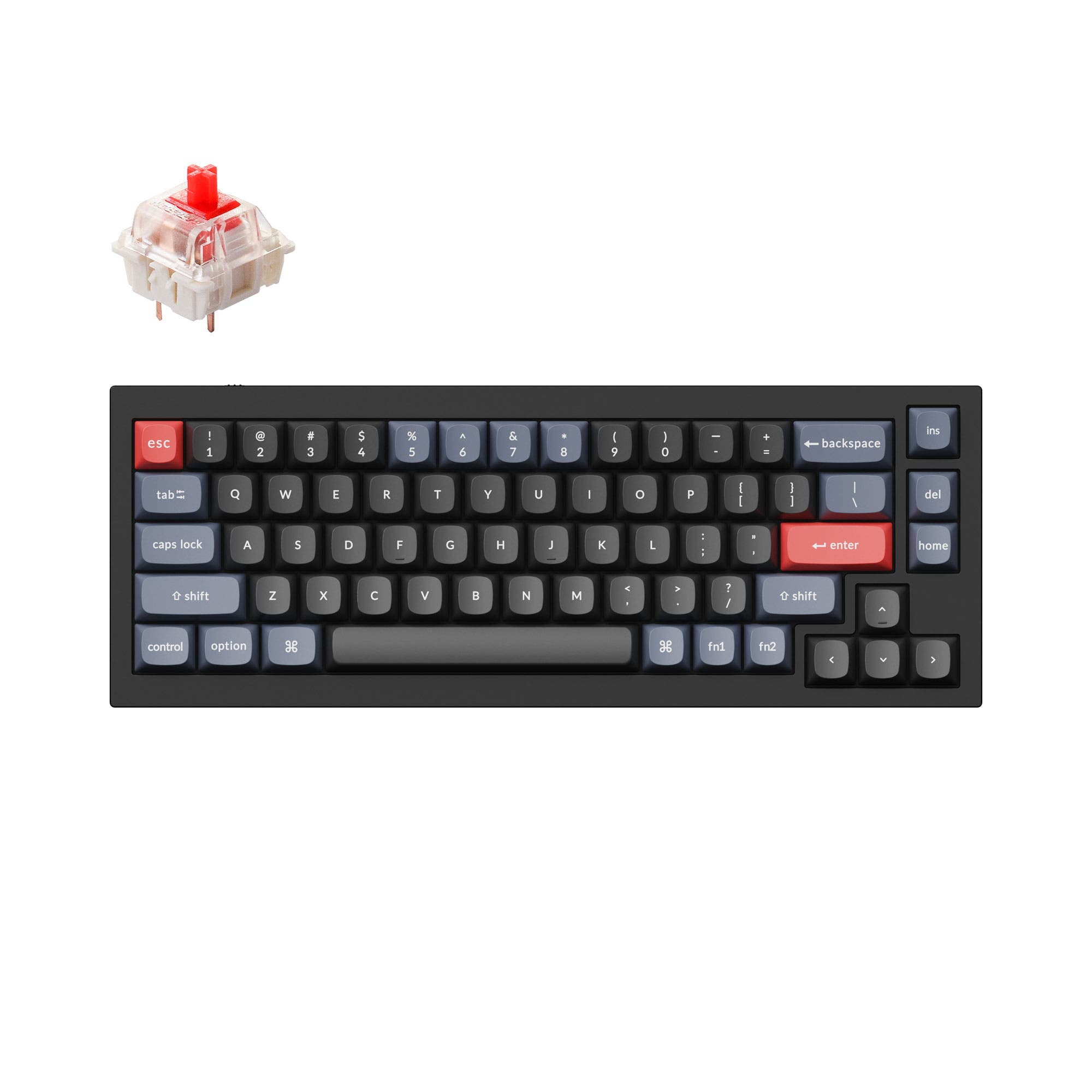
Choose the Keychron Q1 V2 if you need dedicated function and navigation keys, or the Q2 for a more compact desk footprint.
Which one should you get?
Get the
Keychron Q1 V2
75%
- 75% layout includes a dedicated function row, arrow keys, and navigation cluster.
- Heavier 1825g construction for enhanced desk stability.
- Vendor description mentions a double-gasket design with silicone pads for reduced acoustic resonance.
- Larger footprint (145mm wide) occupies more desk space.
- Heavier weight reduces portability.
- Wired-only connectivity.
Get the
Keychron Q2
65% Layout Comparison
- More compact 65% layout (121mm wide) saves desk space.
- Lighter weight at 1645g.
- Vendor description highlights a double-gasket design for improved typing sound.
- Lacks dedicated function keys and a navigation cluster, requiring layer use.
- Wired-only connectivity.
- Smaller layout may have a steeper learning curve for some users.
Your primary need dictates the choice. If you regularly use function keys, arrows, and navigation keys for work or gaming, the Keychron Q1 V2's 75% layout is the practical option. If maximizing desk space is your goal and you are comfortable using layers, the more compact Keychron Q2 is the better fit. Both deliver an identical premium custom keyboard experience in all other aspects.
The differences that matter
Skip the 40-row spec sheet. These are the specs that change how each board feels, sounds, and fits your desk.
Keychron Q1 V2
Keychron Q2
Layout size
75%
65%
Mount style
Gasket Mount, Plate Mount
Gasket Mount, PCB Mount
Weight
1,825 g
1,645 g
Layout standard
ANSI
ANSI, ISO, ISO-DE, ISO-ES, ISO-FR, ISO-Nordic, ISO-SW, ISO-UK, JIS
Released
2022
2021
- Keychron Q1 V2
- Keychron Q2
- Performance
- 7266
- Build quality
- 8990
- Productivity
- 9895
- Customizability
- 9898
- Portability
- 6270
- Connection: Wired
- Hot-swappable
- Max polling rate: 1,000 Hz
- Case material: Aluminum
- Switch options: Clicky, Linear, Tactile
- Knob
What will you mostly use it for?
The Q1 V2 is the consistent winner for tasks requiring frequent key access, like office work, programming, and gaming, thanks to its 75% layout. The Q2 takes the lead only for travel due to its smaller size and lower weight. For modding and content creation, the keyboards are evenly matched, offering identical customization platforms and creative tools like the programmable knob.
Pick the Keychron Q1 V2
- The Q1 V2's 75% layout retains the F-row for in-game macros or commands without using layers.
- Both share a 1000 Hz polling rate for responsive input.
- The Q1 V2's slightly heavier 1825g weight may provide more desk stability.
What owners say
Ratings and quotes collected from verified store reviews, including the critical ones.
Keychron Q1 V2
318 owner reviews
“Exactly what I wanted. Swapped out the switches for some Gateron Zero degree fully silent switches. Mechanical but almost completely silent, works a dream!”
Keychron Q2
241 owner reviews
“The Q2 is waaaaay underrated. Tempest mod, lubed durock v2 stabs, tecsee PME or HPE housing long pole tactile switches and you have yourself a killer board.”
Keychron Q1 V2 vs Q2 specs
Every tracked spec, side by side. Rows marked with a dot differ between the boards.
7 of 25 specs differ
Keychron Q1 V2
Keychron Q2
Switch options
Hot-swappable
Mount style
Sound dampening
Screw-in stabilizers
Layout size
Layout standard
Ergonomics
Knob
Display
Media keys
Connection
Max polling rate
USB-C
Case material
Plate material
Keycaps
Weight
Dimensions
Typing angle
Backlight
QMK
VIA
Mac & Windows
Released
Compare prices
Live prices from the stores we track, cheapest in-stock offer first.
Lowest price across stores, Amazon excluded.




Prices in USD are converted to your currency and can change at any time. KeebFinder may earn a commission when you buy through these links, at no extra cost to you.
Keychron Q1 V2 vs Q2: your questions
The main difference is the layout size. The Q1 V2 is a 75% keyboard with a dedicated function row and navigation cluster. The Q2 is a more compact 65% keyboard that omits these keys to save space, requiring the use of function layers to access them.
Yes, both the Keychron Q1 V2 and Q2 feature hot-swappable PCBs. According to the manufacturer, they support both 3-pin and 5-pin MX-style mechanical switches, allowing for easy switch changes without soldering.
Yes. Both keyboards are listed with Mac/Win support. The vendor descriptions confirm they include keycaps for both operating systems and have a system toggle switch to change between macOS and Windows layouts.
No. Both the Keychron Q1 V2 and Q2 are wired-only keyboards, connecting via a USB Type-C cable. The vendor descriptions do not mention Bluetooth or 2.4 GHz wireless capabilities for these specific models.
According to Keychron, the double-gasket design adds silicone pads between the top and bottom aluminum cases in addition to the gaskets on the plate. The manufacturer states this reduces metal resonance and noise for a better typing sound.
The assembled versions of both keyboards come with OSA profile double-shot PBT keycaps. Keychron describes OSA as having a similar height to OEM profile keycaps with an SA-like spherical shape.
Yes. Both keyboards use screw-in PCB stabilizers, which are user-replaceable. The manufacturer's description for both models notes they support third-party stabilizers like those from Cherry or Durock.
The specifications list a 1000 Hz polling rate for both the Keychron Q1 V2 and the Keychron Q2. This provides a 1ms report rate for responsive input.
Yes. The vendor descriptions state the programmable knob can be customized using VIA software. You can assign it to control volume, zoom, screen brightness, brush size, or other macro commands.
The Q1 V2 is generally better suited for programming due to its 75% layout. It provides dedicated arrow keys and a navigation cluster (like Home, End, PgUp, PgDn) which are frequently used in code editors, without requiring a function layer to access them.
Yes, both keyboards fully support open-source QMK firmware and VIA software for real-time key remapping and macro programming. The manufacturer provides source code and recommends using the Keychron Launcher web app for configuration.
Both keyboards feature south-facing RGB LEDs. According to Keychron, this positioning prevents interference with Cherry-profile keycaps and better illuminates the keyboard from the typist's angle when using the included non-shine-through keycaps.
Not sold on either?


Still torn?
Answer a few quick questions and the keyboard finder ranks 2,000+ boards by how you will actually use yours.