Keychron Q1 V2 vs Q3 ProWired vs Wireless 75%
Choose the Q1 V2 for a compact desk setup with a steel plate and lower entry price, or the Q3 Pro if you need Bluetooth wireless and a larger TKL layout.
KeebFinder may earn a commission when you buy through these links, at no extra cost to you.
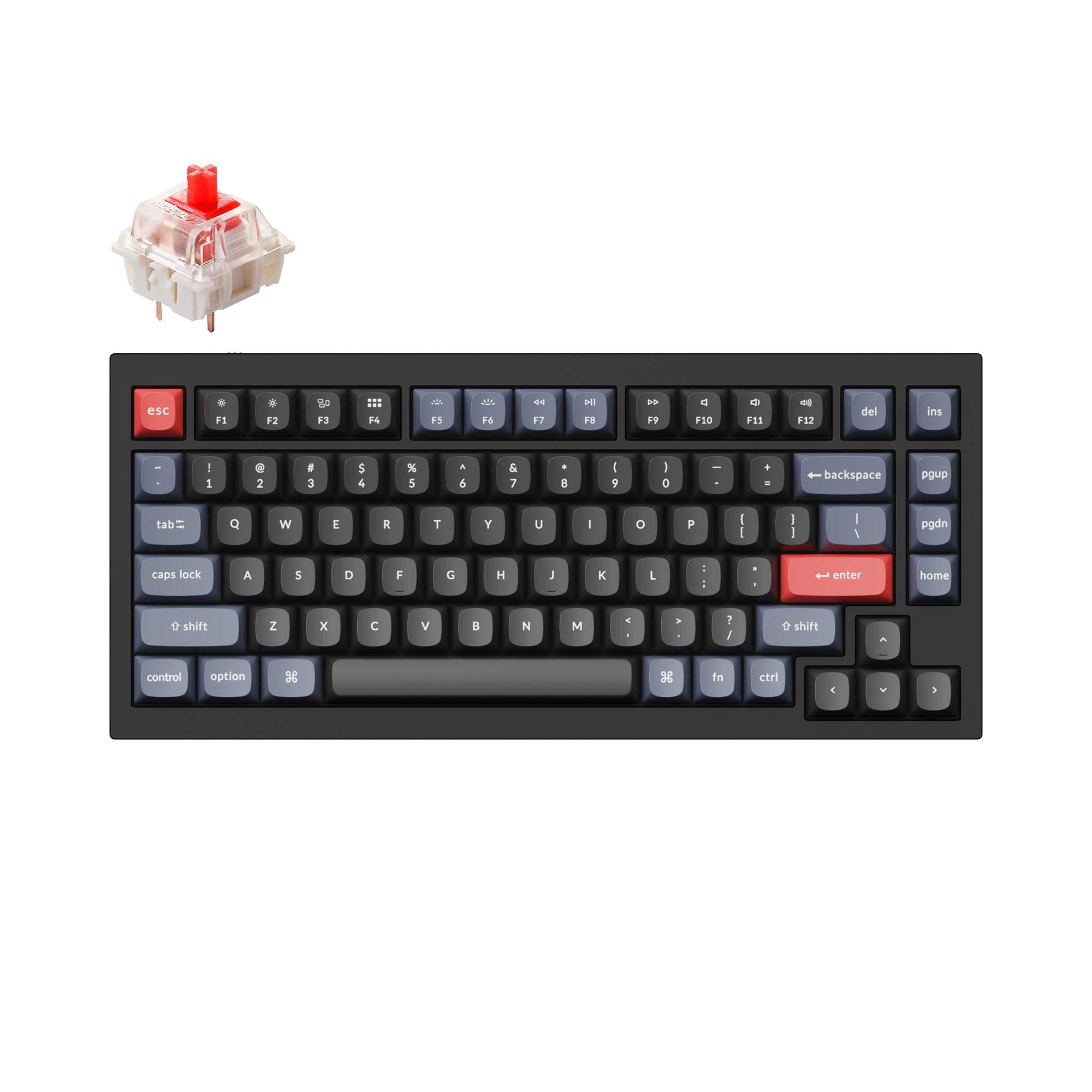
4.9 (318)4.9 · 318 reviews
from$59at Keychron
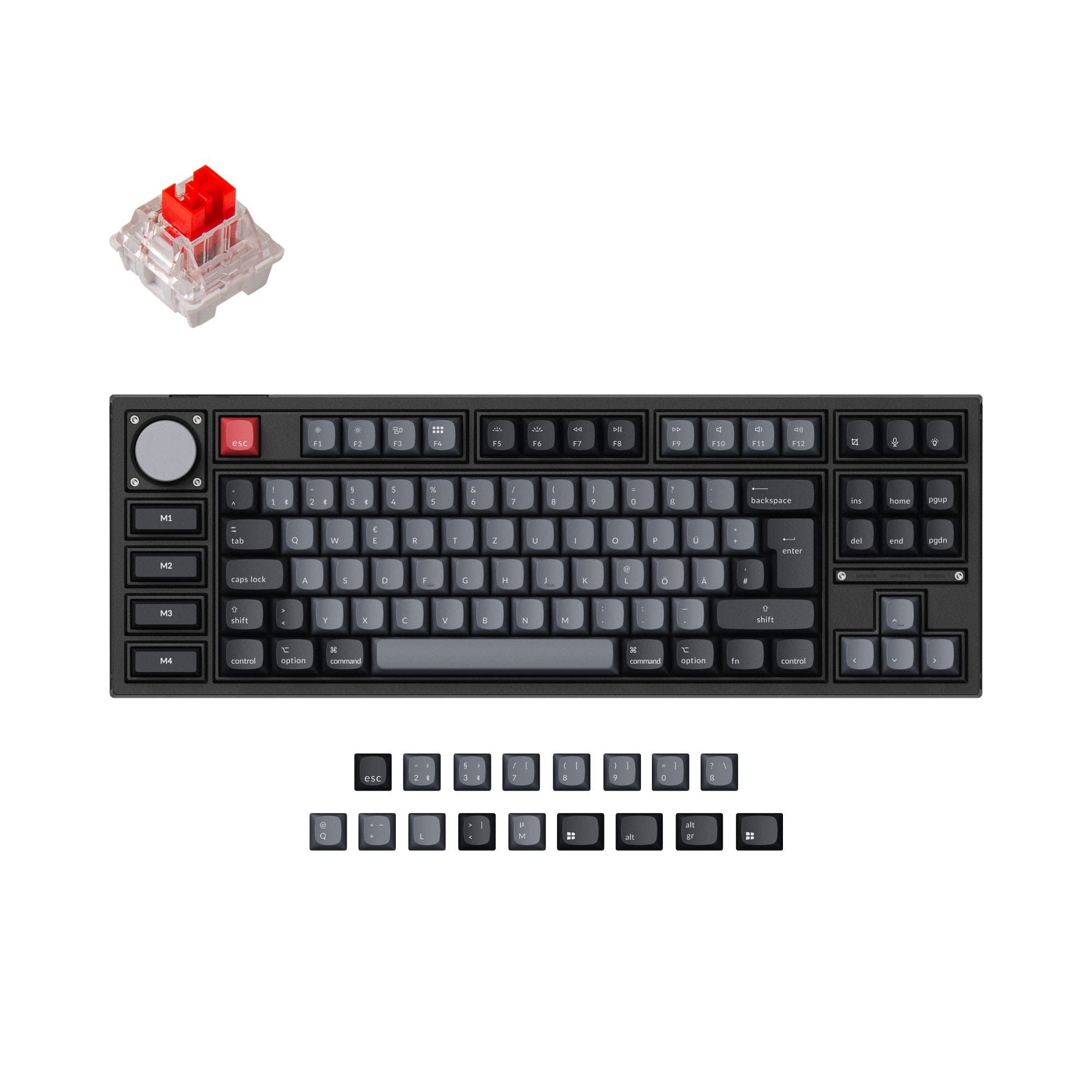
4.8 (24)4.8 · 24 reviews
from$149at Keychron
Which one should you get?
Get the
Keychron Q1 V2
Wired
Build quality in the top 5% of 75% boards under $100.
- Steel plate provides a stiffer, more solid typing feel and contributes to a distinct sound profile.
- Compact 75% layout (23 x 145 x 328 mm) saves desk space while retaining arrow keys and a knob.
- Lower starting price point makes it more accessible than the Q3 Pro.
- South-facing LEDs. Shine-through legends stay dark, and some sculpted keycaps can clip the LED.
- No ISO layout. ISO-DE, UK, and other ISO variants are not offered.
- No numpad.
Get the
Keychron Q3 Pro
Wireless 75%
Build quality in the top 5% of 80% boards under $150.
- Bluetooth 5.1 wireless allows connection to up to 3 devices, ideal for multitasking across different computers.
- Large 4000mAh battery provides extended wireless use, with up to 300 hours of battery life with backlight off.
- PC (polycarbonate) plate offers a more flexible typing feel and lighter weight within the case.
- South-facing LEDs. Shine-through legends stay dark, and some sculpted keycaps can clip the LED.
- No numpad.
Your decision between these two keyboards should be driven by your need for wireless connectivity versus a compact wired design. Choose the Keychron Q3 Pro if you want Bluetooth support for a multi-device setup or if you prefer a TKL layout with dedicated function keys. Pick the Keychron Q1 V2 if you value a smaller footprint, a stiffer steel plate, and a lower entry cost without needing wireless. Both deliver premium all-metal build quality and extensive customization.
The differences that matter
Skip the 40-row spec sheet. These are the specs that change how each board feels, sounds, and fits your desk.
Keychron Q1 V2
Keychron Q3 Pro
Layout size
75%
80%
Connection
Wired
Bluetooth, Wired
Wireless for several devices and wired for lower latency
Weight
1,825 g
2,300 g
Heavier boards stay planted and lighter ones travel
Layout standard
ANSI
ANSI, ISO, ISO-DE, ISO-ES, ISO-FR, ISO-Nordic, ISO-SW, ISO-UK
ISO and JIS exist so regional layouts fit
Plate material
Steel
Polycarbonate
- Keychron Q1 V2
- Keychron Q3 Pro
- Performance
- 7282
- Build quality
- 8989
- Productivity
- 9897
- Customizability
- 9898
- Portability
- 6276
- Hot-swappable
- Max polling rate: 1,000 Hz
- Case material: Aluminum
- Switch options: Clicky, Linear, Tactile
- Mount style: Gasket Mount, Plate Mount
- Knob
What will you mostly use it for?
The Q3 Pro wins for Office and Travel because of its Bluetooth wireless and long battery life, while also edging out the Q1 V2 in Gaming thanks to NKRO support. The Q1 V2 takes the lead for Programming and Content Creation due to its stiffer steel plate and compact wired design. Both keyboards tie for Modding because they share nearly identical customizability features. Overall, the choice comes down to whether you need wireless functionality or prefer a more compact wired setup.
Pick the Keychron Q3 Pro
- Q3 Pro offers N-Key Rollover (NKRO) for both wireless and wired modes, ensuring full key press registration.
- Q3 Pro uses a PC (polycarbonate) plate which is more flexible and lighter, contributing to a different typing feel for responsiveness.
- Q3 Pro supports Bluetooth wireless connectivity, giving flexibility to move the keyboard away from the desk.
What owners say
Ratings and quotes collected from verified store reviews, including the critical ones.
Keychron Q1 V2
318 owner reviews
“Exactly what I wanted. Swapped out the switches for some Gateron Zero degree fully silent switches. Mechanical but almost completely silent, works a dream!”
Keychron Q3 Pro
24 owner reviews
“I ordered this keyboard for myself and it sounds and feels amazing. I love the clacky feel over the clicky keyboard I had before!”
Keychron Q1 V2 vs Q3 Pro specs
Every tracked spec, side by side. Rows marked with a dot differ between the boards.
9 of 27 specs differ
Keychron Q1 V2
Keychron Q3 Pro
Switch options
Hot-swappable
Mount style
Sound dampening
Screw-in stabilizers
Layout size
Layout standard
Ergonomics
Knob
Display
Media keys
Connection
Max polling rate
Battery
USB-C
Case material
Plate material
Keycaps
Weight
Dimensions
Typing angle
Backlight
QMK
VIA
N-key rollover
Mac & Windows
Released
ISO layouts by store
Which stores sell ISO-DE, UK, and the other regional layouts.
Keychron Q1 V2
No ISO layout at the stores we track.
Keychron Q3 Pro
Keychron
ISO-DE, ISO-UK, ISO-Nordic, ISO-FR, ISO-ES, ISO-SW
In stockShips to you
Keychron (DE)
ISO-DE, ISO-UK, ISO-Nordic, ISO-FR, ISO-ES, ISO-SW
In stockDoes not ship to you
Compare prices
Live prices from the stores we track, cheapest in-stock offer first.
Prices in USD are converted to your currency and can change at any time. KeebFinder may earn a commission when you buy through these links, at no extra cost to you.
Lowest price across stores, Amazon excluded.



Keychron Q1 V2 vs Q3 Pro: your questions
The Q1 V2 uses a steel plate which provides a stiffer and more solid typing feel, while the Q3 Pro uses a polycarbonate (PC) plate which is more flexible. The difference in plate material means the Q1 V2 gives more resistance, whereas the Q3 Pro offers a softer, bouncier typing experience. Both use a double-gasket design with silicone pads between top and bottom cases to reduce metal resonance.
Yes, but keep in mind the Q3 Pro has a 1000 Hz polling rate on wired mode but drops to 90 Hz on wireless mode. It does support N-Key Rollover (NKRO) in both wireless and wired modes for full key press registration. For competitive gaming, using the wired connection is recommended for maximum responsiveness.
Yes, the Q1 V2 features hot-swappable sockets mounted on the PCB that support both 3-pin and 5-pin MX mechanical switches. You can change switches without soldering, and it is compatible with switches from Gateron, Cherry, Kailh, and others.
Yes, the Q3 Pro is available in multiple ISO layouts including German DE-ISO, UK-ISO, Nordic-ISO, Swiss-ISO, and for the Special Edition version also French-ISO and Spanish-ISO. Each comes with extra keycaps suitable for both Mac and Windows devices.
Neither keyboard is particularly portable due to their full metal build, but the Q1 V2 is smaller and lighter at 1825g and dimensions of 23 x 145 x 328 mm, compared to the Q3 Pro which weighs 2300g and measures 31 x 144 x 415 mm. However, the Q3 Pro supports Bluetooth wireless which eliminates the need for a cable when used on the go.
Yes, both the Q1 V2 and Q3 Pro feature a programmable rotary encoder knob and support QMK firmware and VIA software for full key remapping and macro customization. The knob on both can be assigned to functions like zoom, volume, or screen brightness.
The Q1 V2 comes with OSA profile double-shot PBT keycaps that are non-shine-through. The Q3 Pro ISO version comes with OSA double-shot PBT keycaps (non-shine-through), while the Q3 Pro Special Edition comes with OSA backlight shine-through ABS keycaps.
The Q3 Pro has a 4000 mAh rechargeable battery. According to vendor testing, battery life can reach up to 300 hours with the backlight turned off, and up to 100 hours at the lowest RGB brightness setting. Actual usage may vary depending on settings and usage patterns.
Both keyboards are excellent for modding. They share hot-swappable sockets, QMK/VIA support, screw-in stabilizers, and sound dampening. The main difference is the plate material: the Q1 V2 uses a steel plate while the Q3 Pro uses a polycarbonate plate, giving modders two different base feel options to work with.
The Q1 V2 as described in this comparison is a wired-only keyboard with USB Type-C connectivity. Keychron does offer a Q1 HE and Q1 Ultra 8K variant as separate products, but those are not part of this comparison.
Yes, the Q3 Pro uses Broadcom Bluetooth 5.1 to connect to up to 3 devices wirelessly. You can switch between your laptop, phone, and tablet seamlessly. It also supports a wired USB Type-C connection when needed.
No, the four macro keys (M1 through M4) on the Q3 Pro Special Edition are not hot-swappable. Only the main keys on the keyboard can be hot-swapped with 3-pin and 5-pin MX switches.
Not sold on either?


Still torn?
Answer a few quick questions and the keyboard finder ranks 2,000+ boards by how you will actually use yours.