Keychron Q11 vs Q3 ProSplit Ergo vs Wireless TKL Comparison
Choose the Q11 for ergonomic split typing, or the Q3 Pro for wireless convenience and a gasket-mounted TKL layout.
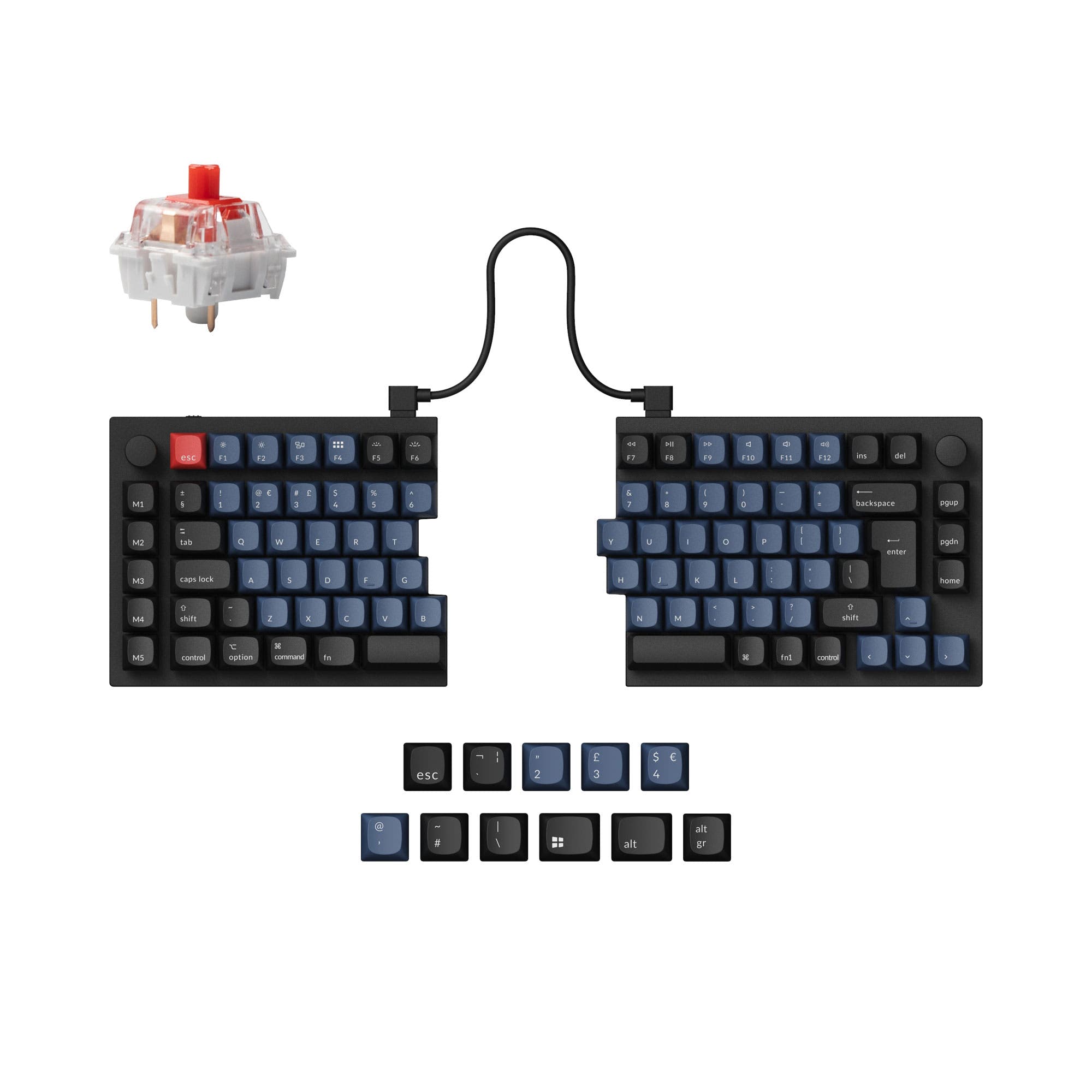
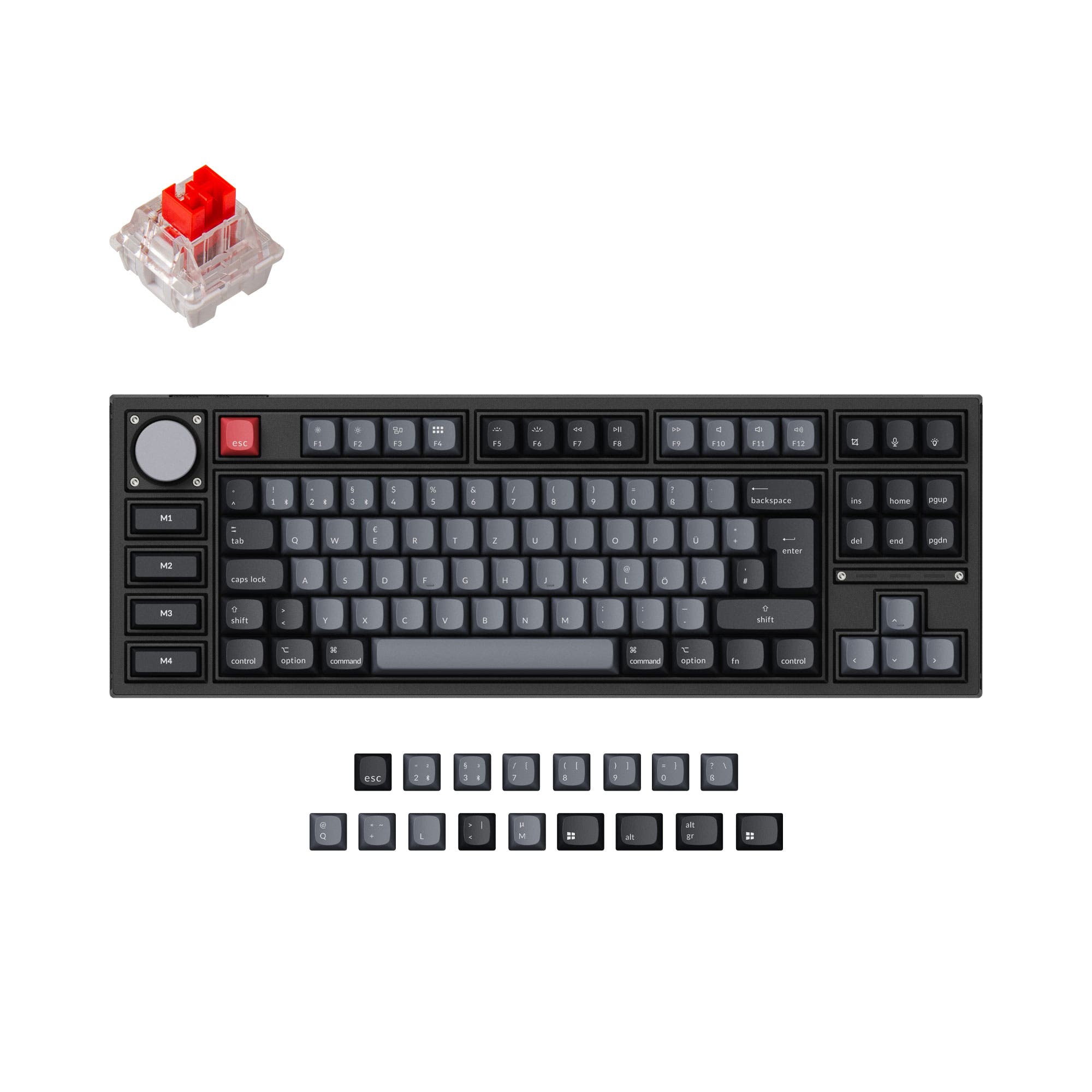
Which one should you get?
Get the
Keychron Q11
Split Ergo
- Unique split 75% layout for ergonomic positioning.
- Can be used as a single unit or as separate left/right halves.
- Offers a wide array of ISO layout support including JIS.
- Wired-only connectivity requires multiple cables for split use.
- Split design may not suit all users or desk setups.
- The manufacturer's listing mentions a specific palm rest is sold separately.
Get the
Keychron Q3 Pro
Wireless TKL Comparison
- Wireless Bluetooth 5.1 connectivity with wired backup.
- Gasket mount design with a polycarbonate plate for a softer typing feel.
- Q3 Pro Special Edition includes four customizable macro keys.
- Significantly heavier, especially the Special Edition at 2300g.
- The macro keys on the Special Edition are not hot-swappable.
- Wireless polling rate is 90 Hz, lower than the 1000 Hz wired rate.
Your choice fundamentally depends on whether you prioritize ergonomics or wireless convenience. Commit to the Keychron Q11 if you are ready to adapt to a split layout for potential long-term comfort gains. Choose the Keychron Q3 Pro if you want a premium, wireless-ready TKL keyboard with a modern gasket mount and the flexibility to work across multiple devices without cables.
The differences that matter
Skip the 40-row spec sheet. These are the specs that change how each board feels, sounds, and fits your desk.
Keychron Q11
Keychron Q3 Pro
Connection
Wired
Bluetooth, Wired
Ergonomics
Split
Standard
Mount style
Plate Mount, Tray Mount
Gasket Mount, Plate Mount
Weight
1,186 g
2,300 g
Layout standard
ANSI, ISO, ISO-DE, ISO-Nordic, ISO-UK, JIS
ANSI, ISO, ISO-DE, ISO-ES, ISO-FR, ISO-Nordic, ISO-SW, ISO-UK
- Keychron Q11
- Keychron Q3 Pro
- Performance
- 6882
- Build quality
- 8889
- Productivity
- 9797
- Customizability
- 9898
- Portability
- 7376
- Hot-swappable
- Max polling rate: 1,000 Hz
- Case material: Aluminum
- Switch options: Clicky, Linear, Tactile
- Knob
- QMK
What will you mostly use it for?
The Q3 Pro wins in more traditional scenarios like office work, gaming, and travel due to its wireless capability and standard TKL form factor. It also offers specific advantages for content creators with its macro keys. The Q11's value is almost exclusively for users seeking ergonomic relief through its split design, making it a strong contender for programming if that is a priority. For modding, both keyboards are equally capable platforms.
Pick the Keychron Q3 Pro
- The Q3 Pro offers a more conventional TKL layout familiar to gamers.
- It provides wireless connectivity via Bluetooth for reduced cable clutter.
- Both share a 1000 Hz polling rate in wired mode for low latency.
What owners say
Ratings and quotes collected from verified store reviews, including the critical ones.
Keychron Q11
13 owner reviews
“I wish that the "launcher" app had more layer options and more layer options for the RGB, but that's ok. I have a Moonlander as well and I recommend the Q11 to almost everyone, the ortholinear boards take a lot of relearning for most people to type on.”
Keychron Q3 Pro
24 owner reviews
“I ordered this keyboard for myself and it sounds and feels amazing. I love the clacky feel over the clicky keyboard I had before!”
Keychron Q11 vs Q3 Pro specs
Every tracked spec, side by side. Rows marked with a dot differ between the boards.
9 of 27 specs differ
Keychron Q11
Keychron Q3 Pro
Switch options
Hot-swappable
Mount style
Sound dampening
Screw-in stabilizers
Layout size
Layout standard
Ergonomics
Knob
Display
Media keys
Connection
Max polling rate
Battery
USB-C
Case material
Plate material
Keycaps
Weight
Dimensions
Typing angle
Backlight
QMK
VIA
N-key rollover
Mac & Windows
Released
Compare prices
Live prices from the stores we track, cheapest in-stock offer first.
Lowest price across stores, Amazon excluded.




Prices in USD are converted to your currency and can change at any time. KeebFinder may earn a commission when you buy through these links, at no extra cost to you.
Keychron Q11 vs Q3 Pro: your questions
No, the Keychron Q11 is a wired-only keyboard. It uses a USB-C cable for connectivity and requires a separate bridge cable to connect its two halves when used as a unified board.
Yes, the Keychron Q3 Pro uses a USB-C cable for its wired connection. It also features wireless Bluetooth connectivity, allowing you to use it without any cable attached.
The Keychron Q11 is designed with ergonomics in mind. Its split layout allows you to position each half independently to achieve a more natural, shoulder-width typing posture that may alleviate strain.
Yes. The manufacturer states the Q3 Pro is compatible with macOS and Windows. It includes a system toggle key and extra keycaps for both operating systems.
No. According to the manufacturer's descriptions, both keyboards come with non-shine-through PBT keycaps. The Q11 uses OSA profile caps, while the Q3 Pro uses KSA profile caps.
The mounting style differs significantly. The Q11 uses a tray mount, while the Q3 Pro uses a gasket mount with a polycarbonate plate, which is typically associated with a softer, more cushioned typing experience.
The Keychron product description for the Q3 Pro states you can connect it with up to 3 devices wirelessly and switch among them.
Yes, the Q11 supports a wide range of ISO layouts including ISO-DE, ISO-UK, ISO-Nordic, and JIS, according to its specifications.
The manufacturer's descriptions do not specify if the screw-in PCB stabilizers are pre-lubed. They highlight the stabilizers' screw-in design for stability and ease of customization.
Both are highly customizable with hot-swappable switches, QMK/VIA firmware support, and screw-in stabilizers. The Q3 Pro Special Edition adds non-hot-swappable macro keys, while the Q11 offers unique ergonomic adjustability.
The Q11 fully assembled version offers Keychron Super or Gateron G Pro switches. The Q3 Pro fully assembled version comes with Keychron K Pro switches, such as Red, Brown, or Banana variants.
Not sold on either?


Still torn?
Answer a few quick questions and the keyboard finder ranks 2,000+ boards by how you will actually use yours.