Keychron Q3 Pro vs Q3 Ultra8K Polling or Customizability?
Choose the Q3 Pro for unmatched customizability and open-source QMK/VIA control, or the Q3 Ultra for the fastest wireless polling and longer battery life.

Which one should you get?
Get the
Keychron Q3 Pro
QMK
- QMK and VIA support allow deep customization of keymaps, macros, and lighting.
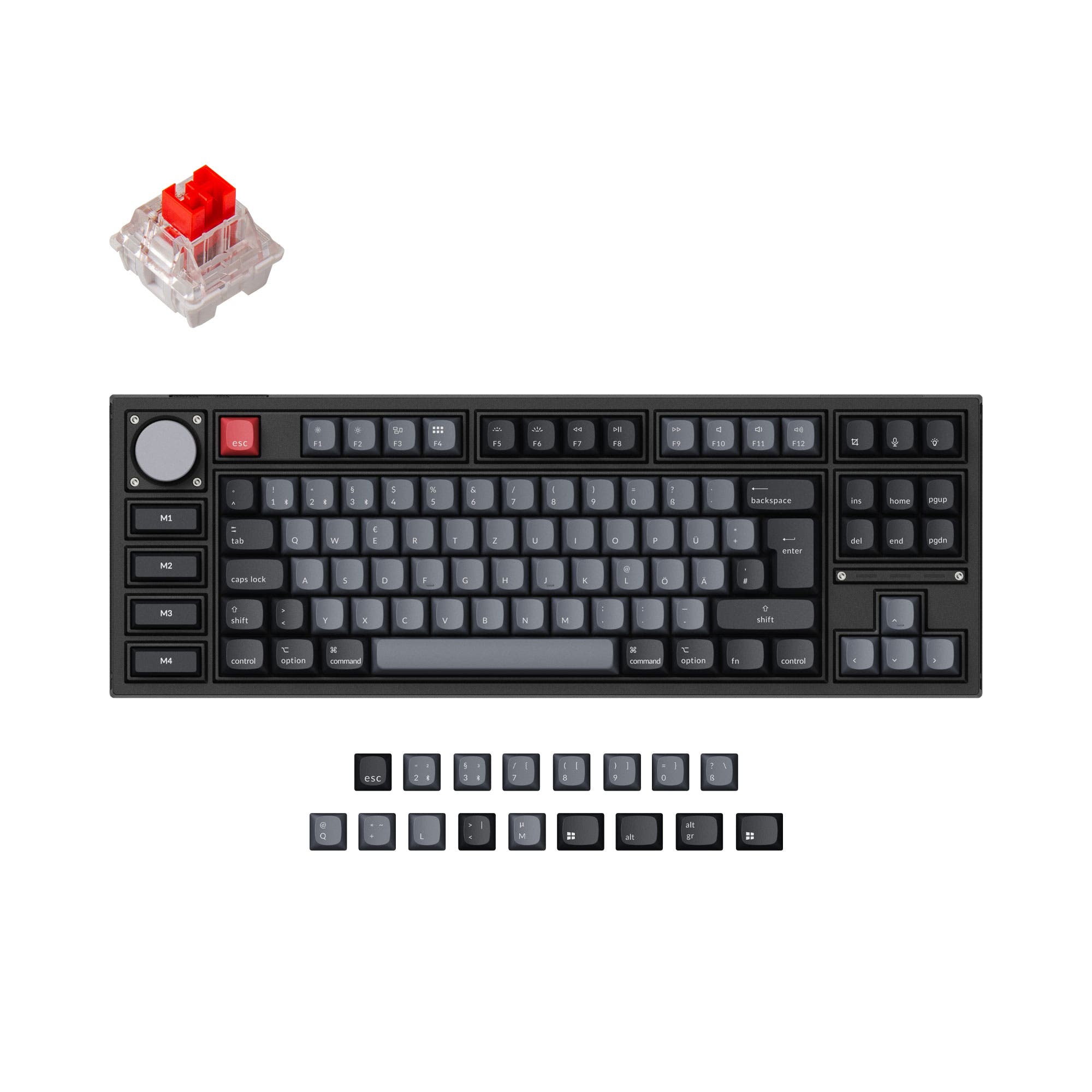
- Special Edition includes four programmable macro keys on the left side.
- Available in multiple ANSI and ISO layouts, including DE, UK, Nordic, and more.
- Heavier at 2300g, making it less portable.
- Polling rate limited to 1000 Hz wired and 90 Hz wireless.
- No 2.4 GHz connectivity, only Bluetooth and wired.
Get the
Keychron Q3 Ultra
polling rate
- 8K polling rate in both wired and 2.4 GHz modes for minimal latency.
- Up to 660 hours of battery life (backlit off), significantly more than the Pro.
- Lighter at 1787g, easier to move around.
- ZMK firmware, while powerful, has a smaller community and fewer third-party tools than QMK.
- Only 2 reviews available, with one reporting USB dropouts.
- No macro keys included in the standard design.
If you want the most flexible keyboard for customization, macro programming, and deep firmware control, the Q3 Pro is the clear choice. If you prioritize the lowest wireless latency and longest battery life for gaming or frequent travel, the Q3 Ultra delivers with its 8K polling and 2.4 GHz connection. Both are premium aluminum builds with hot-swappable switches, so your decision ultimately comes down to firmware preference versus raw performance.
The differences that matter
Skip the 40-row spec sheet. These are the specs that change how each board feels, sounds, and fits your desk.
Keychron Q3 Pro
Keychron Q3 Ultra
Connection
Bluetooth, Wired
Wired, Bluetooth, 2.4 GHz
Max polling rate
1,000 Hz
8,000 Hz
Weight
2,300 g
1,787 g
QMK
Yes
No
VIA
Yes
No
- Keychron Q3 Pro
- Keychron Q3 Ultra
- Performance
- 8289
- Build quality
- 8974
- Productivity
- 9790
- Customizability
- 9877
- Portability
- 7678
- Layout size: 80%
- Hot-swappable
- Battery: 4,000 mAh
- Case material: Aluminum
- Switch options: Clicky, Linear, Tactile
- Mount style: Gasket Mount, Plate Mount
What will you mostly use it for?
For pure gaming performance, the Q3 Ultra wins with its 8K polling rate and 2.4 GHz wireless. The Q3 Pro takes the lead for productivity, programming, and content creation due to its QMK/VIA firmware and macro keys. While the Ultra is lighter and has longer battery life for travel, the Pro offers more layout options and deeper modding potential. Overall, the Pro caters to those who want total control, while the Ultra targets latency-sensitive users.
Pick the Keychron Q3 Ultra
- 8K polling rate in wired and 2.4 GHz modes reduces input lag.
- 2.4 GHz connectivity provides a stable, low-latency wireless experience.
- ZMK firmware allows for fast responsiveness out of the box.
What owners say
Ratings and quotes collected from verified store reviews, including the critical ones.
Keychron Q3 Pro
24 owner reviews
“I ordered this keyboard for myself and it sounds and feels amazing. I love the clacky feel over the clicky keyboard I had before!”
Keychron Q3 Ultra
5 owner reviews
“USB is working for me, but I have it plugged in to a USB switcher. I haven't configured the keyboard, beyond the switches in the back. I'm liking the keyboard so far.”
“USB on keeps dropping out, even after firmware update (1.0.2) and reset. Tried multiple computers, windows and Mac. Half the time it doesn’t work at all.”
Keychron Q3 Pro vs Q3 Ultra specs
Every tracked spec, side by side. Rows marked with a dot differ between the boards.
10 of 27 specs differ
Keychron Q3 Pro
Keychron Q3 Ultra
Switch options
Hot-swappable
Mount style
Sound dampening
Screw-in stabilizers
Layout size
Layout standard
Ergonomics
Knob
Display
Media keys
Connection
Max polling rate
Battery
USB-C
Case material
Plate material
Keycaps
Weight
Dimensions
Typing angle
Backlight
QMK
VIA
N-key rollover
Mac & Windows
Released
Compare prices
Live prices from the stores we track, cheapest in-stock offer first.
Lowest price across stores, Amazon excluded.



Prices in USD are converted to your currency and can change at any time. KeebFinder may earn a commission when you buy through these links, at no extra cost to you.
Keychron Q3 Pro vs Q3 Ultra: your questions
The Keychron Q3 Ultra supports an 8K polling rate in both wired and 2.4 GHz wireless modes, while the Q3 Pro is limited to 1000 Hz wired and 90 Hz over Bluetooth. For competitive gaming, the Q3 Ultra offers significantly lower input latency.
Yes, the Q3 Ultra uses ZMK open-source firmware and the Keychron Launcher web app to remap keys, create macros, and adjust lighting. This provides a user-friendly way to customize layouts without downloading software.
Only the Special Edition version of the Q3 Pro includes four macro keys on the left side. The standard Q3 Pro does not have dedicated macro keys, but you can remap any key via QMK/VIA to act as a macro.
The Q3 Ultra is better for gaming because it offers an 8K polling rate on both wired and 2.4 GHz connections, resulting in lower latency. The Q3 Pro's 1000 Hz wired polling is still capable, but the Ultra's wireless performance is superior for competitive play.
Yes, both the Q3 Pro and Q3 Ultra support hot-swappable switches. They are compatible with most 3-pin and 5-pin MX mechanical switches, allowing you to change switches without soldering.
The Q3 Pro standard version comes with OSA profile double-shot PBT keycaps, while the Special Edition uses OSA backlight shine-through ABS keycaps. The Q3 Ultra uses KSA profile double-shot PBT keycaps, which are oil-resistant and durable but non-shine-through.
Yes, the Q3 Ultra supports 2.4 GHz wireless connectivity in addition to Bluetooth 5.3 and wired USB-C. This provides a low-latency wireless option that the Q3 Pro lacks, as the Q3 Pro only offers Bluetooth and wired.
The Q3 Ultra offers up to 660 hours of use (backlight off) or 200 hours with RGB at the lowest brightness, compared to the Q3 Pro's 300 hours (backlight off) and 100 hours with RGB. The Ultra's battery life is significantly longer.
No, the Q3 Ultra uses ZMK firmware, not QMK. While both are open-source and provide extensive customization via web configurators like Keychron Launcher, they are not directly compatible with each other.
The Q3 Pro weighs 2300 grams, while the Q3 Ultra is lighter at 1787 grams. This makes the Ultra easier to transport for travel or desk rotation.
Yes, the Q3 Pro Special Edition features a unique TKL layout with an aluminum knob, backlight shine-through ABS keycaps, and four extra customizable keys on the left. It is larger (415mm length) than the standard Q3 Pro (365mm length).
A user review reported USB connectivity dropouts that persisted after a firmware update. However, this is based on limited reviews (2 total), so it may not reflect the experience of all users.
Not sold on either?


Still torn?
Answer a few quick questions and the keyboard finder ranks 2,000+ boards by how you will actually use yours.