Nuphy Kick75 vs WH80 Gaming KeyboardVersatile Custom vs High-Speed Gaming
Choose the Kick75 for its versatility and customizability, or the WH80 for its ultra-high polling rate and magnetic switches aimed at competitive gaming.
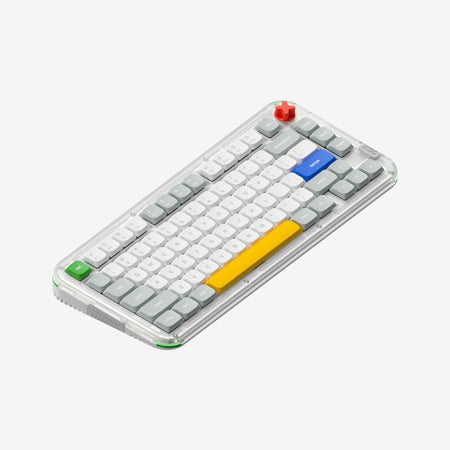
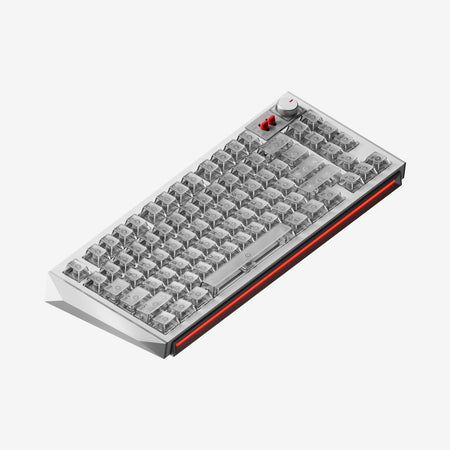
Which one should you get?
Get the
Nuphy Kick75
Versatile Custom
- Extensive connectivity with tri-mode Bluetooth, 2.4GHz, and wired USB-C.
- High customizability via hot-swap sockets, QMK/VIA support, and convertible high/low-profile design.
- Includes multiple sound-dampening materials like plate foam, a switch pad, and sound damper.
- Lower 1000 Hz polling rate compared to the WH80's 8000 Hz.
- Uses traditional mechanical switches, not the latest magnetic hall effect technology.
- The polycarbonate case construction may feel less premium to some users than metal alternatives.
Get the
Nuphy WH80 Gaming Keyboard
High-Speed Gaming
- Very high 8000 Hz polling rate for competitive gaming latency.
- Features hall effect (magnetic) switches, co-developed with Gateron, for durability and consistency.
- The vendor description claims world-leading 0.005mm actuation point precision.
- Lacks wireless connectivity options, being wired-only based on the provided metadata.
- No RGB backlighting is listed.
- Appears to have limited customizability with no mention of hot-swap, QMK, or VIA support.
For most users, the Nuphy Kick75 is the more practical and versatile investment, offering a balanced feature set for work, play, and tinkering at a more accessible price point. Only consider the Nuphy WH80 if your primary and overwhelming need is the absolute lowest possible input latency for competitive gaming, and you are willing to sacrifice wireless functionality, RGB, and extensive customization for that singular performance edge.
The differences that matter
Skip the 40-row spec sheet. These are the specs that change how each board feels, sounds, and fits your desk.
Nuphy Kick75
Nuphy WH80 Gaming Keyboard
Layout size
75%
80%
Hall effect (magnetic)
No
Yes
Rapid trigger
No
Yes
Battery
4,000 mAh
8,000 mAh
Max polling rate
1,000 Hz
8,000 Hz
- Nuphy Kick75
- Nuphy WH80 Gaming Keyboard
- Performance
- 8298
- Build quality
- 7865
- Productivity
- 9390
- Customizability
- 9276
- Portability
- 8288
- Connection: Bluetooth, 2.4 GHz, Wired
- Hot-swappable
- Mount style: Gasket Mount
- Knob
- Sound dampening
- Keycaps: PBT
What will you mostly use it for?
The Nuphy Kick75 is the clear choice for most productivity and customization-focused tasks, winning in office use, programming, travel, modding, and content creation due to its flexible connectivity, software support, and modular design. The Nuphy WH80 takes the lead specifically for competitive gaming, where its 8000 Hz polling rate and hall effect switches are decisive factors for minimizing input delay.
Pick the Nuphy WH80 Gaming Keyboard
- The WH80 has an 8000 Hz polling rate for minimal input latency.
- It features hall effect (magnetic) switches, co-developed with Gateron, for consistent performance.
- The vendor description emphasizes its design as a gaming keyboard to win.
Nuphy Kick75 vs WH80 Gaming Keyboard specs
Every tracked spec, side by side. Rows marked with a dot differ between the boards.
15 of 29 specs differ
Nuphy Kick75
Nuphy WH80 Gaming Keyboard
Switch options
Hall effect (magnetic)
Rapid trigger
Hot-swappable
Mount style
Sound dampening
Screw-in stabilizers
Layout size
Layout standard
Ergonomics
Knob
Display
Media keys
Connection
Max polling rate
Battery
USB-C
Case material
Plate material
Keycaps
Weight
Dimensions
Typing angle
Backlight
QMK
VIA
N-key rollover
Mac & Windows
Released
Compare prices
Live prices from the stores we track, cheapest in-stock offer first.
Lowest price across stores, Amazon excluded.


Prices in USD are converted to your currency and can change at any time. KeebFinder may earn a commission when you buy through these links, at no extra cost to you.
Nuphy Kick75 vs WH80 Gaming Keyboard: your questions
The Nuphy WH80 is designed for competitive gaming with its 8000 Hz polling rate and hall effect magnetic switches, which aim for minimal latency and high precision. The Kick75 has a 1000 Hz polling rate and is a more versatile choice that is still capable for gaming but not specialized for it.
Based on the provided specifications, the Nuphy WH80 does not list Bluetooth or 2.4GHz wireless connectivity. It appears to be a wired-only keyboard. The Kick75 explicitly offers tri-mode connectivity including both wireless options.
Yes, the Nuphy Kick75 features a hot-swappable PCB supporting 3-pin and 5-pin MX-style switches. It uniquely supports both high-profile and low-profile switch types, and conversion kits are available to change the keyboard's profile.
The Nuphy Kick75 (NuPhyIO version) has a 2500mAh battery. According to the vendor, lab tests show up to 360 hours of use with all lighting off, and between 60.8 to 90 hours with all lights on.
The Kick75 is significantly more customizable. It supports QMK and VIA firmware for key remapping, has hot-swap sockets, includes sound-dampening foams, and offers open-source 3D printing files for case accessories. The WH80's description does not mention these modding features.
Yes, both the Nuphy Kick75 and the Nuphy WH80 are listed as using a gasket mount style, which typically provides a softer, more flexible typing feel.
The Nuphy Kick75 comes with dye-sublimated PBT keycaps. The vendor also sells numerous optional keycap sets in various profiles like Cherry and nSA.
Hall effect switches, like the Jade Dragon-N in the WH80, use magnets and sensors instead of metal contacts for actuation. This can lead to faster response, greater durability, and adjustable actuation points, as highlighted in the vendor's description.
The Nuphy Kick75 is better suited for office work. Its tri-mode wireless allows easy device switching, its sound-dampening materials make it quieter, and its 75% layout saves desk space while retaining a dedicated function row and arrow keys.
Yes, the Nuphy Kick75 is listed as compatible with macOS, Windows, and Linux. It includes a Win/Mac mode switch that integrates with its firmware layers.
An 8000 Hz polling rate means the keyboard reports its input state to the computer up to 8000 times per second, theoretically reducing input delay to as low as 0.125ms. This is beneficial for competitive gaming where every millisecond counts.
Yes, the Kick75 comes pre-built with multiple sound-dampening elements including plate foam, a switch pad, a sound damper, PCB foam, and bottom foam. You can also install silent switches like the Blush Nano, which the vendor recommends for quiet typing.
Not sold on either?





Still torn?
Answer a few quick questions and the keyboard finder ranks 2,000+ boards by how you will actually use yours.