Binepad BNK8 vs Keychron Q3Macro Pad vs Full TKL Keyboard
Choose the Binepad BNK8 if you need a programmable macro pad, or the Keychron Q3 if you need a complete, high-end tenkeyless keyboard.
KeebFinder may earn a commission when you buy through these links, at no extra cost to you.

No reviews
from$54at MK

4.8 (107)4.8 · 107 reviews
from$59at Keychron
Which one should you get?
Get the
Binepad BNK8
Macro Pad
- Extremely compact 8-key macropad design for desk space savings.
- Includes a carbon fiber plate for a distinct typing feel.
- Comes pre-built with custom keycaps with indents.
- North-facing LEDs. Cherry-profile keycaps can hit the switch housing.
- No ISO layout. ISO-DE, UK, and other ISO variants are not offered.
- Macropad only. This is not a full keyboard.
Get the
Keychron Q3
Full TKL Keyboard
Build quality in the top 5% of 80% boards under $100.
- Premium full CNC machined aluminum body with a double-gasket design for sound dampening.
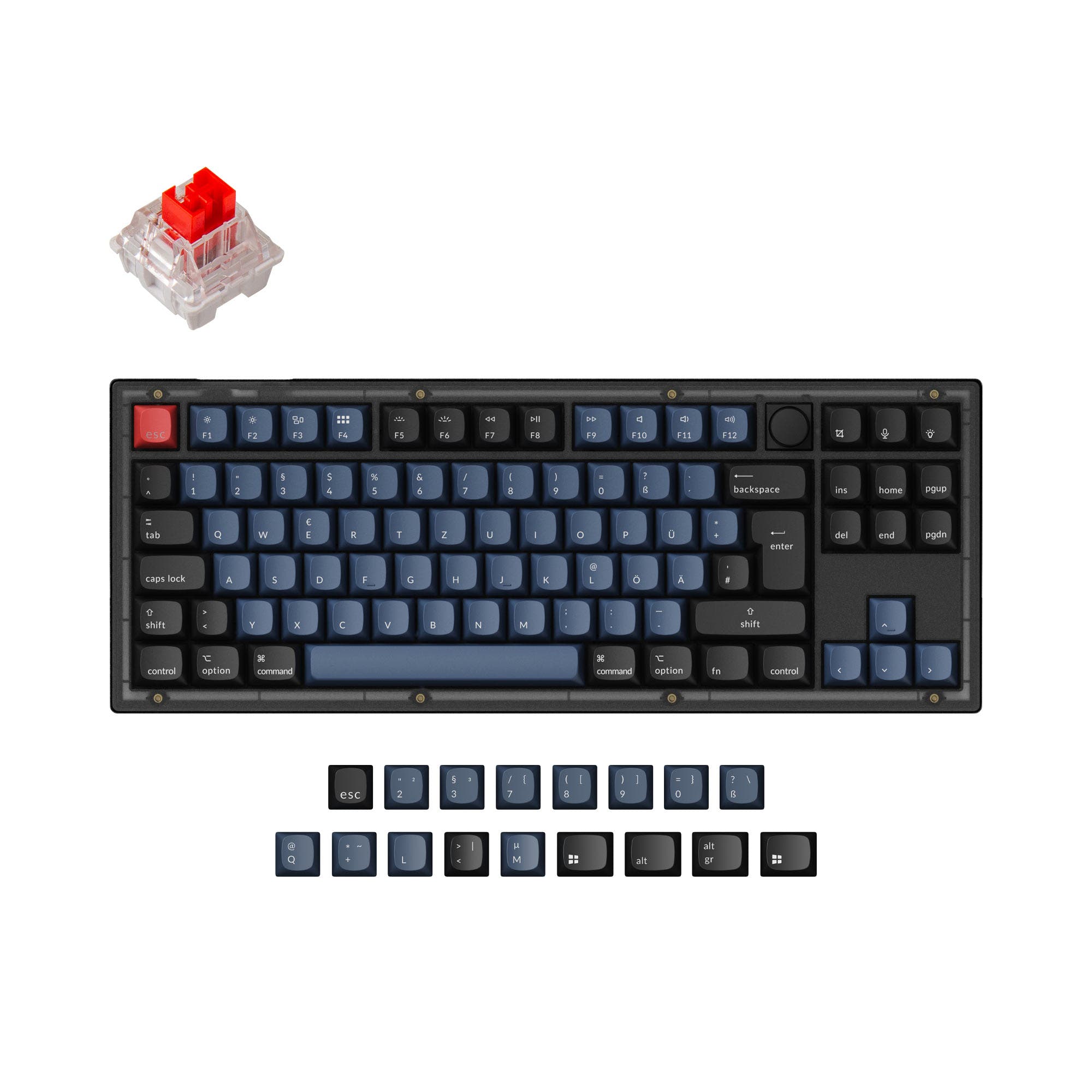
- Officially supports a wide range of ISO and JIS layouts for international users.
- Includes high-quality components like screw-in PCB stabilizers and a steel plate.
- South-facing LEDs. Shine-through legends stay dark, and some sculpted keycaps can clip the LED.
- No numpad.
Your need dictates the choice. Purchase the Binepad BNK8 exclusively as a powerful, programmable accessory to augment an existing keyboard setup. Invest in the Keychron Q3 if you are seeking a premium, customizable, and complete tenkeyless keyboard as your daily driver. They are complementary tools, not direct competitors.
The differences that matter
Skip the 40-row spec sheet. These are the specs that change how each board feels, sounds, and fits your desk.
Binepad BNK8
Keychron Q3
Layout size
Macropad
80%
Mount style
Plate Mount
Gasket Mount, PCB Mount, Plate Mount
Sound dampening
No
Yes
Layout standard
ANSI
ANSI, ISO, ISO-DE, ISO-ES, ISO-FR, ISO-SW, ISO-UK, JIS
ISO and JIS exist so regional layouts fit
Plate material
CarbonFiber
Steel
- Binepad BNK8
- Keychron Q3
- Performance
- 6871
- Build quality
- 7991
- Productivity
- 8098
- Customizability
- 8998
- Portability
- 7257
- Connection: Wired
- Hot-swappable
- Case material: Aluminum
- Knob
- QMK
- VIA
What will you mostly use it for?
The Keychron Q3 is the clear choice for primary use cases like gaming, office work, programming, and content creation due to its complete layout and specialized features. The Binepad BNK8 wins only for travel due to its minuscule size. For modding enthusiasts, both offer a high degree of customization, making them equally compelling on that front.
Pick the Keychron Q3
- The Keychron Q3 has a confirmed 1000 Hz polling rate for low latency.
- Its 80% layout provides dedicated arrow and function keys for game controls.
- The listing mentions it is suitable for competitive games.
Binepad BNK8 vs Keychron Q3 specs
Every tracked spec, side by side. Rows marked with a dot differ between the boards.
11 of 25 specs differ
Binepad BNK8
Keychron Q3
Switch options
Hot-swappable
Mount style
Sound dampening
Screw-in stabilizers
Layout size
Layout standard
Ergonomics
Knob
Display
Media keys
Connection
Max polling rate
USB-C
Case material
Plate material
Keycaps
Weight
Dimensions
Typing angle
Backlight
QMK
VIA
Mac & Windows
Released
ISO layouts by store
Which stores sell ISO-DE, UK, and the other regional layouts.
Binepad BNK8
No ISO layout at the stores we track.
Keychron Q3
Keychron
ISO-DE, ISO-UK, ISO-FR, ISO-ES, ISO-SW
In stockShips to you
Keychron (DE)
ISO-DE, ISO-UK, ISO-FR, ISO-ES, ISO-SW
Out of stockDoes not ship to you
Compare prices
Live prices from the stores we track, cheapest in-stock offer first.
Prices in USD are converted to your currency and can change at any time. KeebFinder may earn a commission when you buy through these links, at no extra cost to you.
Lowest price across stores, Amazon excluded.





Binepad BNK8 vs Keychron Q3: your questions
No, the Binepad BNK8 is an 8-key macro pad. It lacks alphanumeric keys, arrow keys, and a number pad, so it cannot function as a primary keyboard for typing. It is designed to be used alongside a full-sized keyboard for shortcuts and macros.
According to Keychron, the double-gasket design includes gaskets on the plates and added silicone pads between the top and bottom aluminum cases. This aims to reduce acoustic resonance and metal impact noise while maintaining typing flexibility.
Yes, both the Binepad BNK8 and Keychron Q3 list Mac and Windows support. The Keychron Q3 specifically includes a physical system toggle switch and separate keycap sets for both operating systems.
For extensive programming shortcuts, the Keychron Q3 provides more keys to map directly. However, the Binepad BNK8 can be an excellent dedicated device for layer-specific macros. Both support deep customization via QMK and VIA firmware.
The Binepad BNK8 is listed as a pre-built unit, which includes custom keycaps and presumably switches. The Keychron Q3 is available as a fully assembled version with Gateron G Pro switches and OSA profile ABS keycaps, or as a barebones kit without them.
The Binepad BNK8 uses north-facing LEDs, which can cause interference with Cherry-profile keycaps. The Keychron Q3 uses south-facing LEDs, which avoid this interference and may provide better backlighting from the typist's angle, as noted in its description.
Yes, both keyboards feature hot-swappable PCBs, allowing you to change switches without soldering. The Keychron Q3's listing specifies support for both 3-pin and 5-pin MX-style switches.
For the fully assembled version, Keychron lists it includes the keyboard, OSA ABS keycaps, Gateron G Pro switches, a Type-C cable, and a Type-A to Type-C adapter. The Binepad BNK8 includes a USB-C cable and an allen key.
Yes, both keyboards feature a programmable rotary encoder knob. The Keychron Q3's description specifically notes you can customize it for volume, zoom, brightness, or other macros via VIA software.
The Binepad BNK8 is significantly more portable, measuring 77x77mm and being far lighter. The Keychron Q3 is a large 80% keyboard weighing 2000g, making it a stationary desktop peripheral.
Yes, the Keychron Q3 ISO Layout Collection explicitly supports UK, German, Nordic, Swiss, French, and Spanish ISO layouts. The Binepad BNK8 is listed with an ANSI layout.
Not sold on either?


Still torn?
Answer a few quick questions and the keyboard finder ranks 2,000+ boards by how you will actually use yours.