Binepad BNK8 vs Keychron V3Macro Pad vs Full TKL Keyboard
Choose the Binepad BNK8 if you need a programmable macro pad, or the Keychron V3 for a complete, customizable TKL keyboard.
KeebFinder may earn a commission when you buy through these links, at no extra cost to you.

No reviews
from$54at MK
4.9 (17)4.9 · 17 reviews
from$54at Keychron
Which one should you get?
Get the
Binepad BNK8
Macro Pad
- Extremely compact 8-key CNC aluminum frame for desk space savings.
- Includes a carbon fiber plate, which is less common than steel.
- Comes with custom keycaps featuring indents for tactile identification.
- North-facing LEDs. Cherry-profile keycaps can hit the switch housing.
- No ISO layout. ISO-DE, UK, and other ISO variants are not offered.
- Macropad only. This is not a full keyboard.
Get the
Keychron V3
Full TKL Keyboard
Build quality in the top 5% of 80% boards under $100.
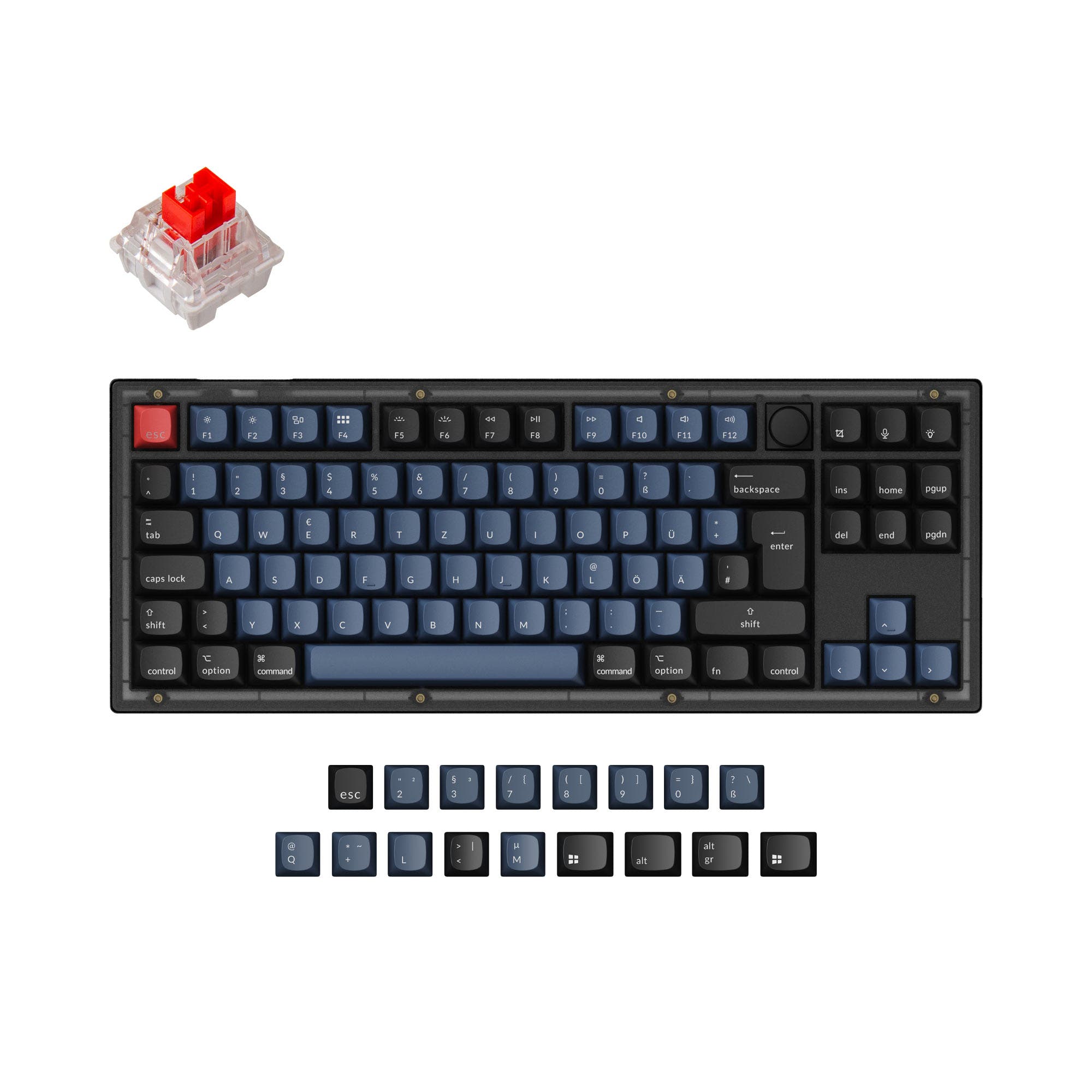
- Full 80% TKL layout with support for ANSI, ISO, and multiple other regional standards.
- Explicitly lists a 1000 Hz polling rate and an ARM Cortex-M4 MCU.
- Comes with sound dampening features, screw-in stabilizers, and plate foam.
- South-facing LEDs. Shine-through legends stay dark, and some sculpted keycaps can clip the LED.
- No numpad.
Select the Keychron V3 if you need one versatile, high-performance keyboard for daily typing, gaming, and work. Its full layout, confirmed specs, and included modding features provide immense value. Choose the Binepad BNK8 only if you specifically want a premium, portable macro pad to augment your existing keyboard setup for shortcuts or creative workflows.
The differences that matter
Skip the 40-row spec sheet. These are the specs that change how each board feels, sounds, and fits your desk.
Binepad BNK8
Keychron V3
Layout size
Macropad
80%
Case material
Aluminum
ABS, Plastic
Mount style
Plate Mount
Gasket Mount, Plate Mount, Tray Mount
Sound dampening
No
Yes
Layout standard
ANSI
ANSI, ISO, ISO-DE, ISO-ES, ISO-FR, ISO-SW, ISO-UK, JIS
ISO and JIS exist so regional layouts fit
- Binepad BNK8
- Keychron V3
- Performance
- 6891
- Build quality
- 7988
- Productivity
- 8098
- Customizability
- 8998
- Portability
- 7258
- Connection: Wired
- Hot-swappable
- Knob
- QMK
- VIA
What will you mostly use it for?
The Keychron V3 wins for primary use cases like gaming, office work, programming, and content creation due to its complete layout and confirmed performance specs. The Binepad BNK8 is the clear choice for travel or as a secondary device. For modding enthusiasts, both offer an equally strong foundation with hot-swap sockets and open-source firmware support.
Pick the Keychron V3
- The Keychron V3 has a confirmed 1000 Hz polling rate for lower latency.
- Its TKL layout provides dedicated arrow and function keys for game controls.
- The listing mentions its performance is suitable for competitive games.
Binepad BNK8 vs Keychron V3 specs
Every tracked spec, side by side. Rows marked with a dot differ between the boards.
13 of 26 specs differ
Binepad BNK8
Keychron V3
Switch options
Hot-swappable
Mount style
Sound dampening
Screw-in stabilizers
Layout size
Layout standard
Ergonomics
Knob
Display
Media keys
Connection
Max polling rate
USB-C
Case material
Plate material
Keycaps
Weight
Dimensions
Typing angle
Backlight
QMK
VIA
N-key rollover
Mac & Windows
Released
ISO layouts by store
Which stores sell ISO-DE, UK, and the other regional layouts.
Binepad BNK8
No ISO layout at the stores we track.
Keychron V3
Keychron
ISO-DE, ISO-UK, ISO-FR, ISO-ES, ISO-SW
In stockShips to you
Keychron (DE)
ISO-DE, ISO-ES
In stockDoes not ship to you
Keychron (DE)
ISO-DE, ISO-UK, ISO-FR, ISO-ES, ISO-SW
Out of stockDoes not ship to you
Compare prices
Live prices from the stores we track, cheapest in-stock offer first.
Prices in USD are converted to your currency and can change at any time. KeebFinder may earn a commission when you buy through these links, at no extra cost to you.
Lowest price across stores, Amazon excluded.




Binepad BNK8 vs Keychron V3: your questions
No, the Binepad BNK8 is an 8-key macro pad. It is designed to be a supplementary device for shortcuts, macros, or media control and must be used alongside a primary keyboard for typing.
The Keychron V3 has a polling rate of 1000 Hz. The manufacturer states this makes latency hardly noticeable, even for competitive gaming.
Yes, both the Binepad BNK8 and the Keychron V3 feature hot-swappable PCBs. The BNK8 uses Kailh sockets, while the V3 supports both 3-pin and 5-pin MX-style switches.
Both are compatible with macOS. The Keychron V3 has a specific advantage as it includes a system toggle and an additional set of keycaps tailored for macOS, allowing you to save separate layouts for Mac and Windows.
The Binepad BNK8 comes as a pre-built unit with custom keycaps and switches installed. The Keychron V3 is available in both fully assembled and barebone versions. The assembled version includes OSA profile PBT keycaps and Keychron K Pro switches.
The Binepad BNK8 has north-facing LEDs, while the Keychron V3 has south-facing LEDs. South-facing placement avoids interference with Cherry-profile keycaps and often provides better underglow from the typist's angle, though north-facing can sometimes better illuminate shine-through legends.
Yes, the knob on both keyboards is programmable. The Binepad BNK8's knob is clickable and programmable via QMK/VIA. The Keychron V3's aluminum knob can be customized through the Keychron Launcher web app or QMK.
They use different materials. The Binepad BNK8 features a CNC aluminum frame and a carbon fiber plate. The Keychron V3 uses an ABS plastic case with a steel plate but includes premium internal features like screw-in stabilizers and sound-dampening foam.
According to user reviews, the Keychron V3 has good stock typing sound due to its factory pre-lubed K Pro switches and internal sound dampening features like silicone and foam pads. It is noted for having a clean sound profile with minimal unwanted reverberation.
Both keyboards support the open-source QMK firmware and the VIA configurator for real-time key remapping without flashing. The Keychron V3 can also be programmed using the Keychron Launcher web app.
While the specific warranty length isn't stated, the Keychron V3 product page includes a user guide and FAQ section for support. Customer reviews also mention positive experiences with the product's quality and support.
Not sold on either?



Still torn?
Answer a few quick questions and the keyboard finder ranks 2,000+ boards by how you will actually use yours.