Redragon BK7114 vs Mechboards Let's Split
Choose the Redragon BK7114 for a ready-to-use wireless keyboard with a number pad, or the Mechboards Let's Split for a split ortholinear DIY build.
KeebFinder may earn a commission when you buy through these links, at no extra cost to you.

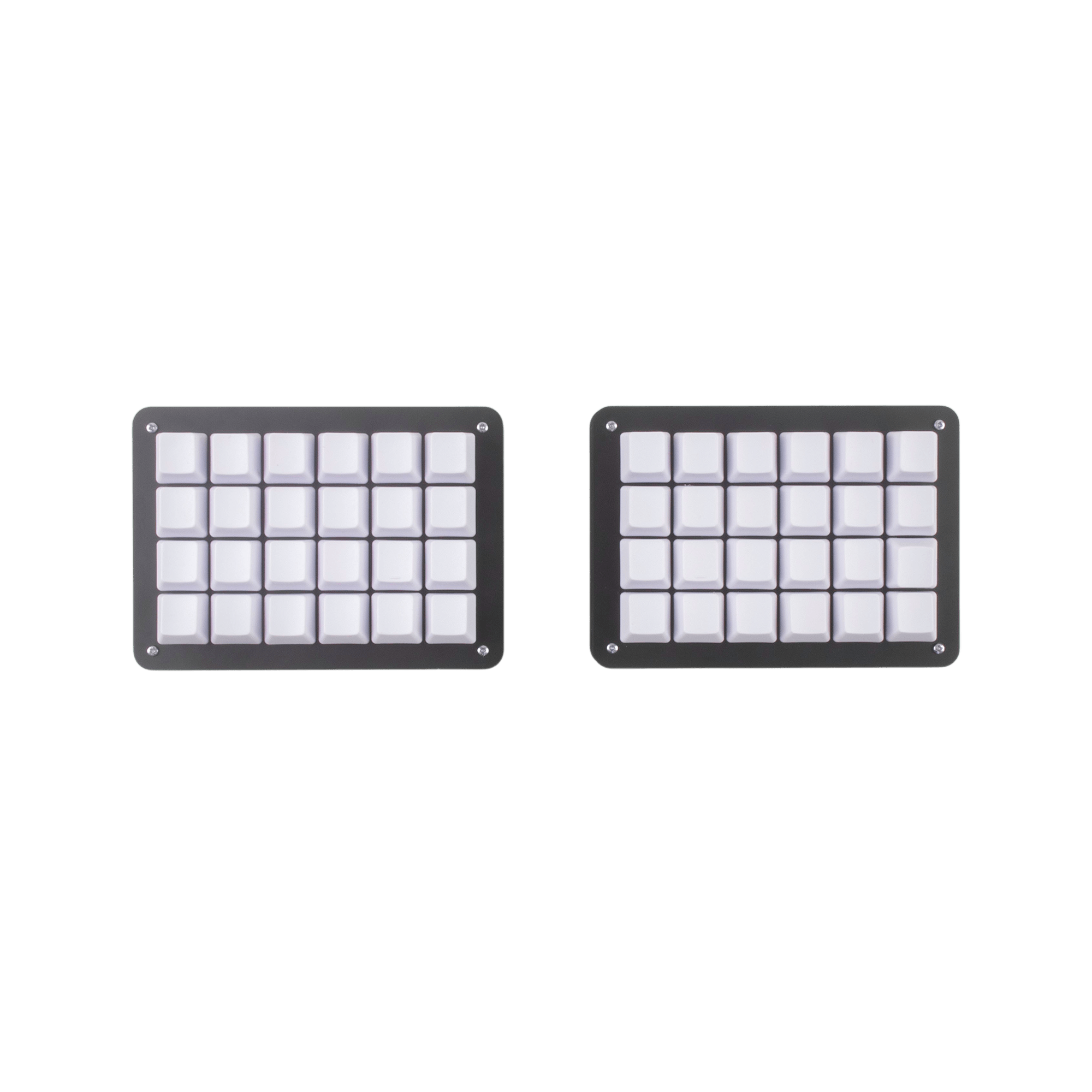
from$20at Mechboards
90-day lowLowest price in 90 days
Which one should you get?
Get the
Redragon BK7114
Mac & Windows
- Bluetooth and 2.4 GHz wireless connections, plus wired connectivity listed in the specs.
- A 90% ANSI layout with a number pad, according to the vendor description.
- Quiet scissor switches and 12 media keys.
- Switches are soldered. Swapping them means soldering.
- Low-profile switches and keycaps only. Standard MX keycaps will not fit.
Get the
Mechboards Let's Split
- Split ortholinear layout for buyers who prefer that arrangement.
- DIY kit includes main PCB, RP2040 wired controllers, PCB components, and FR4 bottom and switch plates.
- TRRS cable and case hardware are included in the vendor's kit contents.
- Switches are soldered. Swapping them means soldering.
Choose the Redragon BK7114 if you want a pre-built, low-profile keyboard with wireless connections, a number pad, and quiet scissor keys. Pick the Mechboards Let's Split if its split ortholinear layout and DIY kit are the main draw, and plan to source switches and keycaps separately. The deciding factor is conventional ready-to-use convenience versus a hands-on, specialized layout.
The differences that matter
Skip the 40-row spec sheet. These are the specs that change how each board feels, sounds, and fits your desk.
Redragon BK7114
Mechboards Let's Split
Low profile
Yes
No
Ergonomics
Standard
Ortholinear, Split
Mac & Windows
Yes
No
Released
2024
2021
USB-C
Yes
No
- Redragon BK7114
- Mechboards Let's Split
- Performance
- 5043
- Build quality
- 4653
- Productivity
- 7051
- Customizability
- 4249
- Portability
- 5141
What will you mostly use it for?
The BK7114 is the more practical pick for office tasks and travel, with its conventional layout, wireless options, and listed weight and dimensions. It also has the clearer fit for gaming and content creation among these two, though neither product description establishes specialized gaming features. Programming is preference-dependent: the Let's Split offers a distinctive split ortholinear layout, while the BK7114 is ready-built and includes a number pad. For hands-on customization, the Let's Split's unsoldered kit and separately sourced switches and keycaps are the key distinction.
Pick the Redragon BK7114
- The BK7114 offers 2.4 GHz wireless, Bluetooth, and wired connectivity listed in its specs.
- Its conventional 90% layout may suit buyers who do not want the Let's Split's split ortholinear arrangement.
Redragon BK7114 vs Mechboards Let's Split specs
Every tracked spec, side by side. Rows marked with a dot differ between the boards.
5 of 14 specs differ
Redragon BK7114
Mechboards Let's Split
Mount style
Low profile
Layout size
Layout standard
Ergonomics
Display
Connection
USB-C
Case material
Weight
Dimensions
Backlight
Mac & Windows
Released
Compare prices
Live prices from the stores we track, cheapest in-stock offer first.
Prices in USD are converted to your currency and can change at any time. KeebFinder may earn a commission when you buy through these links, at no extra cost to you.
Lowest price across stores, Amazon excluded.

Redragon BK7114 vs Mechboards Let's Split: your questions
Yes. Redragon lists Bluetooth and 2.4 GHz wireless connections, and the product specs also list wired connectivity. The vendor description says the wired connection is for charging only.
Yes. Redragon describes it as a 98-key layout with a number pad, and the product metadata lists a 90% layout. It also includes 12 media keys according to the vendor.
Redragon describes the BK7114's scissor switches as quiet and says they are intended to reduce typing noise. It also has a number pad and media keys for desk use.
No. Its compatibility rules specify low-profile switches and keycaps only, so standard MX keycaps will not fit. The switches are soldered, and replacing them requires soldering.
The product metadata lists Mac/Win support, and Redragon describes a side button for switching between Windows and Mac. Its vendor page also names Linux and Android among compatible systems.
It is a split ortholinear keyboard sold as a DIY kit. Mechboards lists the main PCB, wired RP2040 controllers, PCB components, FR4 plates, case hardware, and a TRRS cable among its contents.
No. Mechboards explicitly says switches and keycaps are not included. Buyers will need to source those separately to complete the keyboard.
No. Mechboards says the PCBs come completely unsoldered, and the product is listed as a DIY kit or barebones. It is intended for buyers prepared to assemble the keyboard.
The kit description lists wired controllers and includes a TRRS cable; no wireless connection is specified. The product metadata identifies the keyboard as a DIY kit rather than a wireless pre-built board.
The Redragon BK7114 is the more direct fit if you want a conventional layout, number pad, media keys, and Bluetooth or 2.4 GHz connectivity. The Let's Split instead has a split ortholinear layout and requires assembly.
The Let's Split is the more hands-on option because it arrives as an unsoldered kit and does not include switches or keycaps. The BK7114 has soldered switches and accepts only low-profile switches and keycaps under its compatibility rules.
Not sold on either?


Still torn?
Answer a few quick questions and the keyboard finder ranks 2,000+ boards by how you will actually use yours.