Mechboards Let's Split vs NIBBLE
Split or RGB
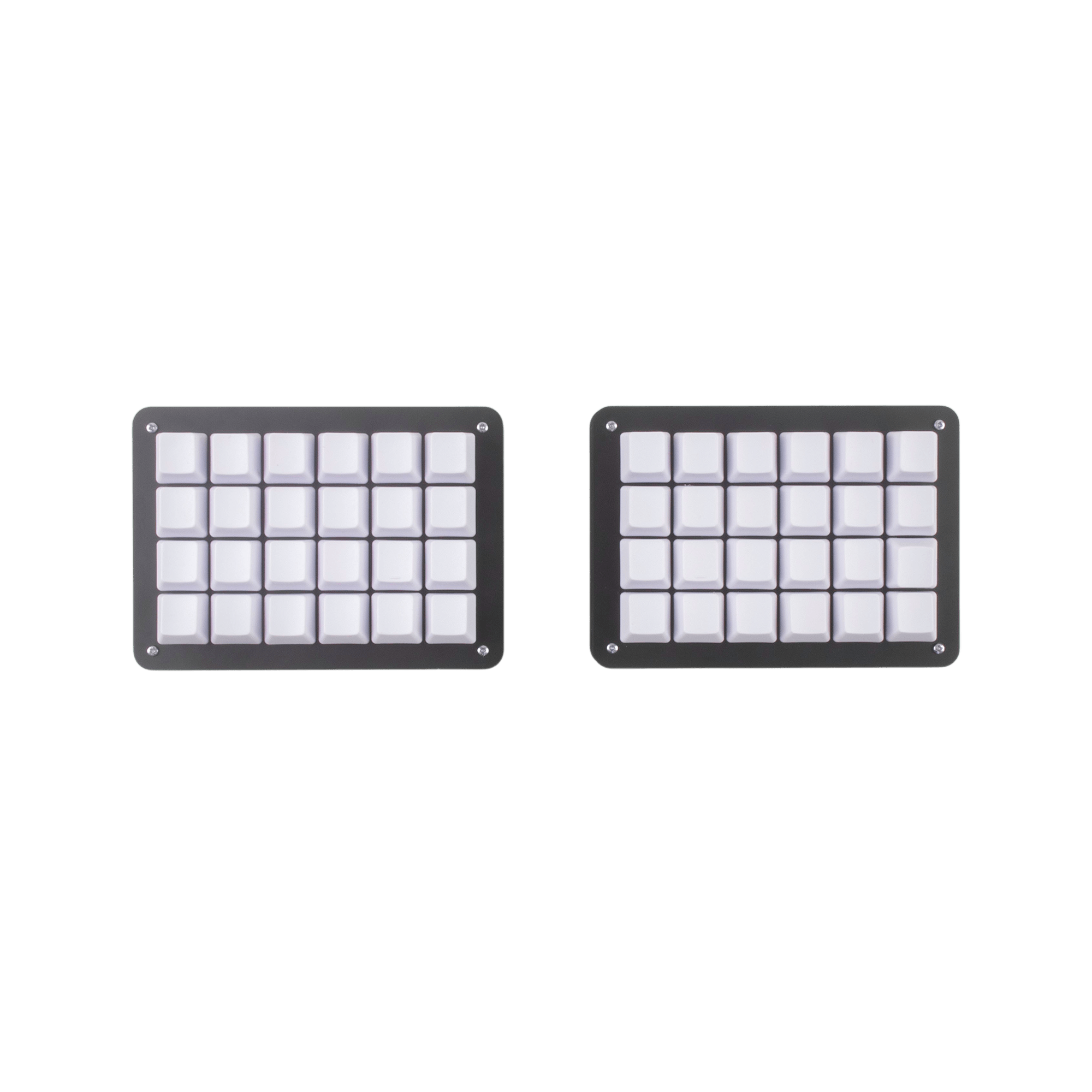
Choose the Let's Split for its split ortholinear layout, and the NIBBLE for its 65% ANSI+ISO layout, RGB, QMK support, and rotary encoder.
Prices checked Nov 17, 2026. KeebFinder may earn a commission when you buy through these links, at no extra cost to you.

Which one should you get?
Get the
Mechboards Let's Split
If you want
- Split ortholinear layout for builders who specifically want that arrangement.
Rules this board out
- Switches are soldered. Swapping them means soldering.
- No ISO layout. ISO-DE, UK, and other ISO variants are not offered.
Get the
Mechboards NIBBLE
Knob
Build quality in the top 40% of 65% boards under $100.
If you want
- 65% layout with both ANSI and ISO options.
- QMK support, a rotary encoder with knob, and RGB lighting.
- FR4 plates and acrylic case pieces, with PCB and acrylic STEP files listed.
Rules this board out
- Switches are soldered. Swapping them means soldering.
Bottom line
Get the Let's Split for its split ortholinear layout if that form is your priority. Choose the NIBBLE for its 65% ANSI+ISO layout, QMK support, RGB, and rotary encoder, which provide more listed layout and customization options.
The differences that matter
- Ergonomics
Ortholinear, Split
Standard
- Knob
No
Yes
- QMK
No
Yes
The deep option when you want to remap every key - Layout standard
ANSI
ANSI, ISO
ISO and JIS exist so regional layouts fit - Screw-in stabilizers
No
Yes
Easier to tune than the plate-mount stabs you get prebuilt
KeebFinder scores
How we score- Mechboards Let's Split
- Mechboards NIBBLE
- Performance
- 4353
- Build quality
- 5370
- Productivity
- 5053
- Customizability
- 4977
- Portability
- 4159
What will you mostly use it for?
For gaming, pick the Mechboards NIBBLE
- The NIBBLE has a 65% layout with a conventional rather than ortholinear arrangement.
- Its RGB lighting is a listed feature, while the Let's Split has no RGB.
Mechboards Let's Split vs NIBBLE specs
10 of 12 specs differ
 |  | |
| Mechboards Let's Split$20 | Mechboards NIBBLE$60 | |
|---|---|---|
| Typing & switches | ||
| Mount style (differs) | Not specified | PCB Mount |
| Screw-in stabilizers (differs) | No | Yes |
| Layout | ||
| Layout size (differs) | Not specified | 65% |
| Layout standard (differs) | ANSI | ANSI, ISO |
| Ergonomics (differs) | Ortholinear, Split | Standard |
| Knob (differs) | No | Yes |
| Display | None | None |
| Build & materials | ||
| Case material (differs) | Not specified | Acrylic, Plastic |
| Plate material (differs) | Not specified | FR4 |
| Backlight (differs) | None | RGB |
| Firmware & software | ||
| QMK (differs) | No | Yes |
| Extras | ||
| Released | 2021 | 2021 |
Compare prices
Prices in USD are converted to your currency and can change at any time. KeebFinder may earn a commission when you buy through these links, at no extra cost to you.
Lowest price across stores, Amazon excluded.
- Lowest price now
- $79
- Lowest in range
- $73Aug 31 at Mechboards NIBBLE
- Highest in range
- $114Aug 18 at Mechboards Let's Split
Price in USD
- Check on Amazon
AmazonGlobal
Check price - Extra 5% off

- Check on Amazon
AmazonGlobal
Check price - Extra 5% off
ISO layouts by store
Mechboards Let's Split
No ISO layout at the stores we track.
Mechboards NIBBLE
Listed on the product, not split by store: ISO.


