Keychron K12 vs Meko Push60% or 65% layout?
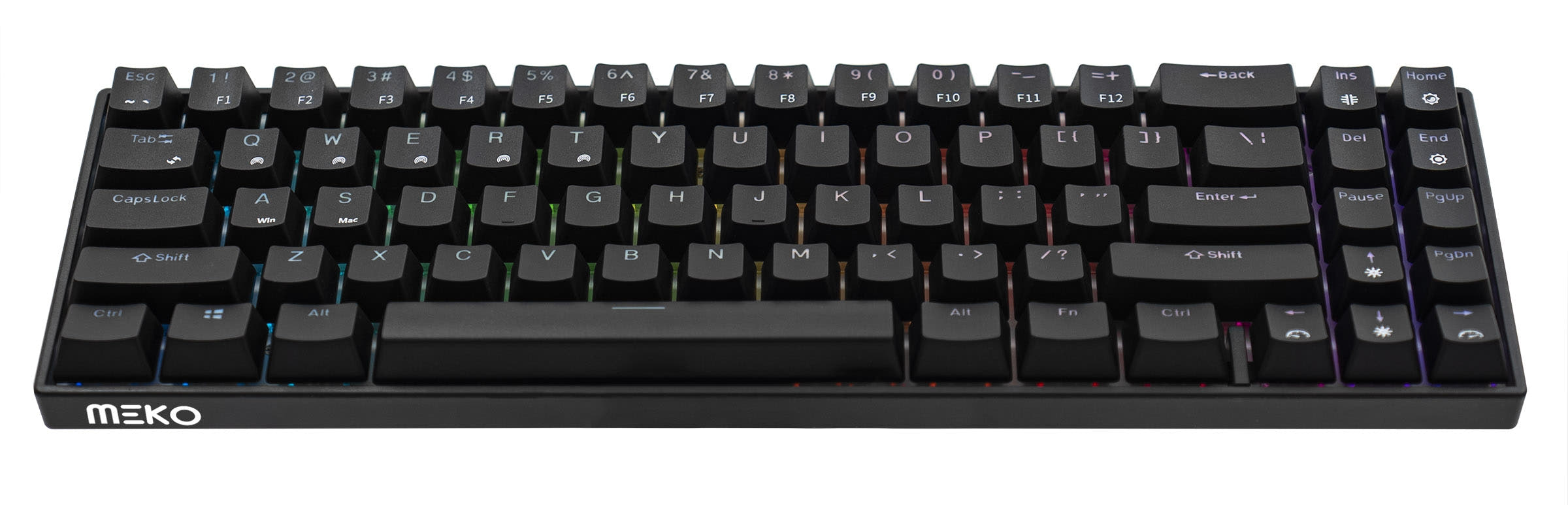
Choose the Meko Push for dedicated arrow keys, or the Keychron K12 for a smaller 60% layout and an aluminum-frame option.
KeebFinder may earn a commission when you buy through these links, at no extra cost to you.

4.8 · 192 reviews
from$39at Keychron
No reviews
from$25at MK
90-day lowLowest price in 90 days
Which one should you get?
Get the
Keychron K12
Build quality in the top 20% of 60% boards under $100.
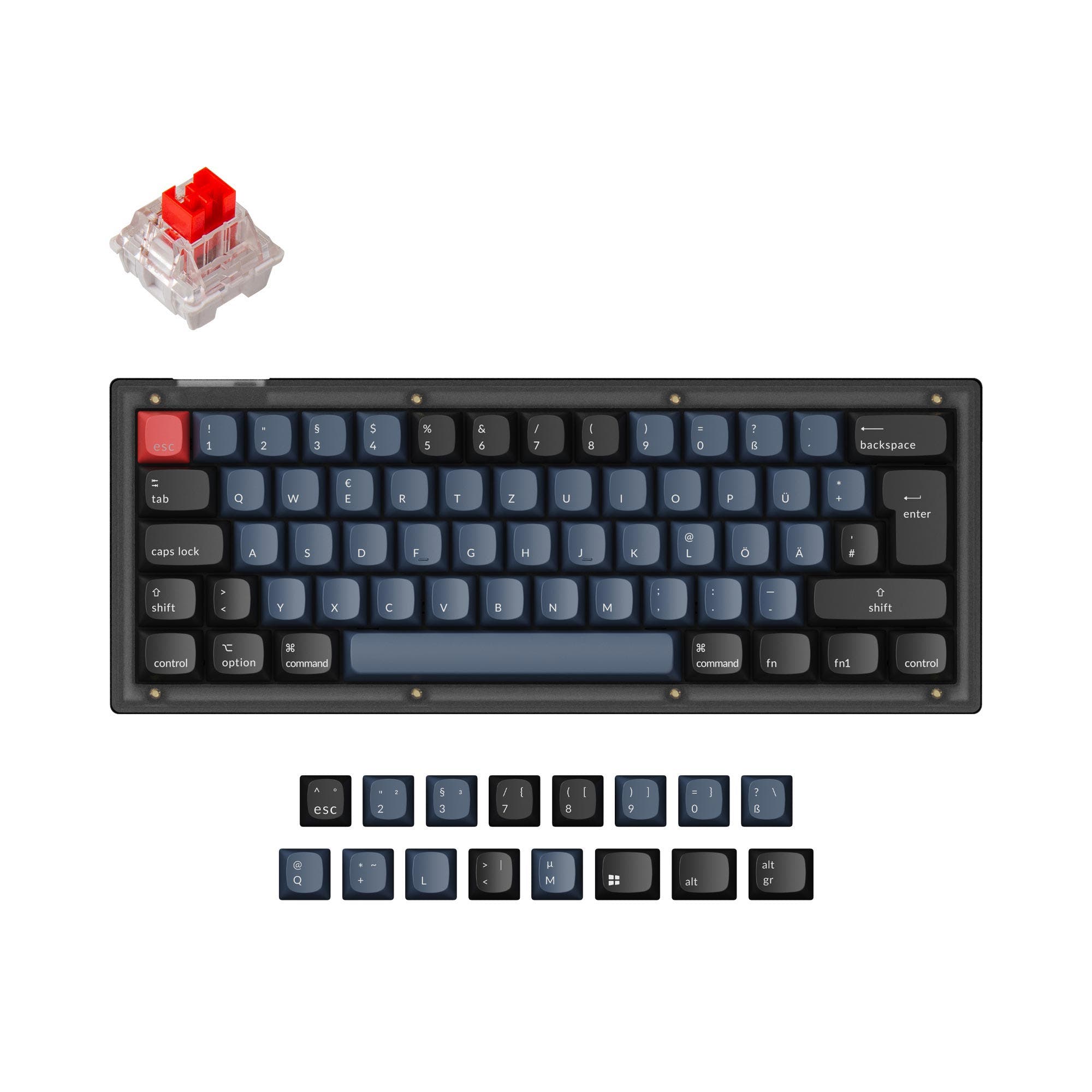
- 60% ANSI layout takes less space than the Meko Push's 65% layout.
- A 4000 mAh battery is listed, and Keychron specifies up to 240 hours of use.
- The product listing specifies a 1000 Hz polling rate.
- North-facing LEDs. Cherry-profile keycaps can hit the switch housing.
- Compact layout only. No function row, dedicated arrow keys, or numpad.
Get the
Meko Push
Build quality in the bottom 35% of 65% boards under $100.
- 65% layout includes arrow keys while remaining compact.
- Vendor listing specifies full USB key rollover, and metadata lists N-Key Rollover.
- Vendor describes Bluetooth storage for up to five devices.
- 65% layout. No function row and no numpad.
Choose the Meko Push if you want dedicated arrow keys in a compact board, or value its listed full USB key rollover and five-device Bluetooth storage. Choose the Keychron K12 if the smaller 60% footprint matters more, or you want its stated 4000 mAh battery, 1000 Hz polling rate, and aluminum-frame option. Both are hot-swappable, so switch customization does not strongly separate them.
The differences that matter
Skip the 40-row spec sheet. These are the specs that change how each board feels, sounds, and fits your desk.
Keychron K12
Meko Push
Layout size
60%
65%
Case material
ABS, Aluminum, Plastic
Plastic
Switch options
Clicky, Linear, Tactile
Clicky, Linear, Silent, Tactile
Mount style
Plate Mount, Tray Mount
Plate Mount
Backlight
RGB, north-facing
RGB
RGB for looks and low light rather than speed
- Keychron K12
- Meko Push
- Performance
- 5872
- Build quality
- 7456
- Productivity
- 6969
- Customizability
- 7374
- Portability
- 9088
- Connection: Bluetooth, Wired
- Hot-swappable
- Plate material: Plastic
- Keycaps: ABS
What will you mostly use it for?
The Meko Push has an edge for office, programming, and content work where dedicated arrow keys can reduce reliance on key combinations. Its listed full USB key rollover also makes it a reasonable gaming pick, though the K12 is the only board here with a stated polling rate. The K12 is the more compact travel option and has a 4000 mAh battery. For switch customization, both are hot-swappable, with the Push also offered as barebones.
Pick the Meko Push
- The Meko Push has a 65% layout with arrow keys, useful for games that use them.
- Its listing specifies full USB key rollover, and the metadata lists N-Key Rollover.
- The Keychron K12 has a stated 1000 Hz polling rate, but no comparable polling-rate figure is listed for the Push.
Keychron K12 vs Meko Push specs
Every tracked spec, side by side. Rows marked with a dot differ between the boards.
7 of 19 specs differ
Keychron K12
Meko Push
Switch options
Hot-swappable
Mount style
Layout size
Layout standard
Ergonomics
Display
Media keys
Connection
Max polling rate
Battery
USB-C
Case material
Plate material
Keycaps
Backlight
N-key rollover
Mac & Windows
Released
Compare prices
Live prices from the stores we track, cheapest in-stock offer first.
Prices in USD are converted to your currency and can change at any time. KeebFinder may earn a commission when you buy through these links, at no extra cost to you.
Lowest price across stores, Amazon excluded.



Keychron K12 vs Meko Push: your questions
The Meko Push is a 65% keyboard, and its vendor description specifically highlights arrow keys. The Keychron K12 is 60% and its compatibility rules say it has no dedicated arrow keys.
The Keychron K12 has a 60% layout, compared with the Meko Push's 65% layout. The K12 is the more compact choice by layout size.
Both keyboards are listed as hot-swappable. Keychron notes that switch swapping applies to hot-swappable K12 versions, while the Meko vendor describes hot-swap sockets and offers a barebones option.
Keychron lists a 4000 mAh battery for the K12, and its vendor page states up to 240 hours. The Meko Push is described as having a rechargeable lithium battery, without a capacity or runtime listed.
Both keyboards list Bluetooth and wired connectivity. The Meko vendor says the Push can store up to five unique Bluetooth devices, while Keychron says the K12 supports up to three.
The Meko Push lists full USB key rollover, and the metadata also lists N-Key Rollover. The Keychron K12 has a specified 1000 Hz polling rate, so the more relevant choice depends on whether rollover or a stated polling rate matters more to you.
Both product listings include Mac and Windows support. Keychron also says the K12 includes keycaps for both operating systems.
The K12 has north-facing LEDs, and its compatibility rule warns that Cherry-profile keycaps can hit the switch housing. Check keycap and switch clearance before choosing that profile.
The Meko vendor describes the standard Push with 71 black ABS double-shot Cherry-profile keycaps and says a switch puller is included. It also describes a separate barebones option without switches or keycaps.
The Keychron K12 is listed with plastic and aluminum case options, and Keychron's vendor page identifies aluminum-frame versions. The Meko Push is listed with a plastic case.
Neither layout includes a numpad, and both compatibility rules say there is no function row. The K12 is 60% and the Push is 65%, with the Push providing arrow keys.
Not sold on either?




![[In Stock] Zerodate K61 60% Wired Full RGB Mechanical Keyboard](https://cdn.shopify.com/s/files/1/0549/0262/0278/files/K61_14.jpg?v=1745397898&width=3840&quality=75)
Still torn?
Answer a few quick questions and the keyboard finder ranks 2,000+ boards by how you will actually use yours.