Lofree TOFU68 vs Machenike AIR50Aluminum vs Ultra-Slim Choice
Choose the Lofree TOFU68 for a premium, comfortable build and the Machenike AIR50 for extreme portability and a slimmer profile.
KeebFinder may earn a commission when you buy through these links, at no extra cost to you.


Which one should you get?
Get the
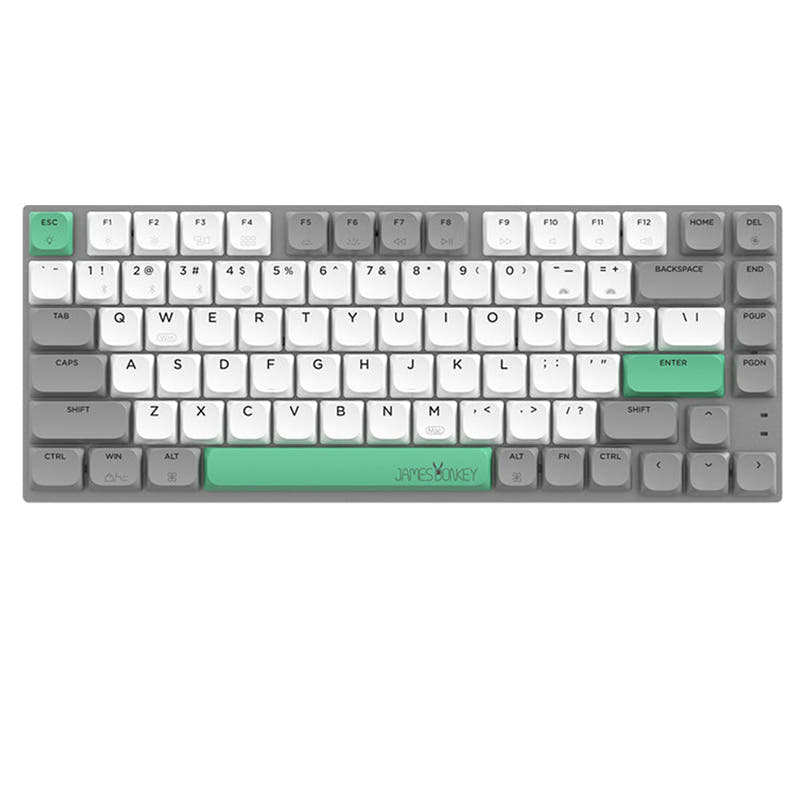
Lofree TOFU68
Aluminum
- Aluminum and ABS case construction for a premium, solid feel.
- Integrated ergonomic design with an 11.5° typing angle and optional matching wrist rest.
- Offered as a DIY kit/barebones option with extensive PBT keycap set availability for personalization.
Get the
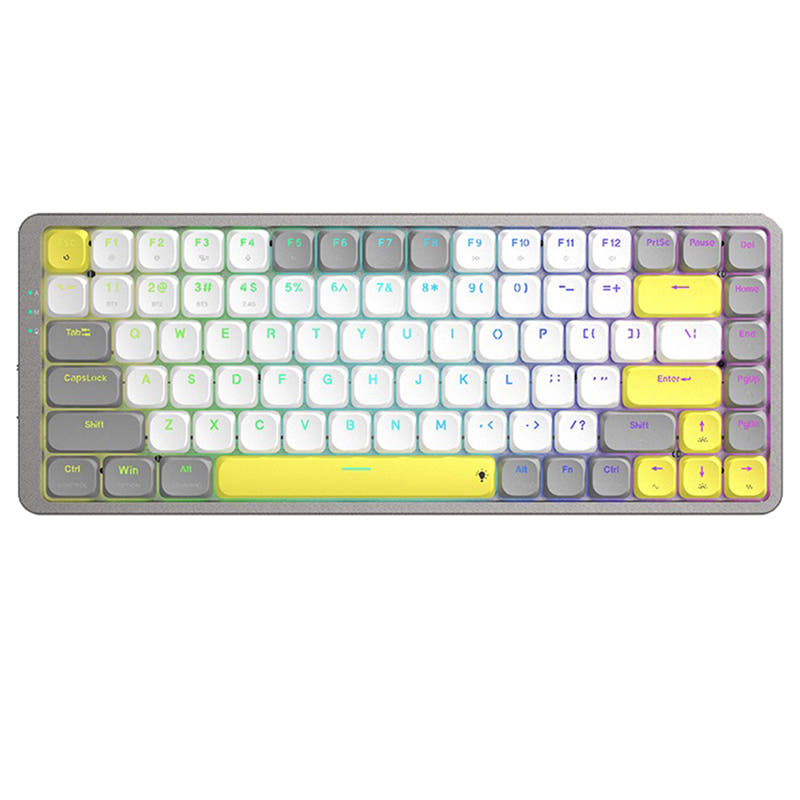
Machenike AIR50
Ultra-Slim Choice
Build quality in the bottom 5% of 75% boards under $100.
- Extremely slim low-profile design, with a height of just 23mm.
- Very lightweight at 456g, enhancing portability.
- Includes a built-in 1600mAh rechargeable lithium battery.
- Low-profile switches and keycaps only. Standard MX keycaps will not fit.
- No numpad.
Your priority should guide this choice. If you want a keyboard that feels substantial, offers superior ergonomics with its wrist rest, and has greater customization depth, the Lofree TOFU68 is the better investment. If your main concerns are slipping the keyboard into a bag, saving desk space with a super-slim design, and having a lightweight build, the Machenike AIR50 is the more suitable option. Consider how much you value material feel versus extreme portability.
The differences that matter
Skip the 40-row spec sheet. These are the specs that change how each board feels, sounds, and fits your desk.
Lofree TOFU68
Machenike AIR50
Layout size
68%
75%
Low profile
No
Yes
Case material
ABS, Aluminum
Plastic
Switch options
Linear
Clicky, Linear
Knob
Yes
No
- Lofree TOFU68
- Machenike AIR50
- Performance
- 6248
- Build quality
- 6939
- Productivity
- 6656
- Customizability
- 7959
- Portability
- 8674
- Connection: Bluetooth, 2.4 GHz, Wired
- Hot-swappable
- Keycaps: PBT
What will you mostly use it for?
The Lofree TOFU68 wins in scenarios prioritizing build quality, ergonomics, and customization potential, making it strong for gaming, programming, and content creation. The Machenike AIR50 is the clear choice for travel due to its light weight and slim design. For general office use, both are competent, offering the essential wireless features needed for a flexible workstation.
Pick the Lofree TOFU68
- The TOFU68's aluminum case provides a more stable, premium feel during intense use.
- Its N-key rollover support, as listed in its tech specs, is beneficial for complex key combinations.
- The included integrated wrist rest can improve comfort during long sessions.
Lofree TOFU68 vs Machenike AIR50 specs
Every tracked spec, side by side. Rows marked with a dot differ between the boards.
12 of 22 specs differ
Lofree TOFU68
Machenike AIR50
Switch options
Hot-swappable
Mount style
Low profile
Layout size
Layout standard
Ergonomics
Knob
Display
Media keys
Connection
Battery
USB-C
Case material
Keycaps
Weight
Dimensions
Typing angle
Backlight
N-key rollover
Mac & Windows
Released
Compare prices
Live prices from the stores we track, cheapest in-stock offer first.
Prices in USD are converted to your currency and can change at any time. KeebFinder may earn a commission when you buy through these links, at no extra cost to you.
Lowest price across stores, Amazon excluded.




- Check on Amazon
Amazon
Check price

Lofree TOFU68 vs Machenike AIR50: your questions
The Lofree TOFU68 is designed for typing comfort with its 11.5° curved shape and an optional integrated wrist rest made from memory foam. The Machenike AIR50 offers a low-profile design that may suit those who prefer a flatter typing angle, but it does not include a wrist rest.
Yes, the Machenike AIR50 includes an integrated 1600mAh rechargeable battery. The Lofree TOFU68, in contrast, is powered by three AAA batteries, which are included in the box but are not rechargeable within the keyboard.
Yes, both keyboards feature hot-swappable sockets, allowing you to easily change the mechanical switches without soldering. The TOFU68 comes with custom Gateron Tofu linear switches, while the AIR50 offers a choice between linear red or clicky blue low-profile switches.
The Machenike AIR50 is significantly more portable. It weighs only 456 grams and has a slim profile of 23mm thick. The Lofree TOFU68 is heavier at 720g and has a taller build, making it less ideal for frequent travel.
Both keyboards support tri-mode connectivity: Bluetooth, 2.4GHz wireless via a dongle, and wired USB-C. The Lofree TOFU68 adds a physical knob for quickly switching between its wireless modes.
Yes, both use keycaps with standard MX-style stems, making them replaceable with aftermarket sets. The Lofree TOFU68 specifically uses dye-sublimated PBT keycaps, and the vendor mentions over 40 unique PBT keycap sets are available for it.
The Lofree TOFU68 case is made from aluminum and ABS plastic, giving it a more premium and solid feel. The Machenike AIR50 case is constructed from plastic, prioritizing a lightweight and ultra-slim design over metal construction.
The Machenike AIR50 features dynamic RGB backlighting with 20 different lighting effects. The Lofree TOFU68 has white backlighting only, not full RGB.
Yes, according to its listed features, the Lofree TOFU68 is available as a DIY kit or barebones option. This means you can purchase it without switches and keycaps to install your own preferred components.
Both keyboards are listed as supporting macOS and Windows. The Lofree TOFU68 vendor description also explicitly mentions compatibility with iOS, iPadOS, and Android systems.
The Lofree TOFU68 has a 68-key layout. The Machenike AIR50 has an 84-key 75% layout, which includes a column of function keys and a few additional navigation keys compared to the 68% form factor.
Not sold on either?





Still torn?
Answer a few quick questions and the keyboard finder ranks 2,000+ boards by how you will actually use yours.