Machenike AIR50 vs Redragon TL84Battery or Aluminum
Choose the Machenike AIR50 for its 1600mAh battery and adjustable feet, or the Redragon TL84 for its aluminum case, USB-C connection, and N-Key Rollover.
KeebFinder may earn a commission when you buy through these links, at no extra cost to you.

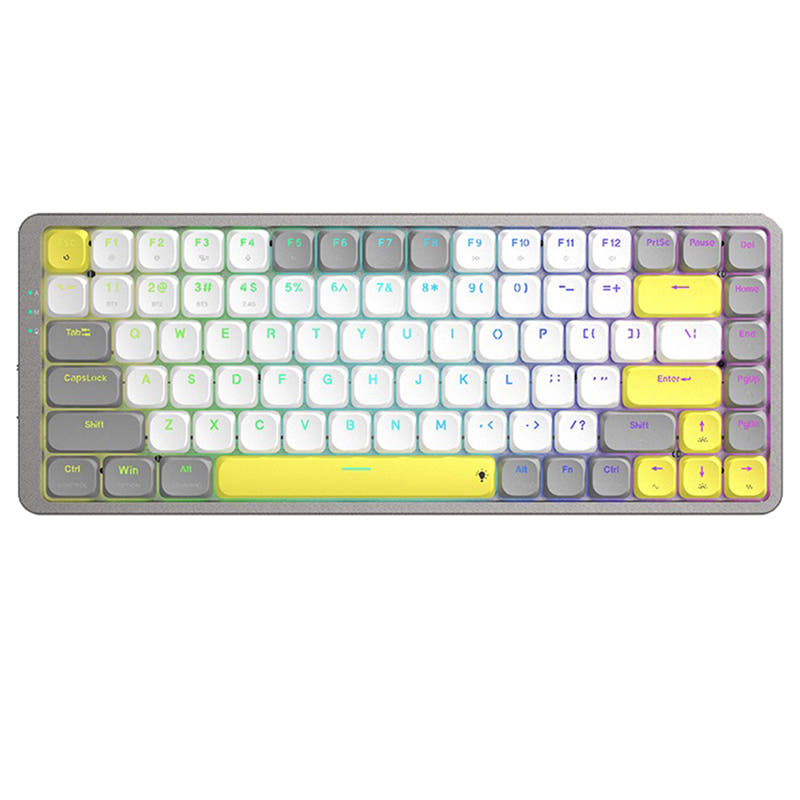
Which one should you get?
Get the
Machenike AIR50
Build quality in the bottom 5% of 75% boards under $100.
- 1600mAh battery, with the vendor claiming up to a week of battery life.
- Adjustable feet and 20 RGB lighting effects are listed in the vendor description.
- 456g listed weight.
- Low-profile switches and keycaps only. Standard MX keycaps will not fit.
Get the
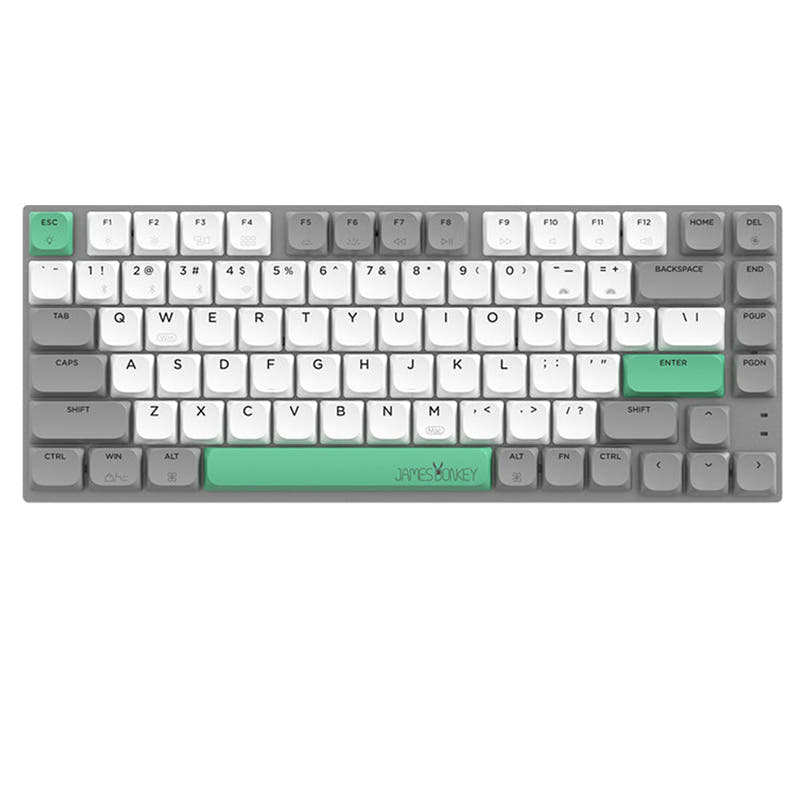
Redragon TL84
N-key rollover
Build quality in the bottom 10% of 75% boards under $100.
- Aluminum case.
- N-Key Rollover is listed as an extra feature.
- USB-C connection is specified in the product details.
- Low-profile switches and keycaps only. Standard MX keycaps will not fit.
Get the Machenike AIR50 for its 1600mAh battery, adjustable feet, and vendor-listed 20 lighting effects. Choose the Redragon TL84 for its aluminum case, USB-C connection, and N-Key Rollover. Both are low-profile hot-swappable boards, but neither accepts standard MX keycaps.
The differences that matter
Skip the 40-row spec sheet. These are the specs that change how each board feels, sounds, and fits your desk.
Machenike AIR50
Redragon TL84
Case material
Plastic
Aluminum
Weight
456 g
460 g
Heavier boards stay planted and lighter ones travel
N-key rollover
No
Yes
USB-C
No
Yes
Dimensions
23 x 127 x 322 mm
24 x 127 x 322 mm
- Machenike AIR50
- Redragon TL84
- Performance
- 4857
- Build quality
- 3943
- Productivity
- 5665
- Customizability
- 5958
- Portability
- 7477
- Layout size: 75%
- Connection: Bluetooth, 2.4 GHz, Wired
- Hot-swappable
- Low profile
- Switch options: Clicky, Linear
- Keycaps: PBT
What will you mostly use it for?
The TL84 has the clearer edge for gaming and programming because N-Key Rollover is specifically listed for it. The AIR50 is a more compelling fit for office use, travel, and content creation when its battery capacity, adjustable feet, lighter listed weight, or lighting options matter. Modding is a draw: both have hot-swap sockets, and neither supports standard MX keycaps. Both boards offer Bluetooth, 2.4 GHz, and wired connectivity.
Pick the Redragon TL84
- The TL84 lists N-Key Rollover, a specific input feature not listed for the AIR50.
- The AIR50's vendor description identifies its switch choices as Red linear or Blue clicky, while the TL84 vendor listing describes a clicky Blue switch.
Machenike AIR50 vs Redragon TL84 specs
Every tracked spec, side by side. Rows marked with a dot differ between the boards.
5 of 18 specs differ
Machenike AIR50
Redragon TL84
Switch options
Hot-swappable
Low profile
Layout size
Layout standard
Ergonomics
Display
Connection
Battery
USB-C
Case material
Keycaps
Weight
Dimensions
Backlight
N-key rollover
Mac & Windows
Released
Compare prices
Live prices from the stores we track, cheapest in-stock offer first.
Prices in USD are converted to your currency and can change at any time. KeebFinder may earn a commission when you buy through these links, at no extra cost to you.
- Check on Amazon
Amazon
Check price


- Check on Amazon
Amazon
Check price

Machenike AIR50 vs Redragon TL84: your questions
The AIR50 has a listed 1600mAh battery, and its vendor description includes adjustable feet and 20 RGB lighting effects. The TL84 instead lists an aluminum case, USB-C, and N-Key Rollover.
The Redragon TL84 is listed with an aluminum case. The Machenike AIR50 is listed with a plastic case.
The Machenike AIR50 lists a 1600mAh battery. Its vendor description claims up to a week of battery life, but that is a manufacturer claim rather than a guarantee.
Yes, N-Key Rollover is listed as an extra feature on the TL84. It is not listed as an extra feature for the AIR50.
Both keyboards are listed as hot-swappable. Both use low-profile sockets, so switch replacements need to be low-profile switches.
No, both keyboards have a compatibility restriction requiring low-profile keycaps. Standard MX keycaps will not fit either board.
The AIR50 vendor description gives Red linear and Blue clicky low-profile switch options. It also states that the switches can be replaced using the hot-swappable sockets.
The TL84 vendor listing specifies an Outemu low-profile Blue clicky switch. The listing also gives a 45 gf actuation force and 1.2 mm pre-travel.
Both list Bluetooth and 2.4 GHz connectivity, as well as a wired connection. The AIR50 vendor description specifically names Bluetooth V5.0, while the TL84 listing specifies Type-C.
The AIR50 is listed at 456g, compared with 460g for the TL84. The difference is small, so both have similar listed weights.
Both list Mac/Windows support and one-click system switching. The AIR50 vendor description also calls this Windows/Mac dual-system switching.
The AIR50 vendor description lists 20 RGB lighting effects. The TL84 is listed with RGB, but its product details do not specify a count of lighting effects.
Not sold on either?


Still torn?
Answer a few quick questions and the keyboard finder ranks 2,000+ boards by how you will actually use yours.