Mechboards MBUK Macro Pad Kit vs kingly keys RoMacOLED and Knob vs Simple Practice
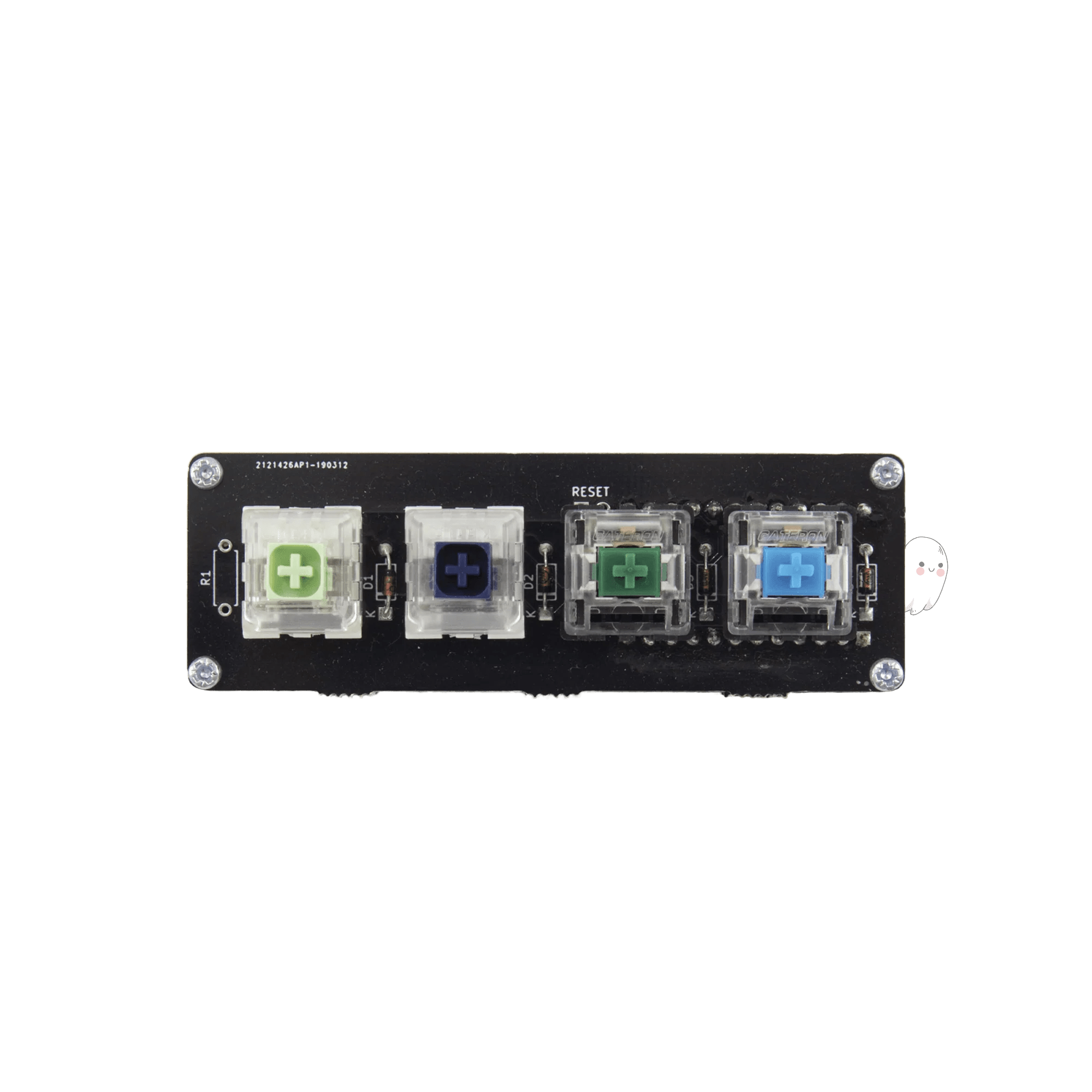
Choose the RoMac for its OLED screen and rotary encoder features, or the MBUK for a more basic and affordable soldering practice project.

Which one should you get?
Get the
Mechboards MBUK Macro Pad Kit
OLED and Knob
- Extremely affordable entry point for soldering practice.
- Simple 4-key design reduces complexity for first-time builders.
- Includes PCB, diodes, and four random switches in the kit.
- Only a 4-key layout, offering very limited macro functionality.
- Kit does not include a controller (like a Pro Micro), which must be sourced separately.
- Lacks features like a rotary encoder, OLED screen, or case middle layer.
Get the
Mechboards kingly keys RoMac
Simple Practice
- 'Fauxmac' version includes an OLED screen for displaying information.
- Supports a rotary encoder and includes a knob for tactile control.
- Larger 20-key layout provides more utility and programming space.
- More expensive than the basic MBUK kit.
- The standard 'RoMac' version lacks a switch plate, requiring 5-pin switches for stability.
- Requires purchasing 20 switches separately to complete the build.
Select the Mechboards RoMac if you want a fully-featured macro pad with an OLED screen and rotary encoder for practical daily use. Opt for the MBUK Macro Pad Kit if your primary goal is to learn soldering with a minimal, low-cost project where the build process itself is the main reward. Your budget and desired feature set are the deciding factors.
The differences that matter
Skip the 40-row spec sheet. These are the specs that change how each board feels, sounds, and fits your desk.
Mechboards MBUK Macro Pad Kit
Mechboards kingly keys RoMac
Knob
No
Yes
Display
None
OLED
QMK
Yes
No
- Mechboards MBUK Macro Pad Kit
- Mechboards kingly keys RoMac
- Performance
- 4545
- Build quality
- 6566
- Productivity
- 5050
- Customizability
- 5757
- Portability
- 6060
- Layout size: Macropad
- Ergonomics: Ortholinear
What will you mostly use it for?
The RoMac is the more versatile choice for users who need functional utility, winning in office, programming, modding, and content creation due to its OLED, encoder, and larger layout. The MBUK's primary advantage is its extreme portability and role as a focused learning tool. For gaming, both serve equally as programmable pads, though both require significant user assembly and additional parts to function.
It's a tie
- Both are QMK programmable, allowing for custom key bindings.
- Neither kit includes switches or keycaps in the base package, requiring separate purchase for use.
- Both are wired-only, desktop-bound devices.
Mechboards MBUK Macro Pad Kit vs kingly keys RoMac specs
Every tracked spec, side by side. Rows marked with a dot differ between the boards.
3 of 10 specs differ
Mechboards MBUK Macro Pad Kit
Mechboards kingly keys RoMac
Mount style
Layout size
Layout standard
Ergonomics
Knob
Display
Case material
Backlight
QMK
Released
Compare prices
Live prices from the stores we track, cheapest in-stock offer first.
Lowest price across stores, Amazon excluded.

Prices in USD are converted to your currency and can change at any time. KeebFinder may earn a commission when you buy through these links, at no extra cost to you.
Mechboards MBUK Macro Pad Kit vs kingly keys RoMac: your questions
The RoMac, especially the 'Fauxmac' version, is a feature-rich macropad with an OLED screen, rotary encoder support, and underglow LEDs. The MBUK is a simpler, 4-key kit designed primarily as an affordable soldering practice project with fewer components and no advanced features.
No. The MBUK kit includes the PCB, diodes, and four switches, but requires you to separately source a controller like a Pro Micro. The RoMac kit includes the PCB, RP2040 controller, and components like diodes and the OLED, but requires you to purchase 20 switches separately. Both require keycaps, solder, and tools.
The MBUK is often cited in reviews as a great first soldering project due to its low part count and cost. The vendor also promises to send extras if you make mistakes. The RoMac involves soldering more components like an OLED screen, which may be better suited as a second project after some practice.
Yes, both product listings and vendor descriptions confirm QMK support. The MBUK vendor page links directly to the QMK Configurator, and a RoMac reviewer mentions getting VIA (a QMK-based tool) working with their build.
No. Both the MBUK and RoMac are DIY soldering kits. The product metadata lists them as 'Diy Kit/Barebones', and the RoMac description states it is compatible with PCB mount switches, which require soldering.
For these kits, an ortholinear layout means the keys are arranged in a straight grid, rather than the staggered rows found on a standard keyboard. This is common for small macro pads and can make key locations easier to memorize for muscle memory.
It depends on the version. The 'Fauxmac' (RoMac+) version includes an FR4 switch plate. The standard 'RoMac' version does not include a plate, which according to a review, means you should use 5-pin PCB mount switches for stability.
The vendor description for the RoMac states the kit includes a 'wired RP2040 controller'. This is a popular modern microcontroller compatible with QMK. The MBUK kit does not include a controller.
It is possible but may require modification. An MBUK reviewer recommends socketing the controller to avoid soldering it directly. A RoMac reviewer notes that using sockets might prevent the acrylic middle piece from fitting properly, so planning is required.
The MBUK is significantly more portable due to its tiny 4-key footprint. The RoMac is a larger 20-key pad with additional height from its acrylic middle layer and OLED screen, making it more of a permanent desktop accessory.
The MBUK includes '4 random switches' but no keycaps. The RoMac requires you to purchase 20 switches separately and does not include keycaps. You must buy keycaps for both to have a usable macropad.
Not sold on either?


![[In Stock] W909 15 Keys Wireless Macro Defined Mechanical Keyboard](https://cdn.shopify.com/s/files/1/0549/0262/0278/files/01_f523d005-e559-466b-899c-c9ac5632a0fc.jpg?v=1753942831&width=3840&quality=75)

Still torn?
Answer a few quick questions and the keyboard finder ranks 2,000+ boards by how you will actually use yours.