Add to comparison
$90

Find the best ergonomic mechanical keyboards with split layouts, adjustable tenting, and contoured key wells. Compare models designed to reduce wrist strain and RSI, with real-time pricing across 40+ vendors. Build a healthier typing setup today.


![[Group-Buy] Haverworks Theseus75 - Barebones Kit](https://cdn.shopify.com/s/files/1/0064/2560/8282/files/Theseus_Cover.jpg?v=1719675485&width=3840&quality=75)


![[Pre-Order] @40 40% Low Profile Keyboard Kit by Niuniu](https://cdn.shopify.com/s/files/1/1674/0405/files/DSC_1222_1.jpg?v=1749523764&width=3840&quality=75)


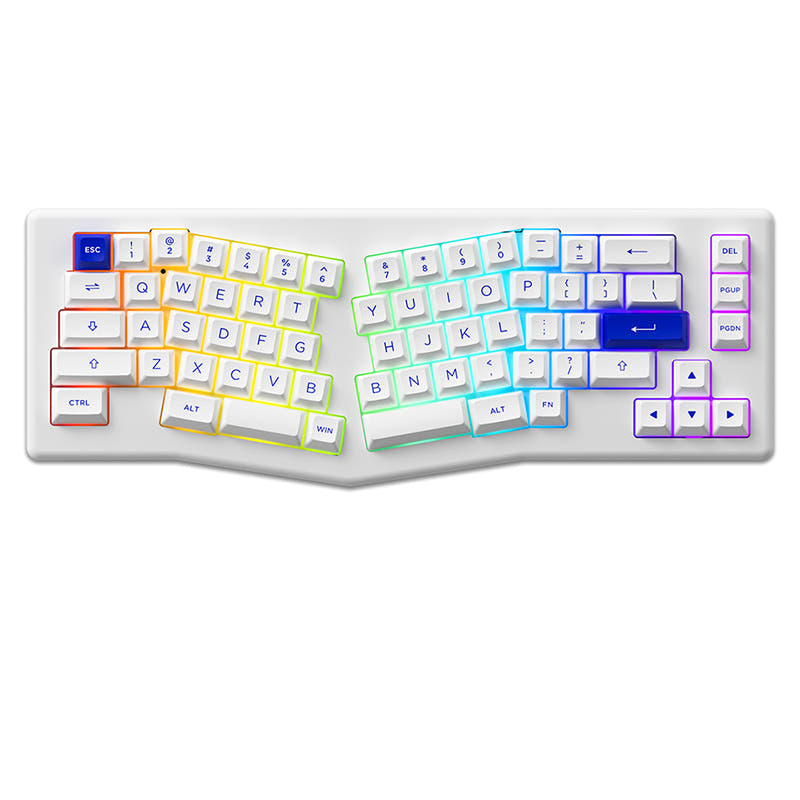


Ergonomic keyboards position your hands, wrists, and arms in a natural alignment to reduce strain during long typing sessions. Split layouts, tenting, and columnar stagger are proven to help with RSI and general discomfort. Compare every ergonomic option below and find the design that fits your body and workflow.
Fully split keyboards separate into two independent halves you position at shoulder width, offering maximum adjustability. Alice-layout boards use a fixed split angle in a single case, providing a gentler ergonomic curve without a separate learning phase. Contoured keyboards like the Kinesis Advantage have sculpted key wells that follow finger arclength for minimal movement. Split suits people who want full customization, Alice is the easiest transition, and contoured is best for severe RSI.
If you are dealing with wrist pain or carpal tunnel, a fully split board with tenting and negative tilt is the most effective intervention. Models like the ZSA Voyager, Dygma Defy, and Kinesis Advantage360 let you dial in the exact angle that keeps your forearms neutral. Pair the keyboard with a wrist rest only for breaks, not during active typing, and keep your wrists floating above the keys for proper technique.
Most users report one to two weeks to reach comfortable typing speed on a split or Alice board, and two to four weeks for a contoured or ortholinear layout. Typing speed typically dips by 30-50% in the first few days before recovering. Practice with typing trainers and resist switching back to your old board during the transition. The long-term comfort gains are worth the short-term slowdown.
Tenting angles the inner edge of each keyboard half upward so your forearms rotate into a more natural handshake position. Negative tilt slopes the front of the keyboard lower than the back, straightening your wrists. Together they reduce ulnar deviation and wrist extension, the two primary causes of repetitive strain. Look for boards with adjustable legs or magnetic tenting kits for fine-tuned angles.
The Keychron Q11 split, Feker Alice, and Keebio Sinc offer ergonomic benefits at prices between $100 and $200. These boards provide a noticeable comfort improvement over traditional layouts without the premium price of flagship splits. They typically include hot-swap PCBs and QMK/VIA support, so you can customize switches and keymaps to your liking.
Advanced ergonomic boards move modifiers to thumb clusters, offloading work from your weakest fingers to your strongest. QMK firmware lets you program each thumb key with layers, tap-hold actions, and macros. Popular thumb-cluster boards include the ZSA Moonlander, Dygma Raise, and Corne. This setup takes more time to learn but dramatically improves efficiency once muscle memory is built.