Keychron K3 V3 vs Machenike AIR50QMK vs Budget Low-Profile
Choose the Keychron K3 V3 for serious customization and build quality, or the Machenike AIR50 for a more affordable, basic low-profile wireless experience.
KeebFinder may earn a commission when you buy through these links, at no extra cost to you.


Which one should you get?
Get the
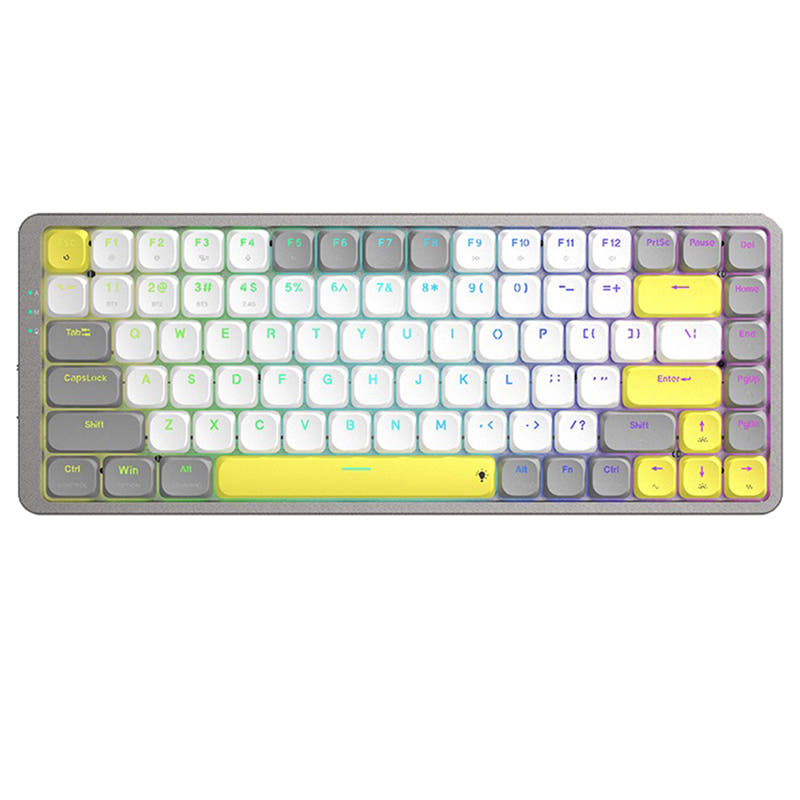
Keychron K3 V3
QMK
Build quality in the top 10% of 75% boards under $100.
- Supports QMK and VIA firmware for extensive key remapping and macro creation.
- Features an aluminum frame combined with ABS for a more rigid build.
- Includes multiple acoustic foam layers (IXPE, EPDM, latex) for sound dampening.
- Low-profile switches and keycaps only. Standard MX keycaps will not fit.
- North-facing LEDs. Cherry-profile keycaps can hit the switch housing.
Get the
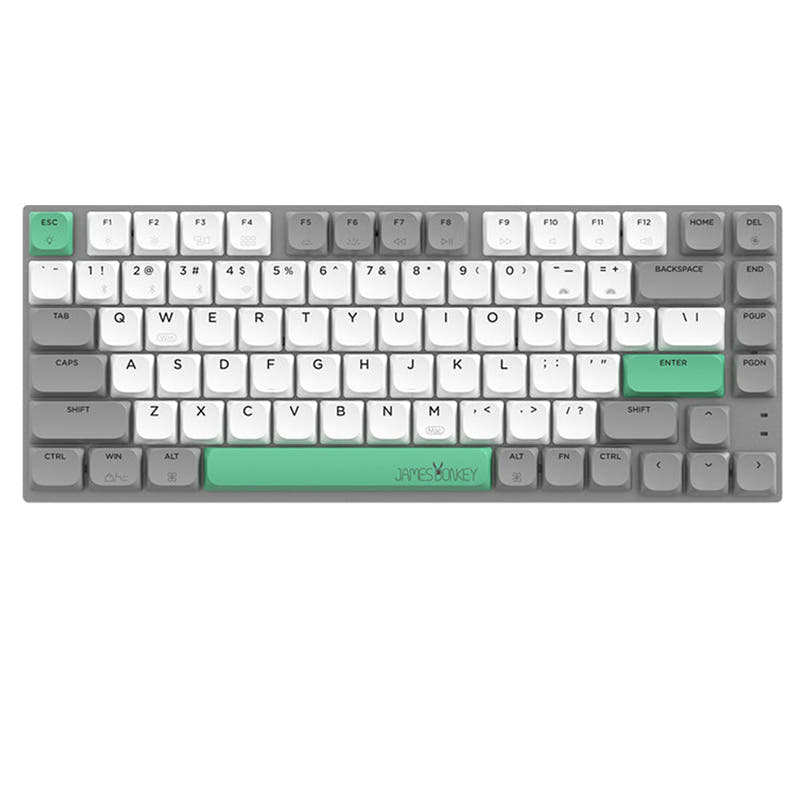
Machenike AIR50
Budget Low-Profile
Build quality in the bottom 5% of 75% boards under $100.
- More affordable price point.
- Lighter weight at 456g for better portability.
- Includes a 2.4 GHz wireless dongle in addition to Bluetooth.
- Low-profile switches and keycaps only. Standard MX keycaps will not fit.
- No ISO layout. ISO-DE, UK, and other ISO variants are not offered.
The Keychron K3 V3 is the better investment for enthusiasts and power users who will utilize its QMK customization, superior build materials, and gaming-oriented features. If your needs are simpler—a basic, lightweight, low-profile wireless keyboard for typing on a budget—the Machenike AIR50 provides core functionality at a lower cost, especially with its included 2.4 GHz dongle.
The differences that matter
Skip the 40-row spec sheet. These are the specs that change how each board feels, sounds, and fits your desk.
Keychron K3 V3
Machenike AIR50
Connection
Bluetooth, Wired
Bluetooth, 2.4 GHz, Wired
Wireless for several devices and wired for lower latency
Battery
1,550 mAh
1,600 mAh
A larger battery means fewer cables during the day
Case material
ABS, Aluminum
Plastic
Switch options
Clicky, Linear, Tactile
Clicky, Linear
Weight
540 g
456 g
Heavier boards stay planted and lighter ones travel
- Keychron K3 V3
- Machenike AIR50
- Performance
- 8248
- Build quality
- 8339
- Productivity
- 8056
- Customizability
- 8959
- Portability
- 7774
- Layout size: 75%
- Hot-swappable
- Low profile
What will you mostly use it for?
The Keychron K3 V3 is the clear choice for users who value customization, whether for gaming latency, programming macros, or acoustic modding. Its QMK support and detailed build materials set it apart. The Machenike AIR50 wins primarily on portability due to its lower weight and slimmer claimed profile, making it a contender for travel. For general office use, both keyboards offer similar core low-profile wireless functionality.
Pick the Keychron K3 V3
- The Keychron K3 V3 has a specified 1000 Hz polling rate in wired mode, which the Machenike AIR50's listing does not mention.
- The K3 V3's manufacturer notes a 90 Hz polling rate in wireless mode for reduced latency.
- Its listing mentions enhanced acoustic foams for a more controlled sound signature during use.
Keychron K3 V3 vs Machenike AIR50 specs
Every tracked spec, side by side. Rows marked with a dot differ between the boards.
15 of 25 specs differ
Keychron K3 V3
Machenike AIR50
Switch options
Hot-swappable
Mount style
Low profile
Layout size
Layout standard
Ergonomics
Display
Media keys
Connection
Max polling rate
Battery
USB-C
Case material
Plate material
Keycaps
Weight
Dimensions
Typing angle
Backlight
QMK
VIA
N-key rollover
Mac & Windows
Released
ISO layouts by store
Which stores sell ISO-DE, UK, and the other regional layouts.
Keychron K3 V3
Keychron
ISO-DE, ISO-UK, ISO-Nordic, ISO-SW
In stockShips to you
Keychron (DE)
ISO-DE, ISO-UK, ISO-SW
In stockDoes not ship to you
Machenike AIR50
No ISO layout at the stores we track.
Compare prices
Live prices from the stores we track, cheapest in-stock offer first.
Prices in USD are converted to your currency and can change at any time. KeebFinder may earn a commission when you buy through these links, at no extra cost to you.
Lowest price across stores, Amazon excluded.



- Check on Amazon
Amazon
Check price

Keychron K3 V3 vs Machenike AIR50: your questions
The Keychron K3 V3 has far superior software support. It uses open-source QMK and VIA firmware, allowing for deep key remapping, macro creation, and layer programming through the Keychron Launcher web app. The Machenike AIR50's listing does not mention any comparable advanced software features.
The Machenike AIR50's product listing does not specify its polling rate, which is a key metric for gaming responsiveness. In contrast, the Keychron K3 V3 explicitly lists a 1000 Hz polling rate in wired mode and 90 Hz in wireless mode, making it a more verifiable choice for gaming where low latency is important.
Yes, both the Keychron K3 V3 and the Machenike AIR50 are listed as hot-swappable. However, the K3 V3's vendor description notes its hot-swap sockets are currently compatible only with Keychron Milk POM or Gateron/Keychron low-profile mechanical switches, not optical switches.
The Machenike AIR50 is more portable based on specs. It weighs 456g compared to the Keychron K3 V3's 540g, and its vendor description highlights an 'ultra-slim' design as thin as 1.5cm. The K3 V3 is heavier and has a larger battery but lacks the emphasized slim profile.
Yes, both keyboards list Mac and Windows support. The Keychron K3 V3 specifically includes keycaps for both operating systems and allows for configuring different keymaps for each via its software.
The Keychron K3 V3 offers linear, tactile, and clicky switch options, specifically Keychron Milk POM switches in Red, Brown, and Banana. The Machenike AIR50 offers linear (Red) and clicky (Blue) options from its custom low-profile switches.
Both have similar battery capacities—1550mAh for the Keychron K3 V3 and 1600mAh for the Machenike AIR50. The AIR50's vendor description claims up to a week of battery life with power-saving features, but actual runtime depends on usage patterns like RGB brightness and connection mode.
The aluminum frame on the K3 V3 contributes to a more rigid and premium feel compared to the all-plastic build of the Machenike AIR50. This can reduce flex during typing and generally improves perceived build quality, which is a common differentiator in mechanical keyboards.
Yes, the Machenike AIR50 supports three-mode connectivity: Bluetooth, 2.4 GHz wireless via a dongle, and wired USB. The Keychron K3 V3 supports Bluetooth and wired modes but does not list a 2.4 GHz wireless option.
Yes, due to its QMK and VIA firmware support, you can remap every key on the Keychron K3 V3. This includes creating multiple layers, complex macros, and modifying lighting effects, which is a significant advantage for customization over the Machenike AIR50.
Both are low-profile, which can be quieter than standard keyboards. The Keychron K3 V3 may have an edge for noise control as its vendor description specifically mentions enhanced IXPE, EPDM, and latex foam layers designed to dampen sound, a feature not highlighted for the AIR50.
Yes. The Keychron K3 V3 uses LSA-profile shine-through ABS keycaps. The Machenike AIR50 uses PBT material low-profile rounded keycaps. PBT is generally more resistant to shine over time, while ABS often allows for brighter RGB shine-through.
Not sold on either?





Still torn?
Answer a few quick questions and the keyboard finder ranks 2,000+ boards by how you will actually use yours.