Not sure which keyboard to choose? Try the Keyboard Finder now!

Compare Machenike AIR50 vs Rog RX Differences Side by Side

This comparison is for buyers deciding between a feature-rich budget low-profile keyboard and a premium gaming-focused model. The Machenike AIR50 offers significant value with hot-swap sockets and triple-mode connectivity, while the ROG RX prioritizes gaming performance with proprietary low-latency technology and rapid trigger. The decision hinges on whether you prioritize customizability and a lower price or are willing to pay more for specialized gaming enhancements.

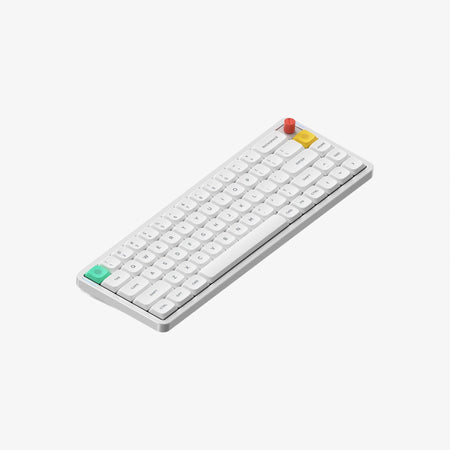
MACHENIKE AIR50 Low Profile Mechanical Keyboard
ROG RX Optical Low Profile Switch Mechanical Keyboard

Select a keyboard to compare

0.0 (0)
0.0 (0)
  • Released in 2023
  • Supports hot-swappable switches
  • Available in a 75% layout
  • Compatible with both Mac and Windows
  • Supports Bluetooth, 2.4 GHz, Wired, Wireless connectivity
  • Equipped with a 1600 mAh battery
  • Weighs about 456 g
  • Sized at 23 x 127 x 322 mm
  • Made with a Plastic case
  • Features PBT keycaps
  • Released in 2024
  • Available in a 65% layout
  • Enables rapid trigger functionality
  • Has built-in sound dampening
  • Supports 2.4 GHz, Wireless connectivity
  • Features ABS keycaps
Scores
  • Performance: 48.3
  • Build Quality: 39.1
  • Productivity: 56.4
  • Customizability: 59.4
  • Portability: 74.6
Scores
  • Performance: 51.1
  • Build Quality: 38.6
  • Productivity: 45.5
  • Customizability: 46
  • Portability: 79
Name
Machenike AIR50
Name
Rog RX
Release year
2023
Release year
2024
Switch Options
Clicky, Linear
Switch Options
Clicky, Linear
Profile
Low Profile
Profile
Low Profile
Hot Swappable
 
Hot Swappable
 
Layout Size
75%
Layout Size
65%
Layout Standard
ANSI
Layout Standard
ANSI
Layout Ergonomics
Normal
Layout Ergonomics
Normal
Knob Support
 
Knob Support
 
Display Support
 
Display Support
 
Mac/Win Support
 
Mac/Win Support
 
Multi-Media Keys
 
Multi-Media Keys
 
USB-C
 
USB-C
 
USB passthrough
 
USB passthrough
 
Connection
Bluetooth, 2.4 GHz, Wired, Wireless
Connection
2.4 GHz, Wireless
Polling Rate
-
Polling Rate
-
Battery capacity
1600 mAh
Battery capacity
-
Hall Effect Support
 
Hall Effect Support
 
QMK Support
 
QMK Support
 
VIA Support
 
VIA Support
 
VIAL Support
 
VIAL Support
 
N-Key Rollover
 
N-Key Rollover
 
Rapid Trigger
 
Rapid Trigger
 
Mount Style
-
Mount Style
-
Screw in Stabilizers
 
Screw in Stabilizers
 
Sound Dampening
 
Sound Dampening
 
Backlight
 
Rgb
Backlight
 
Rgb
Case Colors
Case Colors
Case Material
Plastic
Case Material
-
Keycaps Material
PBT
Keycaps Material
ABS
Dimensions
23 x 127 x 322 mm
Dimensions
-
Weight
456g
Weight
-
*Something incorrect or missing? Please
let me know
!

Pros and Trade-offs

Your budget and primary use case should guide this choice. For most users seeking a versatile, customizable low-profile keyboard without a high price, the Machenike AIR50 is the compelling option. If your focus is strictly on competitive gaming and you value low-latency performance and rapid trigger features above all else, the premium ROG RX justifies its higher cost.

Machenike AIR50

  • +Offers full-key hot-swappable sockets for easy switch customization.
  • +Features triple-mode connectivity: Bluetooth, 2.4GHz, and wired USB.
  • +Uses durable PBT material for its low-profile keycaps.
  • +Includes a 1600mAh battery for extended wireless use.
  • +Provides a 75% layout with more keys than a 65% board.

  • Lacks advanced gaming features like rapid trigger found on the ROG RX.
  • Vendor description does not mention any internal sound-dampening foam.
  • Plastic case construction may feel less premium.

Rog RX

  • +Features ROG SpeedNova technology for low-latency wireless connectivity.
  • +Includes a rapid trigger feature for gaming performance.
  • +Has a dual-layered internal padding for sound absorption.
  • +Offers ROG Omni-Receiver integration for sharing a dongle with other compatible devices.
  • +Comes with a dust protection cover.

  • Lacks hot-swappable sockets, limiting switch customization.
  • Uses ABS keycaps, which are generally less durable than PBT.
  • More expensive than the Machenike AIR50.
  • Smaller 65% layout omits dedicated function and navigation keys.

Which Keyboard Is Better for Your Needs?

The Machenike AIR50 wins in scenarios demanding productivity, customizability, and value, such as office work, programming, and content creation. Its larger layout and hot-swap capability are key advantages. The ROG RX is the clear choice for dedicated gaming, thanks to its low-latency technology and rapid trigger. For travel, the ROG's more compact size gives it a slight edge, though both are low-profile and portable.

GamingRog RX
  • The ROG RX features ROG SpeedNova low-latency wireless connectivity, which the vendor page highlights for gaming.
  • It includes a rapid trigger feature, a spec not listed for the AIR50.
  • Its specially-developed low-profile optical switches are noted for fast response.
OfficeMachenike AIR50
  • The Machenike AIR50 has a 75% layout with dedicated function keys, offering more keys than the ROG RX's 65% layout.
  • It supports Bluetooth, 2.4GHz, and wired connectivity for easy switching between devices.
  • Its listed Mac/Win support and dual-system one-click switching simplify use in multi-OS environments.
ProgrammingMachenike AIR50
  • The AIR50's 75% layout retains more navigation and function keys compared to the more compact 65% ROG RX.
  • Its hot-swappable sockets allow for easy switch replacement to suit typing preferences.
  • PBT keycaps are more resistant to shine from long typing sessions than the ROG's ABS keycaps.
TravelRog RX
  • The ROG RX has a smaller 65% footprint, making it more compact for transport.
  • Its vendor description mentions a dust protection cover, which is a useful travel accessory.
  • While the AIR50 is lightweight, the ROG's smaller size may be more packable.
ModdingMachenike AIR50
  • The Machenike AIR50 explicitly features full-key hot-swappable sockets, allowing for easy switch changes.
  • The ROG RX vendor description does not mention hot-swap capability, suggesting its switches are not user-replaceable.
  • The AIR50's PBT keycaps are a more durable starting point for customization.
Content CreationMachenike AIR50
  • The AIR50's larger 75% layout provides easier access to function keys and navigation clusters for shortcuts.
  • Its triple-mode connectivity offers flexibility for connecting to multiple work devices.
  • The hot-swappable feature allows creators to tailor the typing feel to their preference over long sessions.

Frequently Asked Questions (FAQ)


Discover similar products

You might also like similar products in that price range:

61
$230
[Pre-order] MoeeTech GLITTER65 L01 65% Custom Keyboard Kit
Chilkey MoeeTech GLITTER65 L01
65%,
RGB,
HE,
Alu case,
Gasket Mount

82
$77
Lofree Flow Lite: The Smoothest Affordable Low Profile Keyboard for All
Lofree Flow Lite
75%,
Hotswap,
Wireless,
Wired,
White LEDs,
Knob,
VIA,
QMK,
Alu case,
Gasket Mount

62
$124
Mistel Air One 65% RGB Ultra Low Profile Mechanical Keyboard
Mistel Air One
65%,
Wired,
RGB,
Alu case,
Plate Mount

61
$79
YUNZII L75 Low Profile Wireless Mechanical Keyboard
Yunzii L75
75%,
Hotswap,
Wireless,
Wired,
RGB,
Alu case,
Gasket Mount

74
$130
NuPhy Air65 V3
Nuphy Air65 V3
65%,
Hotswap,
Wireless,
Wired,
RGB,
Knob,
Alu case,
Gasket Mount

79
$79
Cascade Slim 75% Wireless Hot-Swappable Keyboard
Azio Cascade Slim
75%,
Hotswap,
Wireless,
Wired,
RGB,
Alu case

63
$179
Edge Low-profile Mechanical Keyboard
Lofree Edge
75%,
Hotswap,
Wireless,
Wired,
White LEDs,
PCB Mount